內容簡介
HTML Page Publisher 讓使用者能夠將獨立的 HTML 檔案上傳至 WordPress,並以乾淨的 URL 發佈為登陸頁面,無需更改佈景主題、FTP 或使用頁面建構器,適合快速發佈靜態 HTML 頁面。
【主要功能】
• 上傳與發佈:支援單一 HTML 檔案或 ZIP 包裝
• 草稿與預覽:可儲存草稿並分享預覽連結
• 自訂路徑:可設定頁面路徑或設為首頁
• 全球片段:可在每頁添加 GA4/GTM 等設定
• SEO 支援:頁面列入 XML 網站地圖,支援 noindex 標記
• 版本歷史:每次儲存保留先前版本,可一鍵恢復
外掛標籤
開發者團隊
原文外掛簡介
HTML Page Publisher lets you drop a standalone HTML file into WordPress and have it served as a landing page at a clean URL such as https://example.com/pages/your-slug/. No theme changes, no FTP, no page builder.
It is built for the “I made this page with an AI tool, now how do I get it onto my site?” moment. It includes purpose-built cleanup for Claude Design exports, and works with any self-contained HTML page — from ChatGPT, Gemini, or written by hand. (Tools that export React or Vite projects, such as v0 and Bolt, first need to be built or exported to static HTML.)
Key features
Upload and publish: one HTML file plus its images — or a whole ZIP bundle (index.html + css/js/images/fonts) — and you get a public URL
Drafts and previews: save a page as a draft, share a preview link that works without logging in, publish when ready
Custom paths and front page: serve a page at /promo/ instead of /pages/promo/, or make it the site’s front page
Global snippets: add GA4/GTM/pixel, fonts or a consent banner to every page from Settings (pages can opt out)
SEO: pages are listed in the WordPress XML sitemap, can be marked noindex, and get a canonical link
Rename and duplicate: change a slug (the old URL redirects) or copy a page as a new draft
REST API and WP-CLI: publish from scripts, CI, or an AI agent — POST /wp-json/htmlpp/v1/pages with an application password, or wp htmlpp publish. A Claude Code skill is included in the GitHub repository.
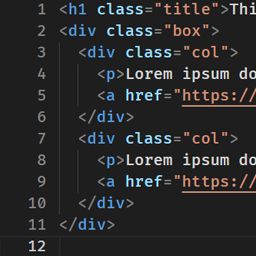
Built-in HTML editor: edit a published page in the dashboard with the native WordPress code editor (syntax highlighting)
Version history: every save keeps the previous version; restore any earlier version with one click (restoring is itself undoable)
File management: add, replace, or delete a page’s images, CSS, JS, fonts and other files in place — Replace keeps the original filename so existing references keep working
Safe SVG support: SVG images are sanitized on upload and served in a sandbox, so logos and icons work without the security risk that makes WordPress block SVG by default
Clean Claude Design exports: strips the export-time runtime wrappers Claude Design adds so the published page is pure static HTML; add rules for other tools with the htmlpp_sanitizer_rules filter
Configurable URL prefix: default /pages/your-slug/, change to anything you like (e.g. /resources/, /guides/)
Optional subdomain routing: point sales.example.com at your site and pages appear at sales.example.com/your-slug/
Works on subdirectory installs (e.g. example.com/blog/pages/your-slug/)
Cache-friendly: ETag and Last-Modified headers with conditional (304) and HEAD support, so browsers and CDNs revalidate cheaply while edits still show immediately
Protected storage: pages are only served at their public URL; direct access to the uploads folder and to version-history snapshots is blocked, and Settings shows whether your web server honours the protection
Safe by default: nonce-protected forms, capability checks, path-traversal guards, strict file-extension filtering, and no silent overwrites of live pages
Extensible: actions and filters for add-ons (htmlpp_loaded, htmlpp_page_published, htmlpp_before_serve, htmlpp_cache_max_age, htmlpp_allowed_asset_mimes, and more)
Use cases
Publishing landing pages generated with Claude Design
Publishing any AI-generated or hand-written static HTML page
Sales collateral (rate cards, one-pagers, proposals)
Campaign landing pages and microsites
Rapidly publishing static HTML without touching the theme or FTP
HTML Page Publisher is an independent project. It is not affiliated with, endorsed by, or sponsored by Anthropic, OpenAI, Google, Vercel, or StackBlitz. Claude, ChatGPT, Gemini, v0 and Bolt are trademarks of their respective owners.