內容簡介
Host Gauge 是一款輕量級的 WordPress 外掛,幫助網站擁有者清楚了解本地儲存和檔案使用情況。它能掃描當前的 WordPress 安裝,並在控制台顯示最新的讀數,讓使用者輕鬆掌握網站容量。
【主要功能】
• 顯示 WordPress 安裝的儲存使用情況
• 掃描並顯示本地檔案總數
• 提供手動掃描以獲取最新讀數
• 支援每日自動掃描以保持可見性
• 輕量級的智能更新功能
外掛標籤
開發者團隊
原文外掛簡介
Host Gauge is a lightweight meter for WordPress sites that need a clear view of local storage and file usage.
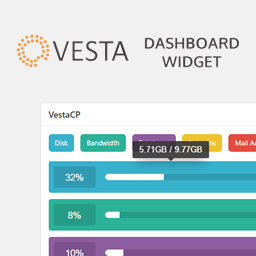
It scans the current WordPress installation, stores the latest reading, and shows the result in a focused admin screen, dashboard widget, and admin bar indicator. The plugin is designed to stay calm and read-only: it measures what is already on the site without blocking uploads, changing content, or enforcing quotas.
What Host Gauge shows
Storage used by the WordPress installation.
Total files found during the local scan.
Last scan time and measured status.
A manual scan action for fresh readings.
Scheduled background scans for daily visibility.
Lightweight smart updates after uploads, plugin changes, and theme changes.
Built for hosting visibility
Host Gauge is useful for site owners, freelancers, and hosting teams who want to understand capacity before storage or file-count limits become a problem. The dashboard keeps the numbers simple enough for daily work while still giving developers hooks for deeper workflows.
Optional Hub workflow
Host Gauge works on its own. If your team also uses Hosting Quota Control Hub, a separate companion plugin can connect sites to your Hub account for managed licenses, capacity reporting, and multi-site operations. A 30-day Hub trial is available from the service website.
Privacy
Host Gauge runs locally inside WordPress. By itself, it does not require an external account and does not send scan results to a remote service.
The plugin stores its latest measurement in WordPress options so administrators can see the current reading. If you install and connect a separate companion plugin, that companion workflow may send site data according to its own configuration and privacy terms.