內容簡介
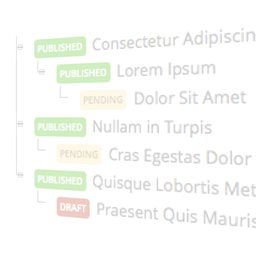
層級式文件允許管理員創建公共文檔頁面並使用樹形列表將它們按層級組織,每個頁面可以拖動到所需位置。它支持代碼塊的語法突出顯示和 Markdown。
有關層級文件的實際示例,請查看 wpmvc.org。
請注意,默認行為是將 ID 為1的文檔頁面顯示為網站的主頁。可以通過編輯 hierarchical-documentation/app/config/routes.php 的第一行來更改這一默認行為。(有關詳細信息,請參閱 WP MVC 關於路由的文檔頁面。)
此外掛取決於 WP MVC,因此在啟用本掛件之前,必須安裝並啟用該掛件。
如果您想獲取開發版本、查看新增的新功能或瀏覽源代碼,請訪問 GitHub 存儲庫。
外掛標籤
開發者團隊
原文外掛簡介
Hierarchical Documentation allows admins to create public pages of documentation and organize them hierarchically using a tree listing the pages where each page can be dragged to its desired position. It supports syntax highlighting for blocks of code and Markdown.
For an example of Hierarchical Documentation in action, see wpmvc.org.
Please note that the default behavior is to display the documentation page that has an ID of 1 as the site’s homepage. This can be changed by editing the first line of hierarchical-documentation/app/config/routes.php. (See the WP MVC documentation page on routing for details.)
This plugin depends on WP MVC, so that plugin needs to be installed and activated before this one is activated.
If you’d like to grab development releases, see what new features are being added, or browse the source code please visit the GitHub repo.