
內容簡介
Turbo Header Footer Builder for Elementor 是一款免費的外掛,讓使用者能夠在 Elementor 中輕鬆設計、客製化及控制網站的頁首和頁尾,無需撰寫任何程式碼,適合各類型網站。
【主要功能】
• 完全客製化的頁首和頁尾設計
• 支援 Elementor 免費版與專業版
• 進階條件顯示規則
• 多種自訂小工具,提升設計靈活性
• 實時編輯與預覽功能
外掛標籤
開發者團隊
② 後台搜尋「Header Footer Builder for Elementor」→ 直接安裝(推薦)
原文外掛簡介
Looking for the easiest way to create custom header and footer in Elementor?
Turbo Header Footer Builder for Elementor is the ultimate free solution to design, customize, and control your website’s header and footer without touching a single line of code.
Get Advanced Features for Modern Website Design — Explore Turbo Addons For Elementor
Whether you’re building a business site, eCommerce store, or personal blog, this plugin gives you complete control over your header and footer designs — directly inside Elementor’s drag-and-drop editor.
Why Choose Turbo Header Footer Builder For Elementor?
User-Friendly: Designed for beginners and advanced users alike
No coding required — design entirely in Elementor
Works with both Elementor Free and Elementor Pro
Advanced conditional display rules for different pages.
Lightweight, SEO-friendly, and performance optimized
Key Features
Essential Elementor Widgets for Header and Footer Builder
Navigation Menu Widget – Build fully customizable menus with dropdowns, hover effects, and responsive controls.
Site Logo Widget – Display dynamic site logo with custom link, width controls, and responsive options.
Icon Button Widget – Create modern icon-based buttons with full styling controls.
Top Bar Widget – Add contact info, social icons, announcements, or custom text in a stylish top bar.
Copyright Widget – Add footer copyright text with dynamic year, company name, and full typography & styling options.
Header Builder
Customizable Header Templates: Design fully customizable headers using Elementor’s drag-and-drop interface.
Display Conditions: Define when and where your header should appear on different pages, posts, or custom post types.
Global or Page-Specific Headers: Set headers globally across the site or assign them to specific pages.
Header Style Options: Customize the header style, including background color, fonts, spacing, and more.
Live Editing and Preview: Use Elementor’s live preview to make real-time changes to your header.
Exclude Header from Specific Pages: Choose pages where the header should not appear, giving you granular control over your site’s design.
Sticky Header: Make your header sticky to remain at the top of the page when scrolling.
Scroll Animation: Add animation effects to headers that stay at the top while scrolling.
Edit Display Conditions: After creating the header template, you can easily edit the display conditions from the template list by clicking the Edit Condition button.
Footer Builder
Customizable Footer Templates: Create fully customizable footer layouts using Elementor’s drag-and-drop interface.
Conditional Display Rules: Define when and where your footer should appear, including options to target specific pages, posts, or user roles.
Multiple Footer Layouts: Choose from various footer layouts to quickly set up your footer or create one from scratch.
Global and Page-Specific Footers: Easily set footers globally or assign them to specific pages, post types, or custom post types.
Preview and Live Editing: Use Elementor’s live preview feature to make adjustments and see changes in real-time.
The Footer Builder gives you complete control over your footer’s design, layout, and visibility, all from within the intuitive Elementor interface.
Visual Dashboard Features (Based on Plugin UI)
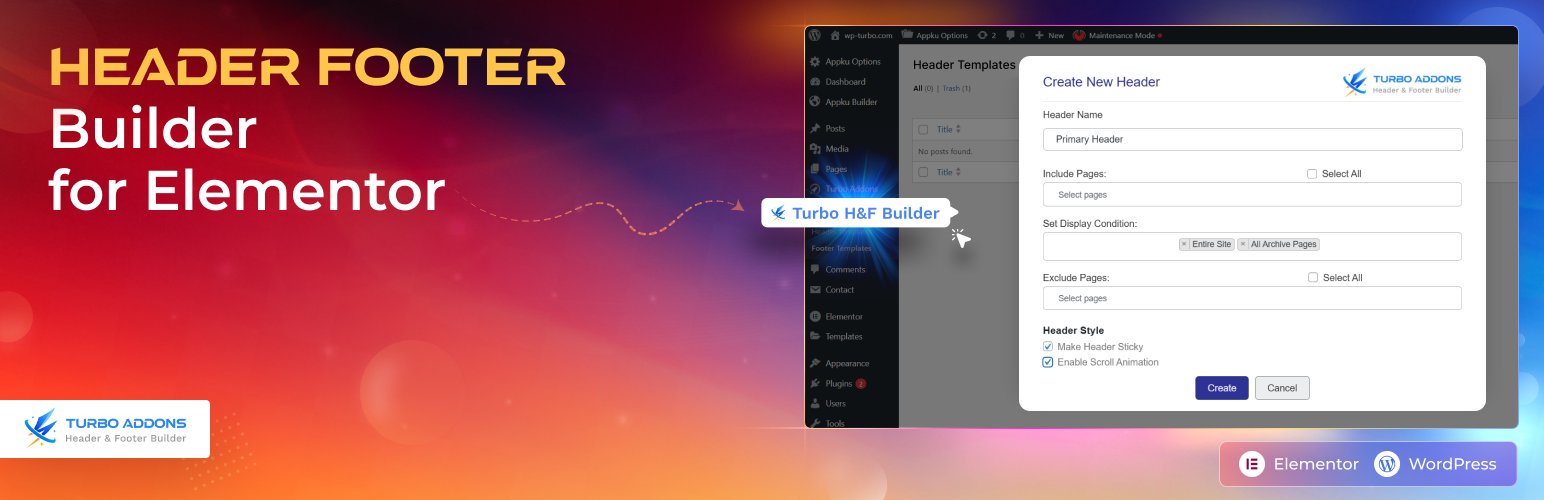
Your header footer builder managed in a simple modal-based interface directly inside WordPress:
Quick Create Modals — Create headers or footers without leaving the template list screen.
Include Pages Selector — Choose individual pages or “Select All” for global use.
Display Conditions Dropdown — Choose where the header/footer appears:
Entire Site
All Blog Posts
All Archive Pages
All WooCommerce Products (only appear when woocommerce installed)
All WooCommerce Pages (only appear when woocommerce installed)
Exclude Pages Selector — Exclude specific pages where the design shouldn’t appear.
Header Style Options:
Make Header Sticky
Enable Scroll Animation
Inline Editing — Update conditions instantly from the “Edit Conditions” modal without rebuilding templates.
This visual system ensures fast setup and easy customization for all WordPress users — even beginners.
Benefits of Using Turbo Header Footer Builder
Completly Free: Unlocked all advance features completly free
Save Time: Quickly create custom header and footer in Elementor without coding.
Boost Performance: Optimized for speed and minimal resource usage
SEO Friendly: Clean, semantic HTML output for better search rankings
Responsive Design: Looks great on all devices
Regular Updates: Continuous improvements and new features
Active Support: Get help from our dedicated support team
Extensive Documentation: Comprehensive guides and tutorials available
Installation Steps
Log into your WordPress admin dashboard
Navigate to Plugins > Add New
In the search bar, type “Header Footer Builder for Elementor”
Click Install Now next to the plugin
After installation, click Activate to enable the plugin
How to Create Custom Header and Footer in Elementor
Creating a Custom Header
Go to Turbo H&F Builder > Header Templates
Click Add New Header Template
Enter a name for your header template.
Select the page if the header is for a specific page, or leave it if it applies globally.
Set display conditions for pages or post types.
Select pages to Exclude the header from if needed, or leave it blank to apply globally.
Mark the checkbox to Set the Header Style for Sticky or Scroll Animation you can select both
Click the Create button; you will be redirected to the Elementor editor
Use Elementor’s drag-and-drop interface to create your header template
Creating a Custom Footer
Go to Turbo H&F Builder > Footer Templates
– Click Add New Footer Template
– Enter a name for your Footer template.
– Select the page if the header is for a specific page, or leave it if it applies globally.
– Set display conditions for pages or post types.
– Select pages to Exclude the header from if needed, or leave it blank to apply globally.
– Click the Create button; you will be redirected to the Elementor editor
– Use Elementor’s drag-and-drop interface to create your footer template
Conditional Display Rules
Set up smart display rules for your headers and footers:
Page Types: Home, Blog, Single Post, Archive, etc.
Custom Post Types: Specific headers for products, services, etc.
Device Types: Mobile-specific or desktop-specific designs
Date/Time: Seasonal or time-based header changes
Performance & Compatibility
Optimized for Speed: Minimal CSS/JS, clean HTML output
Compatible With:
Elementor (Free & Pro)
WooCommerce
All major WordPress themes
WPML & Polylang
Getting Help:
Documentation: Visit our comprehensive documentation
Support Forum: Get help from our community
Email Support: Contact our support team directly
Video Tutorials: Step-by-step video guides
Frequently Asked Questions (FAQ)
Q: Do I need Elementor Pro to use this plugin?
A: No, this plugin works with both the free and Pro versions of Elementor.
Q: Can I use different headers for different pages?
A: Yes, you can create multiple header templates and set conditional display rules for different pages or page types.
Q: Does the plugin affect my website’s performance?
A: No, the plugin is optimized for performance and includes caching features to ensure fast loading times.
Q: Can I create a sticky header using this plugin?
A: Yes, you can enable the sticky header feature to keep the header fixed at the top as users scroll down the page.
Q: Can I add animations to my header?
A: Yes, the plugin supports scroll animations for headers, adding dynamic effects when users scroll down the page.
Q: How can I edit the display conditions of my header/footer?
A: After creating your header or footer template, you can edit the display conditions by clicking the Edit button from the template list.
1.1.4
Update the loading time
Performance Improved
1.1.3
Enhanced: Added “Select All” checkbox functionality for Include Pages and Exclude Pages in header creation modal
Improved: Better page selection UX with individual checkboxes for all available pages (About, Contact, HOME, Portfolio, Portfolio Details, Shop)
Feature: Complete page targeting control with both include and exclude options for precise header display management
1.1.2
Performance: Instant modal loading with pre-cached data (no AJAX delay)
Performance: No page reload after saving – instant updates
UX: Real-time save feedback with “Saving…” and “✓ Saved” states
Fix: Mobile menu z-index – dropdown now appears above content
Fix: Header z-index when sticky/animation disabled
Fix: Elementor preview mode rendering for templates
Security: Enhanced nonce verification
1.1.1
Fix: Solved error with header/footer templates not rendering in Elementor preview mode—no more blank headers/footers when editing templates.
Bug: Fixed Elementor preview mode rendering issue for header/footer templates in this version.
1.1.0
Fix: Ensure selected pages in the Header “Include/Exclude” modal are visibly highlighted in the Select2 dropdown inside admin modals.
Fix: Keep Select2 multi-selects open after selecting items (closeOnSelect: false) so users can pick multiple pages without the dropdown closing.
Fix: Append Select2 dropdowns to the modal using dropdownParent to avoid styling/position conflicts when the dropdown is rendered outside the modal.
Fix: Add CSS fallback to force a clear highlight and checkmark for selected options in the Select2 dropdown.
Docs: Updated changelog to reflect UI and UX fixes for header condition modals.
1.0.9
Fix: Allow plugin header/footer to render inside Elementor editor for normal pages so editor shows correct header/footer.
Fix: Skip plugin header/footer rendering on pages using the Elementor Canvas layout (prevents plugin injection on Canvas pages).
Maintenance: Minor code improvements and safety checks for Elementor preview handling.
1.0.8
Fixed — Duplicate Header Issue – Resolved conflict causing duplicate header output and blank space on some themes.
Improved — Hook Conflict Prevention – Removed redundant wp_body_open hook to prevent header rendering conflicts.
Optimized — Cleaner Code Execution – Reduced duplicate function calls for better performance.
1.0.7
Improved — Faster Header Display – The header now loads earlier on the page, reducing flicker and layout shifts.
Improved — Smoother Elementor Loading – Elementor styles and scripts are loaded sooner to ensure the header appears correctly without delay.
1.0.6
Simplify: Simplified the duplication code for make the plugin more compitable
1.0.5
Added: Promotional notice encouraging users to try Turbo Addons for Elementor
Improved: Header/Footer condition logic for more accurate template assignment
Fixed: Compatibility warnings with the latest versions of Elementor and WordPress
1.0.4
Added: Navigation Menu widget
Added: Button widget
Added: Top Bar widget
Added: Copy Right widget
Added: Site Logo widget
Improved: Asset loading system for better performance
Fixed: Minor PHP warnings and improved escaping
1.0.3
Added: Recommendation notice suggesting installation of the Turbo Addons for Elementor plugin to access the WordPress Nav Menu widget for creating headers and footers.
1.0.2
Added: Video tutorial for how to create header and footer in Elementor using the Header Footer Builder for Elementor plugin.
1.0.1
Fixed: Icons (Font Awesome / Elementor icons) not displaying on frontend.
Improved: Rendering logic for Elementor templates to ensure icons display correctly.
1.0.0
Initial release with header and footer builder functionality.
Integration with Elementor drag-and-drop interface.
Conditional display rules system.
Responsive design support.
License
Turbo Header Footer Builder for Elementor is licensed under the GNU General Public License v3 or later.
Credits
Developed by TurboAddons team with contributions from the WordPress community.
Transform your website’s header and footer with Turbo Header Footer Builder for Elementor – the ultimate solution for custom header and footer design!
