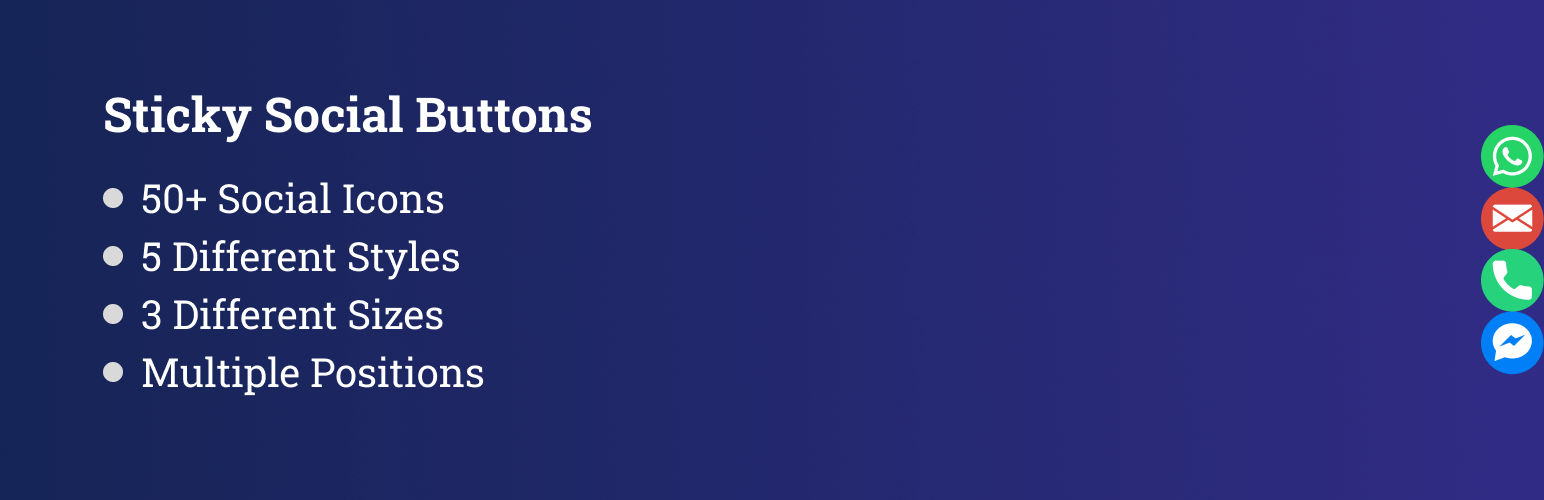
內容簡介
GP Sticky Button 包含 44 個頻道,因此您可以快速與您的網站訪客建立聯繫,他們可以通過其中任何一個頻道與您聯繫或分享他們對您的網站或服務的看法。作為網站擁有者,您還可以快速回答他們的問題,將網站訪客轉化為真正的潛在客戶。
GP Sticky Button 是一款免費且輕量級的 WordPress 外掛程式。您可以在您的網站上的任何地方顯示一個按鈕列表,以便您的訪客可以快速與您聯繫和分享他們的需求。
好處
訪客可以自由選擇 44 個頻道中的一個頻道
產生真正的潛在客戶和良好的投資回報率
使用 GP Sticky Button,為您的客戶提供全天候的服務
快速滿足您客戶的需求
快速解決訪客的疑問
提高社交媒體頻道的可見性
功能
40+ 個頻道,所有頻道均免費。
選擇要顯示按鈕的位置:頂部、底部、左邊或右邊。
GP Sticky Button 還提供主題選擇選項。您可以從圓形、圓角、菱形或箭頭中選擇圖標的形狀。
設置調用動作按鈕的動畫,如無、滑動或淡入淡出。
為您的按鈕選擇背景顏色。
為每個按鈕選擇自定義顏色。
您可以使用拖放將按鈕設置選項進行排序。
個人可以選擇是否在手機、桌面或兩者上顯示按鈕。
更改所有按鈕文本的字體。
更改按鈕工具提示文字。
您還可以選擇何時顯示小部件,例如滾動或經過幾秒鐘後。
啟用或禁用按鈕。
完全可自定義和響應
Sticky Button 提供以下按鈕可在您的網站上顯示
亞馬遜
App Store
Behance
Bitbucket
日曆
Dribbble
Ebay
Etsy
Facebook
Facebook Messenger
Flickr
Github
Google Play 商店
Instagram
Itunes
Line
聯絡我們
Linkedin
郵件
地圖
Medium
電話
Pinterest
QQ
Quora
Reddit
RSS
Skype
Slack
短信
Snapchat
Soundcloud
Spotify
Telegram
Tripadvisor
Tumblr
Twitter
Viber
Vimeo
Vk
WeChat
Whatsapp
Yelp
YouTube
外掛標籤
開發者團隊
② 後台搜尋「Sticky Social Buttons – Floating Chat, Call, Contact, SMS, Email & 50+ Social Icons」→ 直接安裝(推薦)
原文外掛簡介
Sticky Social Buttons helps you engage and convert your visitors by adding beautiful, customizable floating buttons to your WordPress website. With support for 50+ popular social channels, chat apps, call, SMS, and email, your visitors can connect with you instantly—leading to more conversations, leads, and sales.
Unlike static links, sticky buttons stay visible as users scroll, making it easier for them to reach you anytime. You can display different buttons on desktop or mobile, adjust their size, style, color, and position, and even add animations for maximum impact. Whether you want to boost engagement with WhatsApp, Messenger, Telegram, Instagram, or offer quick contact via phone and email, Sticky Social Buttons keeps you always within reach.
Benefits
Give visitors the freedom to connect with you on 50+ popular social and chat channels.
Turn conversations into authentic leads and improve your ROI.
Stay available 24/7 with floating buttons always visible on your site.
Boost the visibility of your social media profiles and grow your audience.
Provide a seamless, mobile-friendly contact experience for your customers.
Features
50+ free social and communication channels including WhatsApp, Messenger, Telegram, Instagram, Viber, and more.
Add custom links to any service or platform not included by default.
Choose button placement on the top, bottom, left, or right side of your site.
Show buttons on desktop only, mobile only, or both.
Set different positions, styles, and sizes for desktop vs. mobile.
Select from multiple button shapes: Default, Round, Rounded, Diamond, or Arrow.
Adjust button size (small, medium, large).
Customize background colors and tooltip text for each button.
Apply global font settings for button text.
Add smooth animations: None, Slide, or Fade.
Reorder buttons easily with drag-and-drop.
Enable or disable individual buttons anytime.
Choose when to display buttons: on scroll, after a set timeout, or on visitor inactivity.
Supported Buttons
Sticky Social Buttons provides 50+ popular social, chat, and contact channels that you can add to your website:
Social Media & Content Platforms
– Facebook, Instagram, Twitter, LinkedIn, Pinterest, Reddit, Tumblr, Flickr, Quora, Medium, Behance, Dribbble, Vimeo, YouTube, SoundCloud, Spotify
Messaging & Chat Apps
– WhatsApp, Facebook Messenger, Telegram, Viber, WeChat, Line, Snapchat, Slack, QQ, Qzone, OK.ru
E-commerce & Business Platforms
– Amazon, eBay, Etsy, Shopify, Gumroad, Fiverr, Printful
App Stores & Services
– App Store, Google Play Store, iTunes
Contact & Communication
– Phone, SMS, Email, Calendar, Map, Tripadvisor, Yelp, Waze, RSS, Custom Link
Free Features
Sticky Social Buttons includes everything you need to add floating, customizable buttons to your WordPress site:
50+ Channels Included: WhatsApp, Messenger, Telegram, Instagram, Twitter, LinkedIn, YouTube, Viber, WeChat, SMS, Email, Phone, and many more.
Unlimited Buttons: Add as many buttons as you want, all free of cost.
Per-Device Control: Show buttons on desktop only, mobile only, or both.
Flexible Positioning: Place button groups on the left, right, top, or bottom of your website.
Custom Styling: Choose from multiple button shapes (Default, Round, Rounded, Diamond, Arrow) and sizes (small, medium, large).
Color Customization: Pick global colors or set a unique background color for each button to match your site’s theme.
Tooltips & Fonts: Customize button tooltip text and change the font of all button labels.
Animations: Display buttons with smooth effects like None, Slide, or Fade.
Drag & Drop Ordering: Easily reorder your buttons from the settings panel.
Triggers: Control when buttons appear: on scroll, after a set timeout, or on visitor inactivity.
Enable/Disable: Turn individual buttons on or off anytime.
Responsive by Default: Buttons automatically adapt to all screen sizes for a seamless user experience.
Pro Features
Upgrade to Sticky Social Buttons Pro and unlock advanced targeting and scheduling options to maximize engagement:
Multiple Button Groups: Create and manage unlimited button groups, each with its own style, size, position, and display rules.
Page Rules: Show or hide specific buttons on selected pages, posts, or custom post types.
Time Schedules: Control exactly when your buttons appear by setting start and end times during the day.
Date Schedules: Schedule buttons for specific dates or time ranges, perfect for campaigns, promotions, or seasonal offers.
Country Targeting: Show buttons only to visitors from selected countries for precise geo-targeting.
With Pro, you get complete flexibility to decide who sees your buttons, when they appear, and where they display – helping you optimize conversions and create smarter user experiences.
Supported Buttons with Description
Amazon: Link to your Amazon store or product page.
App Store: Direct users to your iOS app in the Apple App Store.
Behance: Showcase your creative portfolio on Behance.
Bitbucket: Share your code repositories hosted on Bitbucket.
Calendar: Let visitors schedule meetings or view events via calendar links.
Dribbble: Display your design work on Dribbble.
eBay: Connect users to your eBay store or listings.
Etsy: Promote your Etsy shop and handmade products.
Facebook: Link to your Facebook business page or profile.
Facebook Messenger: Start a direct chat with your Facebook Messenger.
Fiverr: Showcase your Fiverr gigs and services.
Flickr: Share your photo collections hosted on Flickr.
GitHub: Point users to your GitHub repositories or profile.
Google Play Store: Direct users to your Android app in the Play Store.
Gumroad: Sell digital products with a link to your Gumroad page.
Instagram: Drive traffic to your Instagram profile.
iTunes: Share music, podcasts, or apps available on iTunes.
Line: Start a conversation with you via Line messaging app.
LinkedIn: Connect with your business or professional LinkedIn profile.
Mail: Allow visitors to email you directly with one click.
Map: Share your business location using Google Maps or similar.
Medium: Drive readers to your Medium blog or publication.
OK.ru: Link to your OK.ru (Odnoklassniki) social network profile.
Phone: Add a click-to-call button for instant phone calls.
Pinterest: Share your Pinterest boards and pins.
Printful: Direct users to your Printful store.
QQ: Let users connect via the QQ messenger platform.
Quora: Link to your Quora profile or space.
Qzone: Share your Qzone social profile.
Reddit: Direct users to your Reddit profile or community.
RSS: Allow visitors to subscribe to your RSS feed.
Shopify: Promote your Shopify store.
Slack: Invite users to your Slack community.
SMS: Enable click-to-text functionality for direct messaging.
Snapchat: Share your Snapchat profile for quick add.
SoundCloud: Showcase your audio tracks on SoundCloud.
Spotify: Promote your playlists, albums, or artist profile.
Telegram: Start a Telegram chat with your business or group.
TikTok: Drive traffic to your TikTok profile or videos.
Tripadvisor: Share your Tripadvisor reviews or business profile.
Tumblr: Promote your Tumblr blog.
Twitter: Link to your Twitter (X) profile or tweets.
Viber: Start conversations via Viber messenger.
Vimeo: Share your Vimeo video channel or portfolio.
VK: Link to your VK (VKontakte) social network profile.
Waze: Share directions to your location using Waze.
WeChat: Connect with your visitors through WeChat.
WhatsApp: Start a chat instantly on WhatsApp or WhatsApp Business.
Yelp: Showcase your Yelp business profile and reviews.
YouTube: Drive subscribers to your YouTube channel.
Custom Link: Add any external or internal link of your choice.