內容簡介
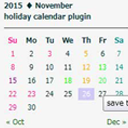
Gorogoro Calendar 外掛讓使用者輕鬆設定定期的休息日,並可註冊各類事件,提供完全自訂的標籤和顏色選項,適合各種用途。
【主要功能】
• 註冊休息日和事件,並自訂標籤和顏色
• 設定每週重複的休息日和臨時休息日
• 支援從 CSV 檔案匯入公共假日資料
• 事件顯示可隨時開關
• 支援日期範圍的個別條目編輯
• 可使用區塊編輯器或短碼添加日曆
外掛標籤
開發者團隊
原文外掛簡介
Gorogoro Calendar makes it easy to set up your regular closed days.
Register two types of dates — closed days and events — with a fully customizable label, background color, and text color for each, so they can be used for any purpose
Set recurring weekly closed days, plus individually registered temporary closed days, temporary open days, and events
Individual entries can span a single day or a date range (e.g. a year-end/New Year break), and can be edited after they’re registered
Toggle event display on or off
Import public holiday data from a simple CSV file (date + holiday name). Japan’s official CSV published by the Cabinet Office is supported out of the box
Optionally treat holidays the same as closed days, with the same background color, via “Treat holidays as closed days”
Navigate between the previous and next month without a page reload
Add it with the “Gorogoro Calendar” block editor block, or the [gorogoro_calendar] shortcode
Ships with an English translation in addition to the default Japanese
About holiday data
Prepare your public holiday data as a CSV file (UTF-8) with the date in the first column and the holiday name in the second column, then import it from the plugin’s settings page. Japan’s official “National Holidays” CSV, published every year on the Cabinet Office website, is supported directly:
https://www8.cao.go.jp/chosei/shukujitsu/gaiyou.html