
內容簡介
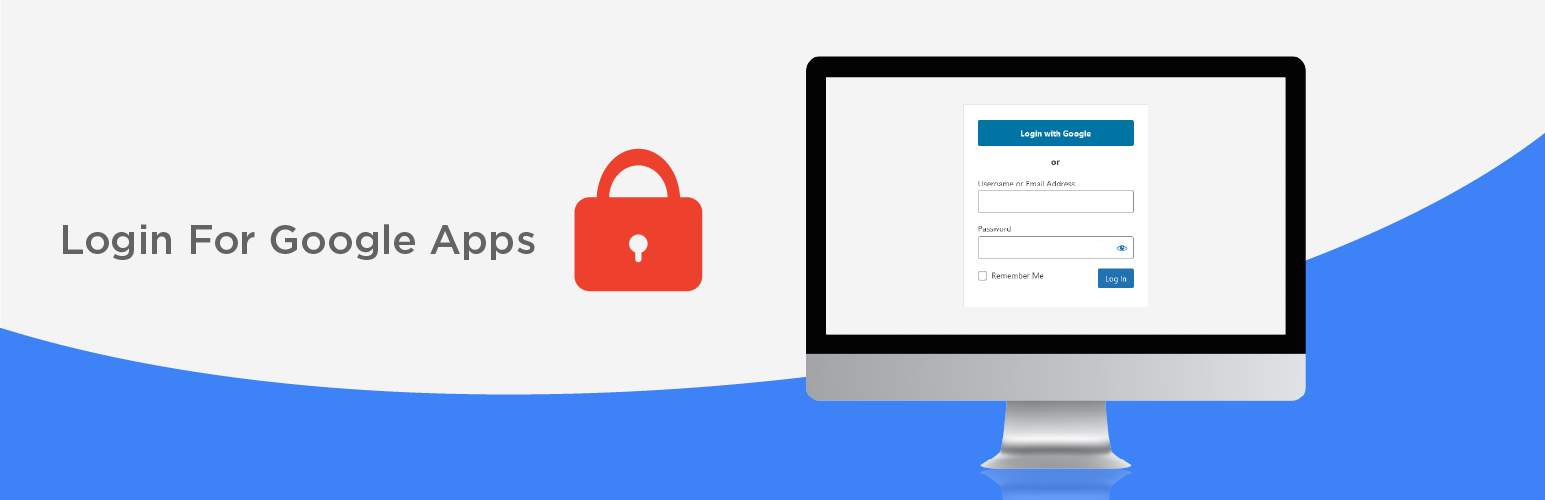
Google應用登錄允許現有的WordPress使用者使用Google進行帳戶驗證來登錄您的網站以實現安全認證。這意味著,如果他們已經登入Gmail,他們可以通過WordPress登錄畫面輕鬆進入網站——不需要明確提供用戶名或密碼!
Google應用登錄使用Google推薦的最新安全OAuth2認證,包括如果啟用您的Google Workspace(以前稱為Google Apps和G Suite)帳戶中的雙因素認證。
這比較老的SAML協議要簡單得多。
Google應用登錄已被從學校到大型公共公司的數千個組織信任。Google應用登錄插件是基於您的Google Workspace域的登錄和用戶管理的最受歡迎的企業級插件。
其插件設置要求您擁有任何Google Workspace域或常規Gmail帳戶的管理員訪問權限,以註冊並從Google獲取兩個簡單的代碼。
支持和高級功能
還可以購買全面支持和高級功能:
消除Google Workspace(以前稱為Google Apps和G Suite)域管理員分別管理WordPress用戶帳戶的需要,確保只有經授權的員工可以訪問您組織的網站和內部網。
有關更多詳情,請查看我們在wp-glogin.com上的網站。
高級版允許您的Google Workspace(Google Apps / G Suite)域中的每個人登錄WordPress,如果WordPress中不存在帳戶,則會自動創建一個帳戶。
我們的企業版更進一步,允許您根據Google群組或組織單元成員身份指定細粒度訪問和角色控制。
您還可以查看插件創建的帳戶和更改的角色的日誌。
可擴展平台
Google應用登錄允許您集中您網站的Google功能並構建自己的擴展,或使用不需要配置自己並共享與Google應用登錄相同的用戶身份驗證和權限的第三方擴展。
使用我們的平台,您的網站對於Google帳戶來說就像一個統一的“Web應用程序”,使其更安全且更易於管理。
Google Drive嵌入器是一個擴展插件,允許
用戶瀏覽Google Drive文檔,直接在其帖子或頁面中嵌入。
Google應用程序目錄是一個擴展插件,允許
已登入的用戶從您的內部網站或客戶端網站的小部件中搜索Google應用程序員工目錄。
Google配置文件頭像在我們的網站上提供。它在整個站點中顯示用戶的Google配置文件照片,而不是他們的頭像。
Google應用登錄適用於單個或多站點WordPress網站或私人內部網。
要求
一鍵登錄將適用於以下域和用戶帳戶:
Google Workspace Starter
Google Workspace Business Standard
Google Workspace Business Plus
Google Workspace Enterprise
Google Workspace for Nonprofits
Google Workspace for Education
外掛標籤
開發者團隊
📦 歷史版本下載
原文外掛簡介
Login for Google Apps allows existing WordPress user accounts to log in to your website using Google to securely authenticate their account. This means that if they are already logged into Gmail – they can simply click their way through the WordPress login screen – no username or password is explicitly required!
Login for Google Apps uses secure oAuth2 authentication recommended by Google, including 2-factor authentication (2FA) if enabled for your Google Workspace (formerly known as Google Apps and G Suite) accounts.
This is far simpler to configure than the older SAML protocol.
Login for Google Apps is trusted by thousands of organizations from schools to large public companies. Login for Google Apps for WordPress is the most popular enterprise grade plugin enabling login and user management based on your Google Workspace domain.
Its plugin setup requires you to have admin access to any Google Workspace domain, or a regular Gmail account, to register and obtain two simple codes from Google.
Support and Premium features
Full support and premium features are also available for purchase:
Eliminate the need for Google Workspace (previously called “Google Apps and G Suite”) domain admins to separately manage WordPress user accounts, and get peace of mind that only authorized employees have access to your organization’s websites and intranet.
See our website at wp-glogin.com for more details.
The Premium version allows everyone in your Google Workspace (Google Apps / G Suite) domain to log in to WordPress – an account will be automatically created in WordPress if one doesn’t already exist.
Our Enterprise version goes further, allowing you to specify granular access and role controls based on Google Group or Organizational Unit membership.
You can also see logs of accounts created and roles changed by the plugin.
Extensible Platform
Login for Google Apps allows you to centralize your site’s Google functionality and build your own extensions, or use third-party extensions, which require no configuration themselves and share the same user authentication and permissions that users already allowed for Login for Google Apps itself.
Using our platform, your website appears to Google accounts as one unified ‘web application’, making it more secure and easier to manage.
Google Drive Embedder is an extension plugin allowing
users to browse for Google Drive documents to embed directly in their posts or pages.
Google Apps Directory is an extension plugin allowing
logged-in users to search your Google Apps employee directory from a widget on your intranet or client site.
Google Profile Avatars
is available on our website. It displays users’ Google profile photos in place of their avatars throughout your site.
Login for Google Apps works on single or multisite WordPress websites or private intranets.
Requirements
One-click login will work for the following domains and user accounts:
Google Workspace Starter
Google Workspace Business Standard
Google Workspace Business Plus
Google Workspace Enterprise
Google Workspace for Nonprofits
Google Workspace for Government
Google Classroom (Google Workspace for Education)
Personal gmail.com and googlemail.com emails
Login for Google Apps uses the latest secure OAuth2 authentication recommended by Google. Other 3rd party authentication plugins may allow you to use your Google username and password to login, but they do not do this securely unless they also use OAuth2. This is discussed further in the FAQ.
Translations
This plugin currently operates in multiple languages.
We welcome volunteers to translate into their own language. If you would like to contribute a translation, please open the WordPress.org Translation portal.
Website and Upgrades
Please see our website https://wp-glogin.com/ for more information about this free plugin and extra features available in our Premium and Enterprise upgrades, plus support details, other plugins, and useful guides for admins of WordPress sites and Google Apps.
The Premium and Enterprise versions eliminate the need to manage user accounts in your WordPress site – everything is synced from Google Apps instead.
If you are building your organization’s intranet on WordPress, try out our All-In-One Intranet plugin.














