內容簡介
GoConsent™ 是一款針對 WordPress 的隱私合規外掛,提供全面的 Cookie 同意管理及隱私工具。它能協助網站遵循美國各州的隱私法規,並簡化使用者的同意選擇過程,確保網站合法運作。
【主要功能】
• Cookie 同意橫幅,於同意前阻擋追蹤器
• 完整的 Cookie 聲明,分類顯示所有 Cookie
• 實際阻擋追蹤,直到獲得同意
• 支援 Google Consent Mode v2,預設為「拒絕」
• 自動遵循全球隱私控制(GPC)
• 每日 Cookie 掃描及合規報告
外掛標籤
開發者團隊
② 後台搜尋「GoConsent™ – Cookie Consent Banner & Privacy Tools」→ 直接安裝(推薦)
原文外掛簡介
GoConsent — privacy compliance tools for WordPress. Cookies, policies, laws and scans in one plugin, with one setup designed for every US state’s privacy laws.
Privacy laws now reach small businesses. California, Colorado, Texas, Virginia, Oregon and more than a dozen other states require clear consent choices, an opt-out for targeted advertising, a respected Global Privacy Control signal and an up-to-date privacy policy. Lawsuits over tracking pixels and chat tools are growing every year. GoConsent sets up the technical pieces from one screen and tells you in plain English what is left to fix.
Free means free. No visit limits, no account, no cloud service and no forced branding. Everything runs on your own WordPress server, so nothing about your visitors leaves your site.
Who GoConsent is for
Small businesses that want the privacy basics done right without a monthly bill: shops, contractors, salons, professional services.
Agencies and web designers who manage many client sites and need one setup that works everywhere, including multisite networks.
Real estate agents and brokers: listing maps and video tours keep working, with a check that your policy covers them.
Restaurants: reservation and online ordering widgets (OpenTable, Resy, Tock, SevenRooms, Toast) keep working, with policy wording for reservations and allergies.
Health, kids and finance sites: extra checks for sensitive, children’s and financial information.
Nonprofits and publishers that want consent, policies and traffic stats without sending visitor data to another company.
How it works
Install and accept the terms. Nothing runs and nothing leaves your site until you do.
Tell GoConsent about your business: where you are, your industry and where your customers live. It works out which privacy laws likely apply to you.
Scan. GoConsent reads your own pages (and your Google Tag Manager container) and lists every tracker, pixel, embed and cookie, and what adds each one.
Fix. The Overview shows a score and plain-English issues, sorted by what the law requires and what is best practice. Most fixes take one click.
Publish your policies. Build your Privacy Policy, Cookie Policy, Refund & Returns Policy and Accessibility Statement in your own editor, then keep them current as your site changes.
What visitors see
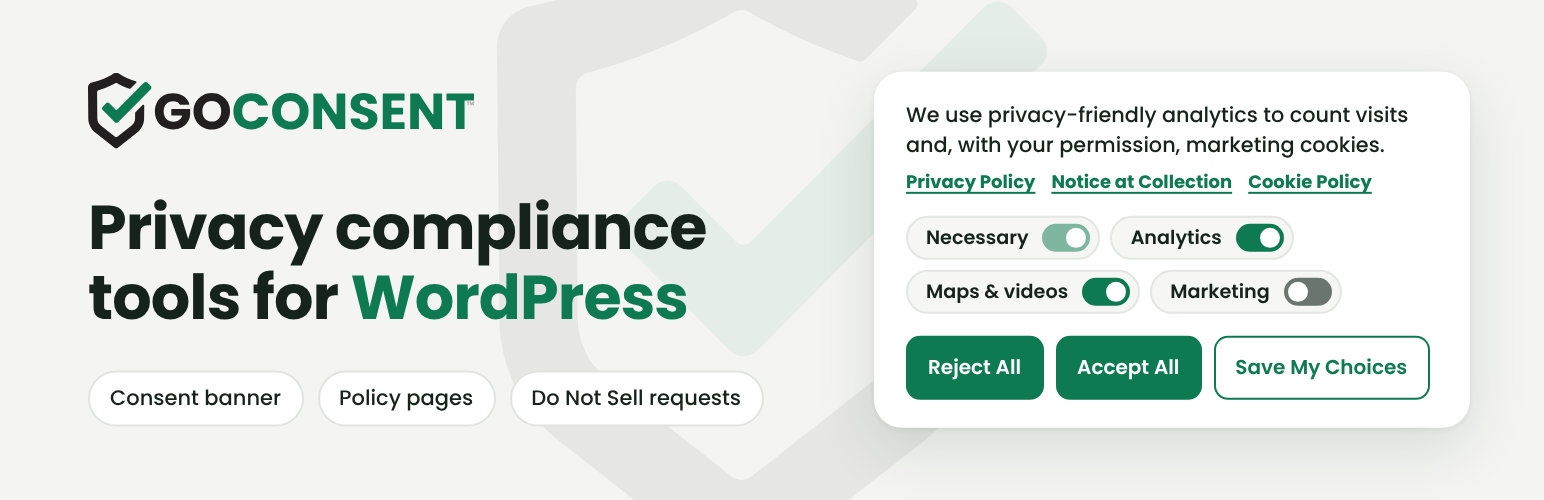
A compact banner with equal Accept All and Reject All buttons, category switches, and links to your Privacy Policy, Notice at Collection and Cookie Policy.
Your Privacy Choices, a dialog with a short notice at collection, one collapsible section per category with its cookies, a consent receipt they can copy, and “Opt out using your email.”
A “Your Privacy Choices” link with California’s opt-out icon in your footer, and a small privacy button that reopens their choices on any page.
Click-to-load placeholders for maps and videos, so nothing contacts Google or YouTube until they agree.
What you see
Overview: checkup score, issues and one-click fixes, plus a one-time question when a better default is available.
Consent: every banner and privacy setting, saved instantly.
Requests: Do Not Sell or Share requests with due dates and a checklist.
Scanner: every tracker and cookie, its category and what adds it.
Tools: your policy pages, built and updated in your editor.
Laws: the privacy laws that likely apply to you, in plain English, including laws starting soon.
Traffic: cookie-free visitor stats on your own server.
Cookie consent banner that blocks trackers before consent
Equal Accept All and Reject All buttons, with category switches right on a compact banner that links to your Privacy Policy, Notice at Collection and Cookie Policy.
“Your Privacy Choices” panel with a short notice at collection, one collapsible section per category (analytics, advertising, maps and videos) and the cookies in each, plus California’s official opt-out icon on the “Your Privacy Choices” footer link.
Full cookie declaration. Every cookie and tracker the scan finds, with provider, purpose, type and expiry, listed by category for visitors and on your Cookie Policy page ([goconsent_cookie_table]).
Consent receipt and privacy button. Visitors see their Consent ID and can reopen their choices from a floating GoConsent shield on any page.
Real blocking, not just a notice. Google Analytics, Google Ads, Meta Pixel, TikTok, LinkedIn, Microsoft Clarity, Hotjar and other tags wait until the visitor agrees. Scripts that other plugins add later are held too.
Google Consent Mode v2 with every signal set to “denied” until consent, ad data redaction on, and Google Signals and ad personalization off until a visitor allows marketing. Meta Pixel gets the same consent signal.
Global Privacy Control (GPC) honored automatically, as California, Colorado and other states require. Visitors are told the signal was honored, and a signed-in visitor’s GPC opt-out follows them to every device.
“Opt out using your email.” Visitors can ask you to stop selling or sharing information you hold about them outside the browser, with no account or ID. You get an email, a 15-business-day countdown, a step-by-step checklist and a reminder before the deadline.
IAB Global Privacy Platform (GPP). Ad vendors that read __gpp get a US National signal that matches the visitor’s choice and GPC.
Analytics from the first page, privately. For US visitors, Google Analytics counts visits without cookies until they choose (you can turn this off). EU and UK visitors get stricter defaults automatically.
Click-to-load Google Maps, Street View, YouTube and Vimeo, so a first visit makes no calls to Google.
Optional self-hosted Google Fonts. Turn it on and fonts are copied to your server, so visitors never contact Google.
Fast and cache-friendly. Works with page caching and loads a small script.
Cookie scanner and compliance report
Daily cookie and tracker scan of your own pages finds tracking tags, pixels, embeds and unknown scripts, and shows which plugin, theme or page adds each one. It recognises 70+ services, including ad networks, session recorders and product analytics.
Sees inside Google Tag Manager. Tags hidden inside your GTM container are listed too, so your cookie list and policies stay complete.
Checkup score with plain-English issues, sorted by what the law requires for your business and what is only best practice.
One-click fixes, plus suggested privacy policy wording you can copy or add to your policy.
Email alerts when a new critical issue appears.
Do Not Sell or Share requests
“Opt out using your email” in Your Privacy Choices covers information you hold outside the browser (email lists, form leads, customer lists).
Requests tab with each request’s due date, business days left, a step-by-step checklist and one-click close (“Done” or “Nothing to do”).
Automatic emails: a receipt for the visitor, a notice to you, and a reminder 3 business days before the deadline. Records are kept 24 months as proof.
Privacy policy generator and policy pages
Legal links in your footer, automatically: added to your footer menu or your block theme’s footer (or a slim bar), without repeating links you already have. Or place the block or shortcode yourself.
Privacy Policy, Cookie Policy, Refund & Returns Policy and Accessibility Statement, written from your settings and your latest scan, with the services your site actually uses.
Notice at Collection section in your Privacy Policy (what you collect, why, whether it is sold or shared, how long you keep it), linked from the banner and Your Privacy Choices.
Looks right on any theme. GoConsent styles the pages it builds, so themes that pad every block don’t leave large gaps.
Works with your editor: the block editor, the classic editor, Elementor and Beaver Builder.
Safe updates. GoConsent updates only its own sections, keeps your edits, and lets you undo any change.
Dynamic shortcodes keep your business name, website address, contact form link and “last updated” date current.
Privacy laws in plain English
Which laws likely apply to you, based on where your customers are, your size and your industry: CCPA/CPRA (California), CalOPPA, Colorado, Connecticut, Delaware, Indiana, Iowa, Kentucky, Maryland, Minnesota, Montana, Nebraska, New Hampshire, New Jersey, Oregon, Rhode Island, Tennessee, Texas, Utah and Virginia, plus Washington’s My Health My Data Act, COPPA, GLBA, GDPR, UK GDPR and PIPEDA.
Laws coming soon (such as Oklahoma, Louisiana, Alabama and Vermont) are flagged before they start.
Industry checks for health, kids, real estate, restaurants and finance.
Built for everyone
Accessible: built to WCAG 2.2 AA guidelines, with real buttons and dialogs, keyboard support, visible focus, screen reader labels, contrast-checked colors, 24px touch targets, and page focus kept clear of the open banner.
Your team works undisturbed: administrators and editors never see the banner, so page builders and admin tools keep working. Authors and contributors skip it too unless you untick them.
Preview the banner exactly as visitors see it, and keep it on while you click around.
Multisite: network activation sets up every site, and each site keeps its own settings and records.
What the laws ask for, and where GoConsent helps
Clear choices before tracking (GDPR, UK GDPR, CCPA and US state laws): a banner with equal Accept and Reject, and tracking held until a choice.
Opt-out of sale, sharing and targeted advertising (California and most US state laws): the Marketing switch, “Your Privacy Choices” with the official icon, and “Opt out using your email” for data outside the browser.
Honor Global Privacy Control: required in California, Colorado, Connecticut, Delaware, Maryland, Minnesota, Montana, Nebraska, New Hampshire, New Jersey, Oregon and Texas. On by default, told to the visitor, and applied on every device a signed-in visitor uses.
Notice at collection (California): in the banner links, Your Privacy Choices and your Privacy Policy.
Act on opt-out requests within 15 business days, with no ID check (California): the Requests tab, deadline countdown and reminder emails.
Keep records (California: 24 months): proof of consent and request records, kept 24 months.
Up-to-date privacy policy (CalOPPA, Delaware and all state laws): policy pages written from your scan and settings, drafted to include the rights, appeals and contact details the laws describe. Review them with your lawyer.
Consumer health data (Washington, Nevada), children (COPPA) and financial information (GLBA): industry checks and, in Pro, dedicated policy pages.
Cookie-free traffic stats and proof of consent
Visitors, pages, sources, devices and UTM campaigns, counted on your own server with no cookies and no stored IP addresses, so you keep seeing traffic even when visitors reject analytics.
In Pro: calls, form sends, directions, AI and search traffic, countries, busiest hours and broken pages. Still no cookies.
Proof of consent for every choice: a random consent ID, time, policy version and anonymized IP, kept 24 months and downloadable as CSV.
GoConsent Pro
Pro is for businesses that want more from their website:
Know which visits become customers. Calls, form sends, directions and emails counted per page, plus where visitors came from (search, AI assistants, social), countries and busiest hours. Still no cookies, with a Dashboard widget.
Stay current when laws change. When a privacy law starts to apply to you, GoConsent writes the new policy wording and waits for your OK. Email alerts for new laws and new trackers, and a monthly report.
Have proof if you’re ever challenged. Evidence scans with a PDF report for your lawyer, Consent ID lookup with printable receipts, and every version of your policies saved with dates.
Thirteen more policy pages: Terms & Conditions, Disclaimer, consumer health data, financial incentive, children’s privacy, SMS terms, DMCA, affiliate disclosure, earnings disclaimer, medical disclaimer, email policy, comment policy and Impressum.
More tools: copy and delete requests with deadlines, a “this policy changed” notice, banner rules by region, an age gate, settings export and import, and on Business and Agency, all your sites in one view.
Compare plans and prices at getgoconsent.com/pricing.
Learn more
Docs: setup, the banner, scans, policy pages and requests, step by step with screenshots.
Privacy laws: what each US state, GDPR, UK and Canadian law asks of a website, in plain English, with sources.
Guides: CCPA opt-out banners, Global Privacy Control, Google Consent Mode v2 and GDPR cookie banners.
Free website privacy audit: check any site for trackers, a privacy policy and opt-out links in a minute.
GoConsent is a compliance tool, not legal advice. Have a lawyer review your policies.
External services
GoConsent makes no outside requests on activation, and none until an administrator accepts its terms.
Google Fonts (fonts.googleapis.com, fonts.gstatic.com) — optional, off by default. Only when you turn on Host Google Fonts on this site (Consent tab), and only for Google Fonts your theme or plugins already load, your server downloads those font files once and GoConsent serves them from your own site, so visitors’ browsers never contact Google. The request contains the font stylesheet address and no visitor or site data. Google’s terms: https://policies.google.com/terms and privacy policy: https://policies.google.com/privacy
Everything else stays on your site:
The scanner requests pages of your own site: once a day after the terms are accepted, or when you click Scan now.
Google Tag Manager (www.googletagmanager.com) — only if your site already uses it. When the scanner finds a Google Tag Manager container id (GTM-…) on your pages, your server downloads that public container file once per scan to list the tags inside it. The request contains only the container id. Google’s terms: https://policies.google.com/terms and privacy policy: https://policies.google.com/privacy
The “Powered by GoConsent” credit in Your Privacy Choices is off by default and only shows if you turn it on (Consent tab). It is a plain link to getgoconsent.com; nothing loads from it unless a visitor clicks it.
Maps and videos (Google Maps, YouTube, Vimeo) are your site’s own embeds. GoConsent adds none; it holds them until the visitor allows them, then the visitor’s browser loads them as it normally would.
Traffic statistics and consent records are stored in your own database and are never sent anywhere.
Developer notes
IAB GPP: __gpp() with the US National section (usnat), CMP ID 1 (unregistered).
REST: POST /wp-json/goconsent/v1/request receives “Opt out using your email” requests.
Multisite: network activation sets up every site; each site accepts the terms and keeps its own settings and records.
JavaScript API: GoConsent.open(), GoConsent.get(), GoConsent.loadScript( src, attrs, onload ), GoConsent.onChange( callback ).
Events: goconsent:change on document; goconsent_update in the dataLayer.
Filters: goconsent_signatures, goconsent_scan_urls, goconsent_issues, goconsent_law_rules, goconsent_industries, goconsent_render_footer_link, goconsent_filter_page, goconsent_alert_recipients, goconsent_visitor_ip.
Action: goconsent_loaded.
Third-party assets
GoConsent includes California’s official privacy opt-out icon (assets/img/ca-privacy-options.svg), unchanged. It is published by the California Attorney General for businesses to use on their websites with a “Your Privacy Choices” link, as the California Consumer Privacy Act regulations require: https://oag.ca.gov/privacy/ccpa/icons-download. It is loaded from your own site, never from outside …