外掛標籤
開發者團隊
② 後台搜尋「Glass Act – Backdrop Filters for Blocks」→ 直接安裝(推薦)
原文外掛簡介
Select a block that sits on top of something, such as a cover image, a photo or scrolling content. Pick a Backdrop filter just below its background color setting and set the amount. Whatever is behind the block gets filtered, giving frosted glass, dimmed, black-and-white or tinted looks.
The block doesn’t need a background color of its own. Leave it empty to see the filter on its own, or add a semi-transparent color to tint it.
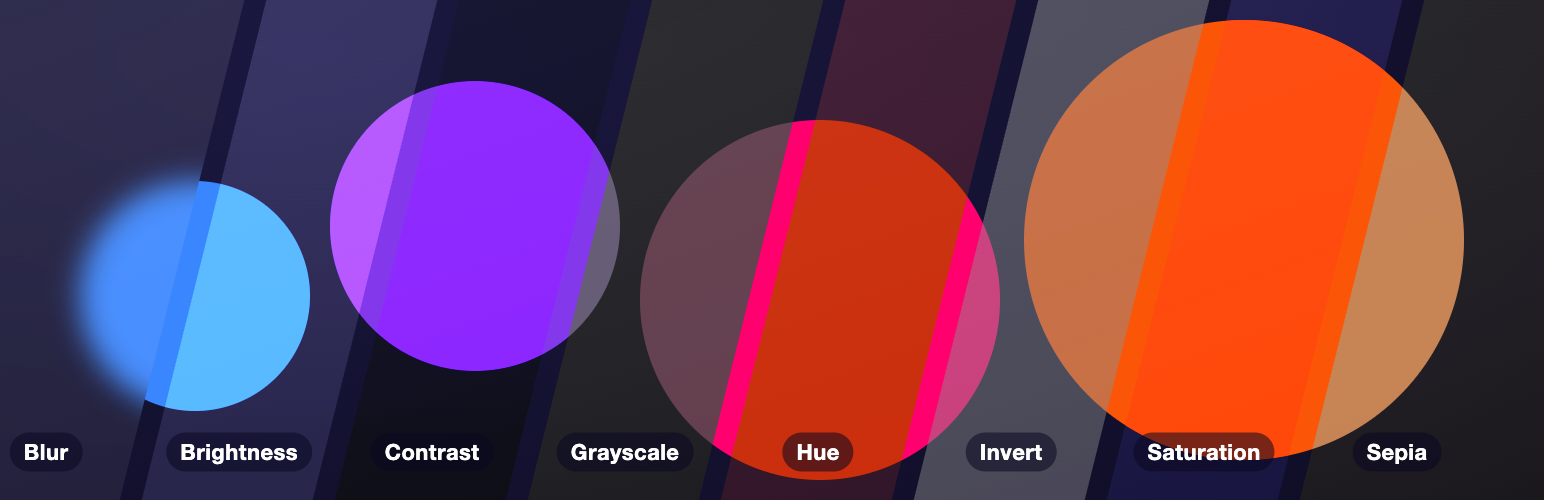
Filters: Blur, Brightness, Contrast, Grayscale, Hue, Invert, Saturation and Sepia.
Works on every block with a background color setting, such as Group, Columns, Buttons, Quote and Search.
Previews live in the editor.
Adds the style when the page renders and saves nothing extra into your post content. If you deactivate the plugin, your blocks stay valid and simply lose the filter.
No settings page, no front-end scripts, no data stored.
Blocks that already support backdrop filters natively are left alone. Theme presets referenced as var:preset|backdrop-filter|{slug} are rendered too.
Source code and issues: github.com/jobthomas/glass-act. The editor script in build/ is minified; its unminified source is in src/ in that repository, built with @wordpress/scripts (npm install && npm run build).