1,000+
安裝啟用
★★★★☆
4.1/5 分(9 則評價)
499 天前
最後更新
—
問題解決
WordPress 5.0.0+ v1.0.2 上架:2019-05-08
內容簡介
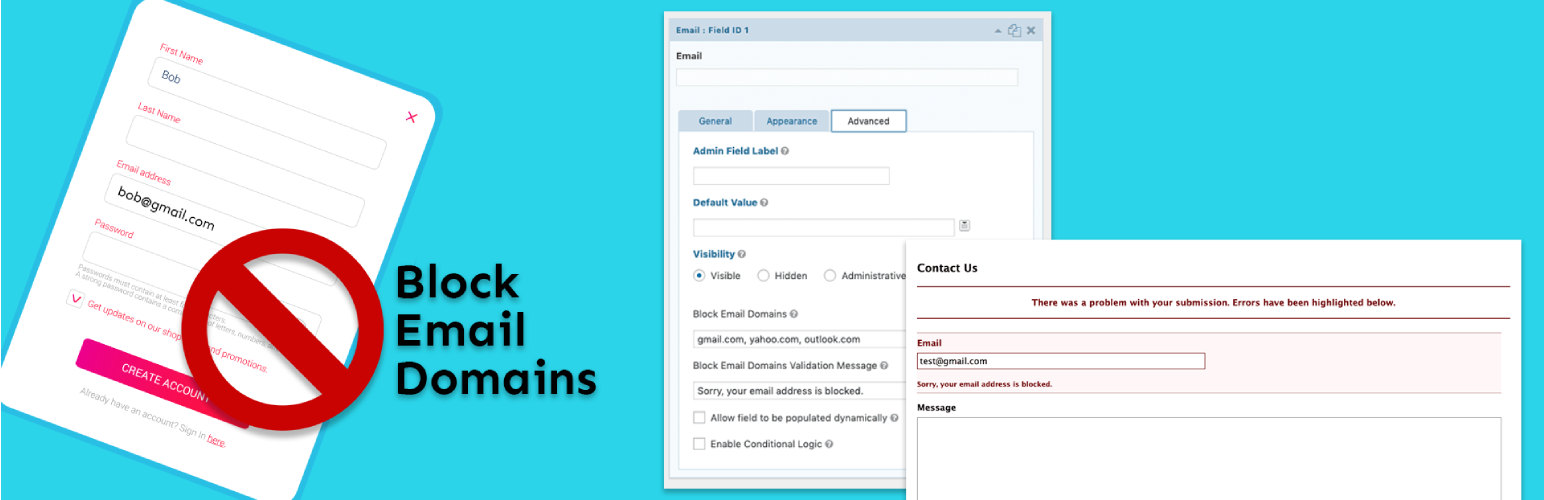
Gravity Forms Block Email Domains 是一個針對 Gravity Forms 的附加外掛程式,它可以讓您在每個電子郵件欄位中定義一個以逗號分隔的被封鎖電子郵件域名清單。您還可以設定自訂的驗證訊息。被封鎖的電子郵件域名將防止表單提交並提示使用者輸入非封鎖的電子郵件地址。
外掛標籤
開發者團隊
⬇ 下載最新版 (v1.0.2) 或搜尋安裝
① 下載 ZIP → 後台「外掛 › 安裝外掛 › 上傳外掛」
② 後台搜尋「Gravity Forms Block Email Domains」→ 直接安裝(推薦)
② 後台搜尋「Gravity Forms Block Email Domains」→ 直接安裝(推薦)
原文外掛簡介
Gravity Forms Block Email Domains is an add-on plugin for Gravity Forms that allows you to define a comma separated list of email domains to block on each email field. Custom validation messages can be set as well. Blocked email domains will prevent the form from being submitted and prompt the user to enter a non-blocked email address.