內容簡介
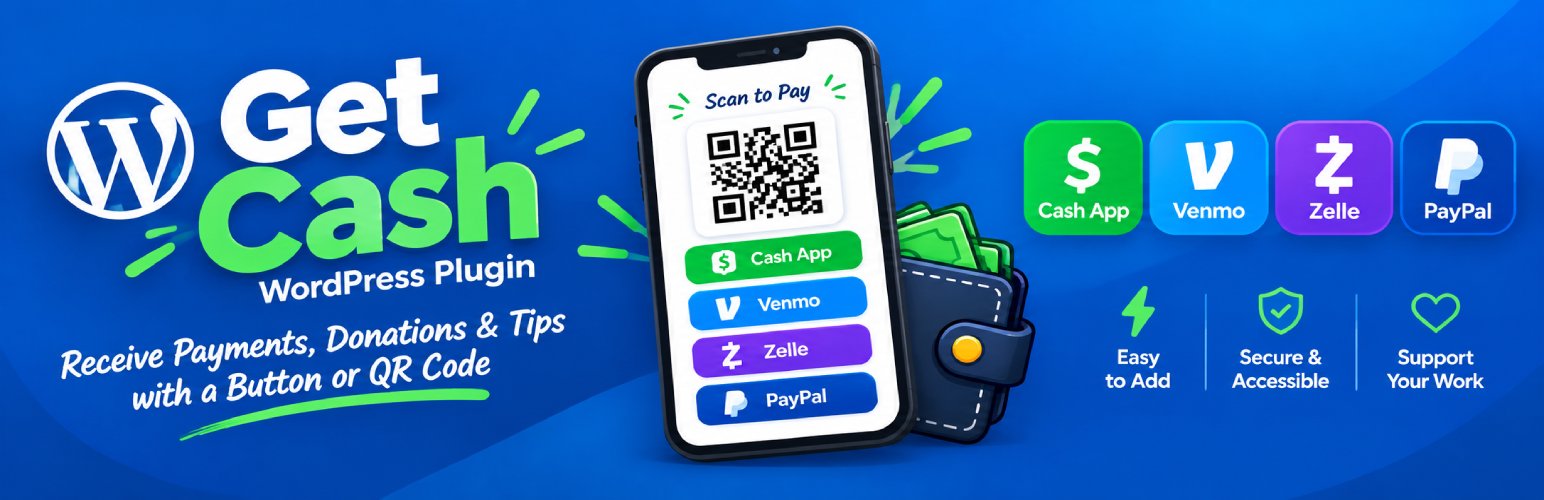
Get Cash 外掛讓您能夠輕鬆在 WordPress 網站上添加支付按鈕或 QR 碼,支援 Cash App、Venmo、Zelle 和 PayPal,方便用戶進行付款、捐款或小費。透過簡碼功能,您可以自訂顯示樣式,提升用戶體驗。
【主要功能】
• 簡碼生成器和即時預覽功能
• 支援多種支付平台的按鈕和 QR 碼
• 提供募款進度條和支持者計數(PRO)
• 自訂金額選項和預設金額(PRO)
• 輕鬆整合於主題樣式的範例頁面
外掛標籤
開發者團隊
原文外掛簡介
Improved shortcode output with eye-catching QR codes, buttons, and sales text, added a shortcode builder, live shortcode preview and a demo page in your own theme style like this
Unlock more great features for you and priority support with a PRO license. Upgrade
Receive payments, donations, tips on WordPress via Cash App, Venmo, Zelle, and PayPal with a button or QR Code anywhere on your website with shortcodes.
This plugin allows you to easily add a button or QR code to your WordPress site that links to your Cash App, Venmo, Zelle, and PayPal accounts.
For more details about this plugin, please visit The African Boss
See available screenshots and example shortcodes for details.
Disclaimer: We are not affiliated with, endorsed by, sponsored by, or in any official partnership with Cash App, Venmo, Zelle, and PayPal. The use of their names, trademarks, and branding is solely for the purpose of providing a convenient way for users to make payments through these platforms. All rights to the names, trademarks, and branding of Cash App, Venmo, Zelle, and PayPal are owned by their respective companies.
Features to help you Get Cash
A shortcode builder and live preview at your disposal in the plugin settings
An example page with the most popular shortcodes generated for your eyes only styled in your active theme stylesheet
A QR code and/or a payment button are shown to your site visitors for ease of use. On phones the button leads automatically, because it is hard to scan a code with the phone that is displaying it.
Suggest multiple amounts with your preferred already selected, plus an “Other” field (PRO).
Fundraising: a goal bar, a supporter count and a thank-you message (PRO).
A filled, on-brand button/QR code with the wallet logo (PRO).
Keyboard accessible, screen-reader labelled, reduced-motion aware and print friendly – a printed page shows a large QR code and hides the buttons.
Example Shortcodes
Place shortcodes like these anywhere on your site:
[cashapp]
[venmo]
[paypal]
[zelle]
[cashapp qr=”no”] – button only
[cashapp qr=”only”] – QR code only
[cashapp size=”240″] – a bigger QR code
PRO adds more attributes and a better design and experience all around:
[venmo amount=”15″ note=”Custom note goes here”] – Venmo note
[paypal amount=”123″] – displays a button with amount
[cashapp card=”shadow”] – a bordered card with a lifted shadow (free always renders without a box)
[cashapp amount=”25″] – pre-fills the amount
[cashapp amounts=”5,10,25,50″] – suggested amounts, middle one pre-selected
[cashapp amounts=”5,10,25″ amount=”25″ badge=”Most popular”] – pre-select and badge an amount
[cashapp goal=”2000″ raised=”1450″ supporters=”214″] – progress bar and social proof
[cashapp title=”Buy me a coffee” subtitle=”Takes 10 seconds” label=”Support our work”] – your own wording
[cashapp thanks=”Thank you! Your reward is on its way.”] – shown after they tap through
[cashapp button=”brand”] – use the wallet’s own color instead of your theme’s button
[get-cash] (PRO) displays every method you have set up as tabs, with one shared amount selector.
[get-cash-form] (PRO) a request form that logs the transaction and emails you.
[get-cash-form amounts=”25,50,100″ payment_options=”cashapp,venmo” phone=”no”] (PRO)
Shortcode attribute list: qr, amount, amounts, note, label, title, subtitle, hint, thanks, goal, raised, supporters, badge, card, button, size, logo, class.
On [get-cash-form] (PRO) submission, the following events will occur:
1. The transaction is logged under Get Cash > Transactions
2. An email notification is sent to the admin, with the sender as the reply-to address
3. The sender gets their own copy of the payment instructions by email
4. The QR code and button for the chosen method appear straight away, with the amount filled in
PRO or customized version
Please reach out to [email protected] for a custom version of this plugin.
Visit The African Boss for more details
Demo
Here is a demo for this plugin
This plugin displays a buton or QR code that sends users to your Cash App, Venmo, Zelle, and PayPal.
See the screenshots for visual details.
Disclaimer Regarding Use of Names, Trademarks, and Branding of Cash App, Venmo, Zelle, and PayPal
This plugin is not affiliated with, endorsed by, or in any way associated or partnered with Cash App, Venmo, Zelle, and PayPal. The use of their names, trademarks, and branding is solely for the purpose of providing a convenient way for users to make payments through these platforms. All rights to the names, trademarks, and branding of Cash App, Venmo, Zelle, and PayPal are owned by their respective companies.
This plugin does not claim any ownership or rights to these names, trademarks, or branding.
Cash App is a trademark of Block, Inc. Venmo and PayPal are trademarks of PayPal, Inc. ZELLE® AND THE ZELLE® RELATED MARKS ARE PROPERTY OF EARLY WARNING SERVICES, LLC.
NONE OF THESE COMPANIES SPONSOR OR ENDORSE THIS PLUGIN OR THE SITES THAT USE IT.
Every shortcode prints a one-line version of this notice under whichever wallets it shows or in the footer of the page.
This plugin is provided “as is” and the developers are not responsible for any issues or disputes that may arise from the use of these names, trademarks, or branding.
By using this plugin, you acknowledge and agree that you are solely responsible for your use of Cash App, Venmo, Zelle, and PayPal.
If you are a representative of Cash App, Venmo, Zelle, and PayPal or any other rights holder and believe that any content in this plugin violates your intellectual property rights or misrepresents an affiliation, please contact us at [email protected] and we will promptly address the issue.
Usage
After activating the plugin, add your the relevant information in the plugin settings to start receiving payments instantly.
Unlock more great features for you and your customers and priority support with a PRO license. Upgrade