內容簡介
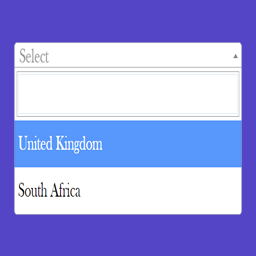
GeoDataSource Country Region DropDown外掛程式使用shortcode來顯示國家和地區的下拉選單。此下拉選單是用JavaScript建立,並且讓使用者可以輕鬆地實現國家-地區下拉式列表。國家-地區下拉選單在表單中最需要的情況是當國家欄位更改時,內建的地區欄位會自動顯示在下拉列表中。
只需將必要的shortcode輸入到文章、頁面或聯絡表單中,就可以輕鬆應用此外掛程式。例如:[gds-country-dropdown]
更多資訊
請參閱我們的網站:https://www.geodatasource.com
外掛標籤
開發者團隊
② 後台搜尋「GeoDataSource Country Region DropDown」→ 直接安裝(推薦)
原文外掛簡介
GeoDataSource Country Region DropDown plugin use the shortcode to display the country and region in dropdown. A dropdown menu created with javascript that allows user to implement country-region dropdown list effortlessly. Country-Region Dropdown Menu is needed mostly in forms where the built-in region field will be shown in the dropdown automatically when there is a change on the country field.
It can be applied as easy as by entering the given required shortcode into the post, article, page or Contact Form. For example,[gds-country-dropdown]
More Information
Please visit us at https://www.geodatasource.com