內容簡介
gcStats 是一個專注於 GeoCaching 的外掛,可在您的博客中顯示一些統計信息。
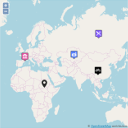
新增!使用 Michael Kang 的 osm plugin 在地圖上顯示您的地理緩存。
使用短代碼將統計數據添加到您的博客中
在側邊欄中添加小工具,顯示您已找到的緩存類型
使用 Flash 或 HTML 可視化您的統計數據
只需上傳您從 geocaching.com 下載的 myFinds-GPX 文件,然後插入短代碼即可
短代碼
所有短代碼都長這樣:[ GCSTATS type=”***” ]
屬性類型的可能值:
* total
* countftf
* lastfounds (額外的 “number” 屬性,用於 “我最近找到的數量)
* maxdist (需要“lat”和“lon”代表家庭坐標的属性)
* container (可能的屬性 useflash=”yes”)
* weekdays (可能的屬性 useflash=”yes”)
* type (可能的屬性 useflash=”yes”)
* matrix
若要顯示 OSM 地圖,請安裝 osm plugin,
並添加 OSM 短代碼 [ osm_map import=”gcstats,gcAccountName” ]
請也參考 http://michael.josi.de/projects/gcstats/ 上的範例。
外掛標籤
開發者團隊
原文外掛簡介
gcStats is a plugin that focuses on GeoCaching and displays some Statistics in your blog.
NEW! Display your geocaches using the osm plugin by Michael Kang on a map
using shortcodes to add Statistics to your Blog
add a widget to your sidebar which displays types of caches you have found
Use Flash or HTML to visualize your Statistics
Simply upload your myFinds-GPX-File from geocaching.com and insert shortcodes
Shortcodes
All shortcodes will look like this: [ GCSTATS type=”***” ]
Possible values for attribute type:
* total
* countftf
* lastfounds (additional attribute “number” for “My last number founds)
* maxdist (needs attributes “lat” and “lon” for home-coordinates)
* container (possible attribute useflash=”yes”)
* weekdays (possible attribute useflash=”yes”)
* type (possible attribute useflash=”yes”)
* matrix
To display the OSM-Map please install the osm plugin
and add the OSM-shortcode [ osm_map import=”gcstats,gcAccountName” ]
Please also see the examples on http://michael.josi.de/projects/gcstats/