
內容簡介
FV Flowplayer Video Player 是一款免費且易於使用的 WordPress 外掛,專為在文章或頁面中嵌入 FLV 或 MP4 影片而設計。它提供強大的功能,如自訂開場與結尾畫面,並支援各種設備,確保影片播放流暢。
【主要功能】
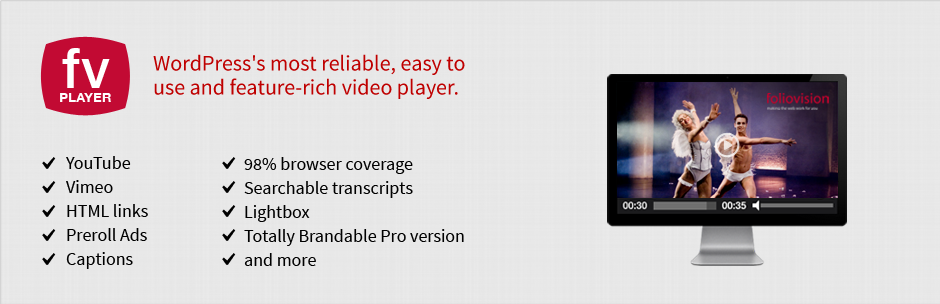
• 支援 MP4 影片,98% 瀏覽器相容性
• 內建影片播放統計功能
• 自訂開場與結尾畫面
• 提供 API 以擴展自訂影片欄位
• 自動檢查影片編碼
• 支援 Amazon S3 和其他 CDN
外掛標籤
開發者團隊
② 後台搜尋「FV Flowplayer Video Player」→ 直接安裝(推薦)
原文外掛簡介
Custom HTML 5 video on your own site with Flash fallback for legacy browsers is here.
FV Player is a free, easy-to-use, and complete solution for embedding FLV or MP4 videos into your posts or pages. With MP4 videos, FV Player offers 98% coverage even on mobile devices.
Remembering video position both both guest users and members
Built in video plays stats
API for custom video fields
easy AB looped playback for your visitors (great for teaching sites)
improved and more powerful playlists (more playlist features coming soon).
Automated checking of video encoding for logged in admins
FV Player is a completely responsive WordPress video player.
Custom start and end screens are built right in. You can use your own custom design before and after the video.
Enjoy unlimited instances in a single page.
No expensive plugins: unlike other players who nickel and dime you for every feature, with FV Player all advanced features are available in the standard license (Google Analytics, Cuepoints, Native fullscreen, Keyboard shortcuts, Subtitles, Slow motion, Random seeking, Retina ready)
Single site pro license available (JW Player requires five pack for full features)
Ultra-efficient player: just 55.6kB of Javascript. Rest is loaded later when user is going to play the video. You can extend FV Player using just HTML and CSS, leaving the JavaScript heavy lifting up to us.
98% Browser coverage. Built-in Flash fallback will get the job done on older browsers while HLS.js library gives you HLS playback on desktop browsers.
Full support for Amazon S3, Cloudfront and other CDN’s.
Totally Brandable (requires license, free version includes the Flowplayer library logo). Stop selling YouTube and start selling yourself. Even design your own player.
Supports video intelligence video ads
Integration with the Coconut.co video encoding service – using a free addon plugin: https://foliovision.com/downloads/fv-player-coconut
To remove our branding and add your own branding and get access to additional pro support, you can buy your own license here.
Back to school special 25% off pro licenses until end of September.
Additional Technical information
Core video engine: open source Flowplayer 7.
Supported video formats are MP4, WebM and OGV (read about HTML5 video formats).
Supported video streaming formats are HLS (Flash and JavaScript fallback available for incompatible devices), MPEG DASH and RTMP.
Default options for all the embedded videos can be set in comprehensive administration menu.
In comparison with WordPress Flowplayer plugin, there are several improvements:
Allows user to display clickable splash screen at the beginning of video (which not only looks good, but improves the performance significantly).
Allows user to display popup box after the video ends, with any HTML content (clickable links, images, styling, etc.)
Does not use configuration file, but WordPress Options
Does not drive you to use an in-house proprietary CDN but supports all CDN.
Includes advanced built-in social sharing.
Inexpensive pro support available.
Includes an advanced built-in video encoding and theme checker to make sure your videos are encoded properly and your site is set up for video playback.
Additional Documentation at Foliovision.com
Support |
Change Log |
Installation|
User Guide |
Detailed FAQ
This new version uses Flowplayer 5 running on HTML5, so we recommend you read first two questions of FAQ first.
Once the plugin is uploaded and activated, there will be a submenu of settings menu called FV Player. In that submenu, you can modify following settings:
AutoPlay – decides whether the video starts playing automatically, when the page/post is displayed.
AutoBuffering – decides whether the video starts buffering automatically, when the page/post is displayed. If AutoPlay is set to true, you can ignore this setting.
Popup Box – decides whether a popup box with “replay” and “share” buttons will be displayed when video ends.
Enable Full-screen Mode – select false if you do not wish the fullscreen option to be displayed.
Allow User Uploads – select true if you like to upload new videos via Media Library.
Enable Post Thumbnail – select true if you wish the screen shot appear as post thumbnail. Works only when uploading new splash image via Media Library.
Convert old shortcodes with commas – older versions of this plugin used commas to separate shortcode parameters. This option will make sure it works with current version.
Commercial Licence Key – enter your licence key here to get the completely unbranded version of the player
Colors of all the parts of flowplayer instances on page/post (controlbar, canvas, sliders, buttons, mouseover buttons, time and total time, progress and buffer sliders).
On the right side of this screen, you can see the current visual configuration of flowplayer. If you click Apply Changes button, this player’s looks refreshes.


