內容簡介
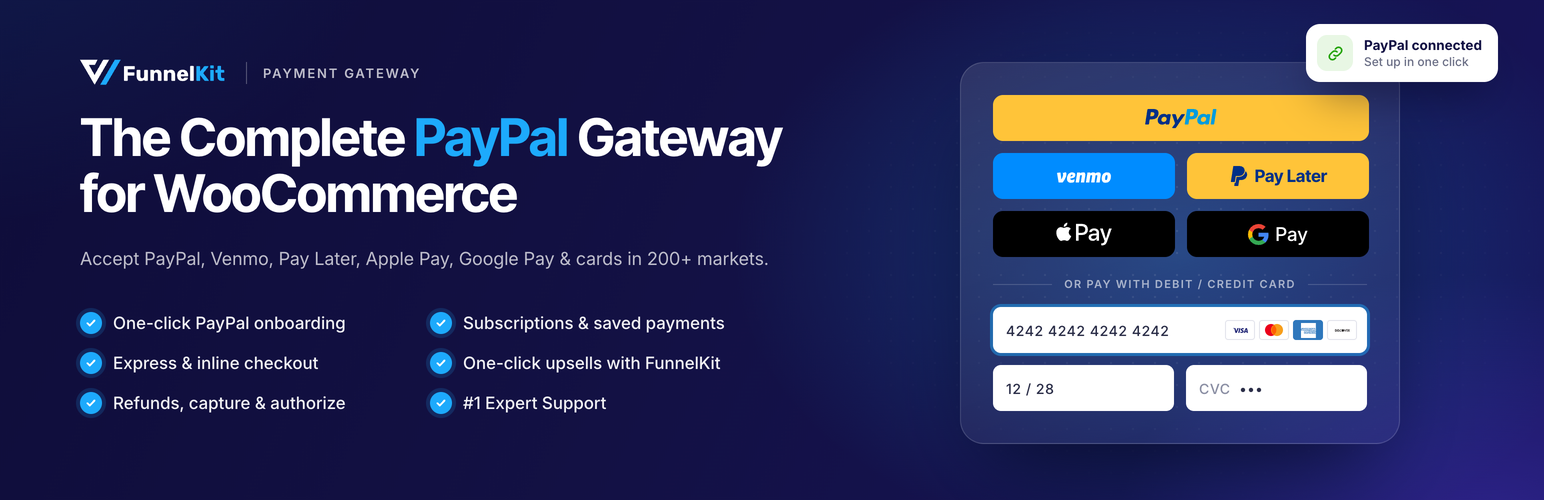
FunnelKit Payment Gateway with PayPal for WooCommerce 是一款強大、安全且可靠的支付解決方案,讓您能夠在 WooCommerce 商店中無縫接受 PayPal 付款。此外掛提供靈活的支付選項,確保顧客擁有流暢的結帳體驗。
【主要功能】
• 支援超過 200 個市場的付款
• 多種支付方式,包括 PayPal 和信用卡
• 訂閱及定期付款管理
• 一鍵快速結帳功能
• 先進的詐騙保護系統
• 沙盒測試模式以確保交易安全
外掛標籤
開發者團隊
② 後台搜尋「FunnelKit Payment Gateway with PayPal for WooCommerce」→ 直接安裝(推薦)
原文外掛簡介
FunnelKit Payment Gateway with PayPal for WooCommerce is a powerful, secure, and reliable payment solution that allows you to accept PayPal payments seamlessly on your WooCommerce store.
It’s ideal for merchants who want to offer customers flexible payment options, whether through PayPal balance, bank account, credit/debit cards, or Pay Later, while ensuring a smooth checkout experience.
Whether you’re running a small online store or managing a large-scale eCommerce business, PayPal ensures your transactions are processed quickly, securely, and globally.
It goes beyond just accepting payments. With FunnelKit Payment Gateway with PayPal for WooCommerce, you can:
Accept payments from customers in over 200 markets worldwide
Offer multiple payment methods, including PayPal, Pay Later, Venmo, and credit/debit cards
Offer Apple Pay and Google Pay at checkout and as express buttons on product, cart and mini-cart pages
Manage subscriptions and recurring payments with ease
Process refunds directly within WooCommerce
Test your checkout flows safely using Sandbox mode before going live
Why Choose FunnelKit Payment Gateway with PayPal for WooCommerce?
No setup fees or monthly costs. Pay only per transaction
Supports 25 currencies and multiple payment methods
3D Secure card payments, backed by PayPal’s fraud and dispute tools
Trusted PayPal recognition that increases customer confidence at checkout
With this WooCommerce PayPal gateway, you’re not just offering a payment option. You’re giving your customers a payment experience they already know and trust.
Features of FunnelKit PayPal Payment Gateway for WooCommerce
Here are the key features that make this WooCommerce PayPal plugin a must-have payment gateway for your store:
1. Quick & Easy Onboarding
Connect your PayPal Business account in one click, or enter API credentials manually if you prefer. The plugin checks whether your account supports card payments and saved payment methods.
2. Multiple Payment Methods
Accept payments via:
PayPal Digital Wallet
Pay Later & PayPal Credit for flexible financing options
Credit & Debit Cards with advanced card fields, 3D Secure and saved cards
Venmo (where available)
Apple Pay and Google Pay, processed through your PayPal account
3. Capture & Authorize Transaction Types
Take full control of your WooCommerce PayPal payment processing. Use Capture to charge customers immediately, or Authorize to place a temporary hold and capture the payment later. Ideal for merchants who need to verify orders before fulfilling them.
4. Subscription & Recurring Payments
Works with WooCommerce Subscriptions, Sublium Subscriptions and PayPal’s native billing plans. Renewals are charged automatically to the saved payment method, including Apple Pay and cards for Sublium Subscriptions.
5. Vault for Stored Payment Methods
Utilize PayPal’s modern Vault system to securely store customer payment details, ensuring seamless renewals and future purchases.
6. Advanced Fraud Protection
Card payments run through PayPal’s advanced card fields with 3D Secure, so PayPal handles card details. Buyer personal data is also kept out of the plugin’s logs.
7. One-Click Express Checkout
Add PayPal, Venmo, Pay Later, Apple Pay, and Google Pay express buttons to product, mini-cart, cart, and checkout pages, on classic and block checkout. Buyers can pick a shipping method inside the PayPal window, and you can turn on Require Final Confirmation so they review the order before paying.
8. Seamless Refund Management
Issue full or partial refunds directly from WooCommerce, and have them automatically reflected in PayPal.
9. Sandbox Testing and Live Modes
Test your entire checkout flow in PayPal’s Sandbox environment before going live. This ensures smooth transactions without affecting real orders or funds.
10. Detailed Payment Tracking
See the PayPal fee, payout, refunded amount, and net total on each WooCommerce order.
11. Automatic Order Recovery
If a buyer approves the payment but the checkout never completes (closed tab, dropped connection), the order is created from PayPal’s webhook, including the Sublium subscription.
12. FunnelKit Checkout and One-Click Upsells
Works with FunnelKit Checkout and One-Click Upsells, including upsells on Apple Pay and card orders.
Compatible Payment Methods
Here’s what your customers can use to pay when you integrate PayPal with WooCommerce:
1. PayPal Digital Wallet
Let customers pay using their PayPal balance, bank account, or linked cards in just a few clicks.
2. Pay Later and PayPal Credit
Offer flexible financing options, such as “Pay in 4” or PayPal Credit (where available), making higher-value purchases more affordable for your customers. Pay Later messaging can also appear on product, cart and checkout pages.
3. Credit and Debit Cards
Accept major cards (Visa, Mastercard, American Express, Discover and more) through PayPal’s advanced card fields, with 3D Secure and saved cards.
4. Venmo
Enable Venmo payments for your U.S. customers, giving them a fast and familiar mobile payment experience.
5. Apple Pay and Google Pay
Let customers pay with the wallet already on their phone or browser, processed through your PayPal account. Both are available at checkout and as express buttons on product, cart and mini-cart pages.
Requirements
WordPress 5.3 or higher
WooCommerce 4.7 or higher
PHP 7.4 or higher
SSL Certificate (for live payments)
PayPal Business Account
About FunnelKit
The PayPal Payment Gateway for WooCommerce is proudly developed by FunnelKit’s expert team. These are the same creators behind some of the most powerful sales and marketing tools for WooCommerce.
FunnelKit helps WooCommerce merchants boost conversions, streamline checkouts, and grow store revenue.
Here’s a look at other powerful plugins from FunnelKit’s suite:
FunnelKit Funnel Builder – Build sales funnels with conversion-optimized checkouts, order bumps, one-click upsells, and built-in A/B testing to raise average order value, no coding needed.
FunnelKit Automations – Run advanced email/SMS automations, abandoned cart recovery, customer follow-up sequences, and broadcasts, with smart contact management and detailed performance tracking.
FunnelKit Cart – Upgrade WooCommerce’s default cart page with a dynamic side cart and built-in upsells, rewards, and analytics.
Sublium Subscriptions – Sell subscriptions on WooCommerce with automatic recurring payments and renewals.
Stripe Payment Gateway for WooCommerce – Accept payments via Stripe with credit/debit cards, Apple Pay, Google Pay, BNPL options, and local methods.
FunnelKit Square Gateway for WooCommerce – Accept payments reliably online and in-person with real-time inventory and customer sync.
External Services
This plugin may connect to the following external services, only when the related feature is used:
PayPal processes payments, captures, refunds and subscription payments through its APIs. Terms and Privacy Policy
PayPal JavaScript SDK may load the PayPal, Pay Later, Venmo and card buttons at checkout. Terms and Privacy Policy
PayPal Partner Onboarding may receive merchant account details when PayPal is connected. Terms and Privacy Policy
PayPal Webhooks may send payment, order and subscription status updates to your site. Terms and Privacy Policy
Google Pay may load its payment button and sheet when Google Pay is enabled. Terms and Privacy Policy
PayPal may provide the Apple Pay domain verification file when Apple Pay is enabled. Terms and Privacy Policy
Configuration
Go to WooCommerce > Settings > Payments
Click on “PayPal” to manage the settings
Enable the payment method
Choose your environment (Sandbox/Live)
Connect your PayPal account (or enter your PayPal API credentials)
Configure button settings, express checkout locations and Pay Later messaging
Optionally enable Credit / Debit Card, Apple Pay and Google Pay under WooCommerce > Settings > Payments
Save changes
Advanced Settings
The plugin includes several advanced settings for customization:
Debug Mode – Enable detailed logging for troubleshooting
Transaction Type – Choose between Capture and Authorize only
Soft Descriptor – Customize statement text shown to customers
Invoice Prefix – Add prefix to PayPal invoices for tracking
Webhook Configuration – Automatic event notifications
Logging Options – Configure log levels and retention
Vaulting – Save payment methods for returning customers
Shipping Options in PayPal – Let buyers pick a shipping method inside the PayPal window
Require Final Confirmation – Send express PayPal buyers to checkout to review the order before paying
Subscription Features
Full support for recurring payments with:
PayPal Subscriptions – Native PayPal billing plans
WooCommerce Subscriptions – Compatible with WCS plugin
Sublium Subscriptions – Full Sublium integration
Trial Periods – Support for free and paid trials
Signup Fees – One-time initial charges
Variable Billing – Amount and date changes
Payment Method Changes – Customer can update payment method
Multiple Subscriptions – Handle multiple active subscriptions
Migration Support
Easily migrate from other PayPal plugins:
PayPal Standard
PayPal Express Checkout (PPEC)
PayPal Payments (Official Plugin)
Angell EYE PayPal PPCP
Angell EYE PayPal Express
Payment Plugins for PayPal
Support
For support, please visit FunnelKit Support.