
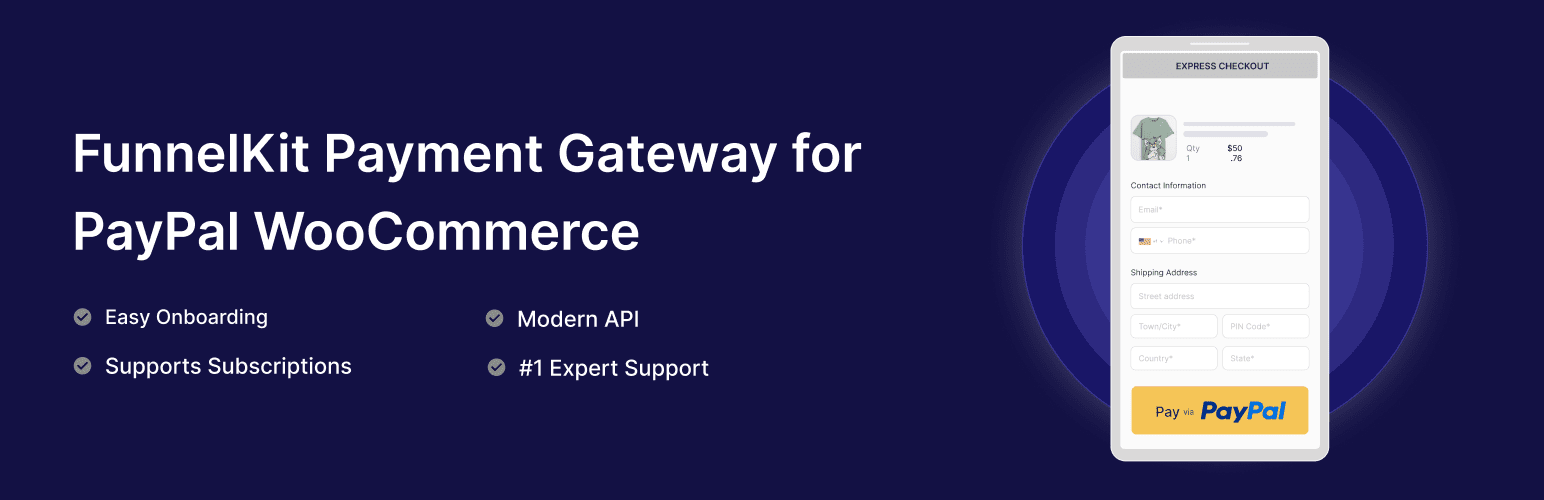
前言介紹
- 這款 WordPress 外掛「FunnelKit Payment Gateway with PayPal for WooCommerce」是 2025-10-31 上架。
- 目前有 40 個安裝啟用數。
- 上一次更新是 2026-02-18,距離現在已有 8 天。
- 外掛最低要求 WordPress 5.0 以上版本才可以安裝。
- 外掛要求網站主機運作至少需要 PHP 版本 7.4 以上。
- 尚未有人給過這款外掛評分。
- 還沒有人在論壇上發問,可能目前使用數不多,還沒有什麼大問題。
外掛協作開發者
外掛標籤
paypal | woocommerce | payment gateway | paypal for woocommerce |
內容簡介
<!DOCTYPE html>
<html>
<body>
<h2>WordPress 外掛:PayPal for WooCommerce 摘要:</h2>
<p>由FunnelKit開發的PayPal for WooCommerce與PayPal最新的API整合在一起。透過PayPal、Pay Later、Venmo和信用卡增加轉換率。</p>
<h3>問題與答案:</h3>
<ol>
<li>
<strong>這個外掛的主要功能有哪些?</strong>
<ul>
<li>PayPal標準整合</li>
<li>PayPal快速結帳</li>
<li>Pay Later訊息</li>
<li>高級信用卡和借記卡支付(ACDC)</li>
<li>Venmo整合</li>
<li>WooCommerce訂閱支援</li>
<li>WooCommerce預訂支援</li>
<li>WooCommerce區塊支援</li>
<li>FunnelKit結帳和加值支援</li>
<li>可定制的按鈕樣式</li>
<li>全面的記錄系統</li>
<li>Webhook支援</li>
<li>測試模式</li>
</ul>
</li>
<li>
<strong>有哪些外部服務與這個外掛整合?</strong>
<ul>
<li>PayPal直接APIs(JavaScript和PHP)</li>
<li>PayPal JavaScript SDK</li>
<li>PayPal合作夥伴啟用</li>
<li>PayPal Webhooks</li>
<li>PayPal支付捕獲API</li>
</ul>
</li>
<li>
<strong>這些外部服務的目的是什麼?</strong>
<ul>
<li>提供支付處理、訂閱管理和交易同步</li>
<li>提供前端支付按鈕和結帳體驗</li>
<li>幫助商戶輕鬆連接PayPal帳戶並配置支付設置</li>
<li>提供支付事件、訂閱更新和訂單狀態變更的實時通知</li>
<li>用於捕獲授權支付和處理交易退款</li>
</ul>
</li>
</ol>
</body>
</html>
原文外掛簡介
Developed by FunnelKit, PayPal for WooCommerce integrates with PayPal’s newest APIs. Boost conversion rates with PayPal.
Features
PayPal Standard Integration
PayPal Express Checkout
WooCommerce Subscriptions Support
FunnelKit Checkout and Upsell Support
Customizable Button Styles
Comprehensive Logging System
Webhook Support
Sandbox Testing Mode
Requirements
WordPress 5.0 or higher
WooCommerce 4.7 or higher
PHP 7.4 or higher
SSL Certificate (for live payments)
PayPal Business Account
External Services
This plugin integrates with the following external services:
1. PayPal Direct APIs (JavaScript & PHP)
Purpose: PayPal Direct APIs handle payment processing, subscription management, and transaction syncing between the plugin and PayPal.
Data Sent: Customer information (name, email, payment method), order details, and subscription data are transmitted during payment processing. The plugin also syncs transaction status and updates after each purchase.
Domains:
https://api-m.paypal.com/ (Live environment)
https://api-m.sandbox.paypal.com/ (Sandbox environment)
Terms and Privacy: This service is provided by PayPal Holdings, Inc. You can view the terms of service and privacy policy at PayPal Terms of Service and PayPal Privacy Policy.
2. PayPal JavaScript SDK
Purpose: PayPal JavaScript SDK provides the frontend payment buttons and checkout experience for PayPal, Pay Later, Venmo, and credit card payments.
Data Sent: Payment method selection and checkout data are processed through the PayPal SDK to enable secure payment processing.
Terms and Privacy: This service is provided by PayPal Holdings, Inc. You can view the terms of service and privacy policy at PayPal Terms of Service and PayPal Privacy Policy.
3. PayPal Partner Onboarding
Purpose: PayPal Partner onboarding service enables merchants to easily connect their PayPal accounts and configure payment settings.
Data Sent: Merchant account information and configuration preferences are sent to streamline the PayPal integration process.
Terms and Privacy: This service is provided by PayPal Holdings, Inc. You can view the terms of service and privacy policy at PayPal Terms of Service and PayPal Privacy Policy.
4. PayPal Webhooks
Purpose: PayPal webhooks provide real-time notifications for payment events, subscription updates, and order status changes.
Data Sent: Webhook payloads containing payment status, subscription lifecycle events, and order updates are received by the plugin to maintain synchronization.
Terms and Privacy: This service is provided by PayPal Holdings, Inc. You can view the terms of service and privacy policy at PayPal Terms of Service and PayPal Privacy Policy.
5. PayPal Payment Capture API
Purpose: PayPal Payment Capture API is used to capture authorized payments and process refunds for completed transactions.
Data Sent: Payment capture requests and refund data are sent to process payment completions and handle customer refunds.
Domains:
https://api-m.paypal.com/v2/checkout/orders/{order_id}/capture (Live environment)
https://api-m.sandbox.paypal.com/v2/checkout/orders/{order_id}/capture (Sandbox environment)
https://api-m.paypal.com/v2/payments/captures/{capture_id}/refund (Live environment)
https://api-m.sandbox.paypal.com/v2/payments/captures/{capture_id}/refund (Sandbox environment)
Terms and Privacy: This service is provided by PayPal Holdings, Inc. You can view the terms of service and privacy policy at PayPal Terms of Service and PayPal Privacy Policy.
Configuration
Go to WooCommerce > Settings > Payments
Click on “PayPal” to manage the settings
Enable the payment method
Choose your environment (Sandbox/Live)
Enter your PayPal API credentials
Configure button settings and Pay Later messaging
Save changes
Advanced Settings
The plugin includes several advanced settings for customization:
Debug Mode – Enable detailed logging for troubleshooting
Transaction Type – Choose between Capture and Authorize only
Soft Descriptor – Customize statement text shown to customers
Invoice Prefix – Add prefix to PayPal invoices for tracking
Webhook Configuration – Automatic event notifications
Logging Options – Configure log levels and retention
Vaulting – Save payment methods for returning customers
Subscription Features
Full support for recurring payments with:
PayPal Subscriptions – Native PayPal billing plans
WooCommerce Subscriptions – Compatible with WCS plugin
Sublium Subscriptions – Full Sublium integration
Trial Periods – Support for free and paid trials
Signup Fees – One-time initial charges
Variable Billing – Amount and date changes
Payment Method Changes – Customer can update payment method
Multiple Subscriptions – Handle multiple active subscriptions
Migration Support
Easily migrate from other PayPal plugins:
PayPal Standard
PayPal Express Checkout (PPEC)
PayPal Payments (Official Plugin)
Angell EYE PayPal PPCP
Angell EYE PayPal Express
Payment Plugins for PayPal
Support
For support, please visit FunnelKit Support.
License
This plugin is licensed under the GPL v2 or later.
Copyright (c) 2025-2026 FunnelKit
This program is free software; you can redistribute it and/or modify
it under the terms of the GNU General Public License, version 2, as
published by the Free Software Foundation.
This program is distributed in the hope that it will be useful,
but WITHOUT ANY WARRANTY; without even the implied warranty of
MERCHANTABILITY or FITNESS FOR A PARTICULAR PURPOSE. See the
GNU General Public License for more details.
You should have received a copy of the GNU General Public License
along with this program; if not, write to the
Free Software Foundation, Inc., 51 Franklin St, Fifth Floor, Boston, MA 02110-1301 USA
各版本下載點
- 方法一:點下方版本號的連結下載 ZIP 檔案後,登入網站後台左側選單「外掛」的「安裝外掛」,然後選擇上方的「上傳外掛」,把下載回去的 ZIP 外掛打包檔案上傳上去安裝與啟用。
- 方法二:透過「安裝外掛」的畫面右方搜尋功能,搜尋外掛名稱「FunnelKit Payment Gateway with PayPal for WooCommerce」來進行安裝。
(建議使用方法二,確保安裝的版本符合當前運作的 WordPress 環境。
延伸相關外掛(你可能也想知道)
 Express Checkout via PayPal for WooCommerce 》在您的 WooCommerce 網站上增加 PayPal 結帳功能,並立即開始銷售。由官方 PayPal 合作夥伴開發。, 介紹, 輕鬆地在您的 WordPress/WooCommerce 網站上增加 Pa...。