內容簡介
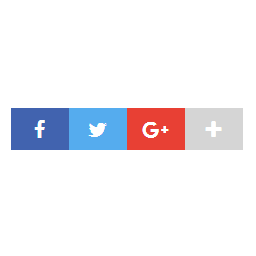
如果您在網站上使用多種不同的插件來添加社交媒體分享按鈕,很可能每個插件都有自己的圖像,使您的網站看起來不一致。Frizzly就是為此而來。Frizzly允許您在多個社交網絡上分享您的帖子,包括Facebook、Twitter、Pinterest、Linkedin等。您可以輕鬆地選擇在哪些頁面上顯示分享按鈕以及它們應該放置在哪裡。
特點:
在文章內容之前和之後添加分享按鈕圖標
在圖像上添加分享圖標(特別適用於使用圖像廣泛的網站)
僅選擇需要的分享按鈕
不在某些頁面上顯示分享按鈕(例如您的主頁)
外掛標籤
開發者團隊
② 後台搜尋「Frizzly – Social Share Buttons」→ 直接安裝(推薦)
原文外掛簡介
If you use many different plugins to add social media share buttons to your website, most likely each plugin has its own images and your website looks inconsistent. Frizzly is here to fix that. Frizzly allows you to share your posts on multiple social networks: Facebook, Twitter, Pinterest, Linkedin and more. You can easily choose on which pages the share buttons should show up and where they should be placed.
Features:
add share icons before and after the content of your posts
add share icons over images (especially useful for websites that use images extensively)
choose only share buttons that you need
don’t show share buttons on certain pages (e.g. your home page)