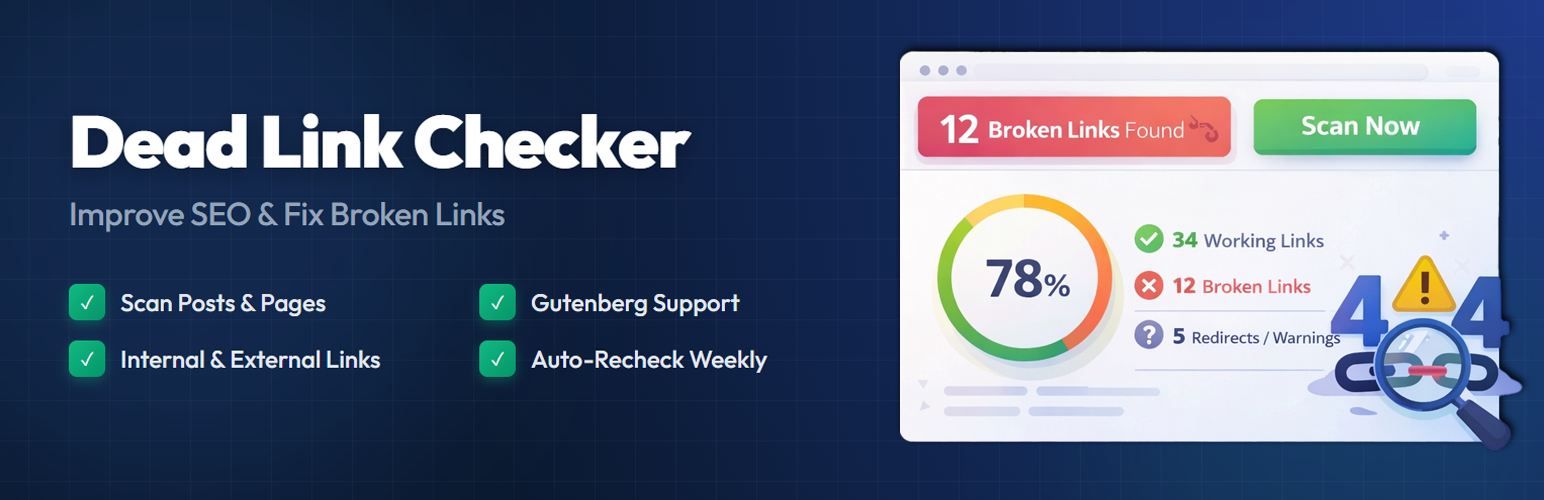
內容簡介
總結:Dead Link Checker 是一款外掛,可監控你的 WordPress 網站中的壞鏈接和缺失圖片,保持網站免受死連結的影響對 SEO 和使用者體驗至關重要。此外掛有助於快速檢測 404 錯誤和其他鏈接問題。
1. 問題:Dead Link Checker 能幫助你監測 WordPress 網站中的哪些問題?
- 答案:Dead Link Checker 可監控壞鏈接和缺失圖片。
2. 問題:Dead Link Checker 提供哪些免費功能?
- 答案:自動掃描、檢查內部和外部連結、Gutenberg 支援、可視的儀表板、智能忽略、手動控制及輕量級設計。
3. 問題:Dead Link Checker Pro 提供哪些進階功能?
- 答案:擴展掃描、頁面建造者支援、影像和影片掃描、靈活的排程、重定向管理器、批量操作、報告、數據匯出及優先支援。
4. 問題:使用 Frank Dead Link Checker 的好處是什麼?
- 答案:能改善 SEO、提供更好的使用者體驗、節省時間並避免手動檢查鏈接。
外掛標籤
開發者團隊
原文外掛簡介
Broken links frustrate your visitors and hurt your search rankings. When someone clicks a link on your site and lands on a 404 page, they lose trust — and so does Google.
Dead Link Checker scans your WordPress posts and pages, finds broken links, and gives you a clear report so you can fix them quickly. It runs in the background without slowing down your site.
Whether you have a personal blog or a large content site, keeping your links healthy is one of the simplest things you can do for on-page SEO. This plugin handles the heavy lifting so you don’t have to check every link by hand.
How It Works
Go to Dead Link Checker → Dashboard in your WordPress admin.
Click Scan Now to start scanning your content.
The plugin checks every link in your posts and pages.
Broken links, redirects, and slow responses show up in a visual report.
Fix or dismiss links directly from the dashboard.
The scanner runs efficiently in batches, so it won’t overload your server or affect page load times for your visitors.
Free Features
Automatic Link Scanning – Scans all links in your Posts and Pages automatically.
Internal & External Link Checks – Detects broken links whether they point inside your site or to other websites.
Block Editor Compatible – Works with Gutenberg and Classic Editor content.
Visual Dashboard – See broken, working, and warning links at a glance with status cards and stats.
Dismiss Links – Mark specific links as dismissed if you want the scanner to skip them.
Manual Scan Control – Run a scan anytime with a single click from the dashboard.
Scan History – View records of previous scans to track your site’s link health over time.
Lightweight & Fast – Designed to use minimal server resources with background processing.
Pro Features
Take your broken link management further with Dead Link Checker Pro:
Extended Content Scanning – Scan Custom Post Types, Comments, Navigation Menus, Widgets, and Custom Fields (including ACF).
Page Builder Support – Full compatibility with Elementor, Divi, and WPBakery page builders.
Redirect Manager – Create 301, 302, and 307 redirects directly from the broken link report. Includes a hit counter and import/export functionality.
Email Notifications – Receive email alerts when new broken links are found. Set up weekly or monthly digest reports.
Export Reports – Download your broken link reports as CSV or JSON files for offline review or sharing with your team.
Multisite Support – Manage broken links across your entire WordPress multisite network.
Priority Support – Get dedicated help from the development team with faster response times.
Lifetime Updates – One-time purchase with lifetime access to plugin updates.
Learn more about Pro →
Free vs Pro Comparison
Post & Page Scanning – Free ✓ | Pro ✓
Internal & External Links – Free ✓ | Pro ✓
Visual Dashboard – Free ✓ | Pro ✓
Dismiss Links – Free ✓ | Pro ✓
Scan History – Free ✓ | Pro ✓
Custom Post Types – Free ✗ | Pro ✓
Comments & Menus – Free ✗ | Pro ✓
Page Builder Support – Free ✗ | Pro ✓
Redirect Manager – Free ✗ | Pro ✓
Email Notifications – Free ✗ | Pro ✓
CSV/JSON Export – Free ✗ | Pro ✓
Multisite Support – Free ✗ | Pro ✓
Priority Support – Free ✗ | Pro ✓