內容簡介
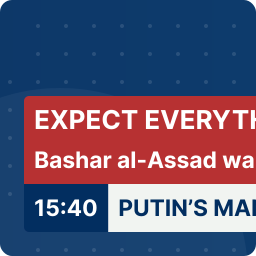
FP News Ticker 讓您在 widget 位置使用顯示特定類別的新聞/文章,並搭配類似打字的滾動效果(reveal),或者淡入淡出的效果。您可以從 WordPress 管理區域管理滑動/滾動選項,同時也可以指定類別和文章數量限制。
您可以控制測試滑動/滾動的過渡效果、時間和方向等。
** 如果控制按鈕不可見,並且新聞標題不是很長,那麼它將表現得像響應式檢視一樣。
示範連結:http://www.jquerynewsticker.com/
外掛設定
標題 – 文字框(預設為 最新消息:,您可以使用任何內容。)
類別 ID – 文字框
文章限制 – 選項
速度 – 文字框(您可以使用 .100、.200 等,請記住這些只適用於 Reveal 效果 [輸出類似打字])
延遲時間 – 文字框(您可以使用 3000、4000、5000 等,請記住這些是以毫秒為單位)
方向 – 選項
顯示類型 – 選項
淡入時間 – 文字框(您可以使用 600、700、800 等,請記住這些是以毫秒為單位)
淡出時間 – 文字框(您可以使用 300、400、500 等,請記住這些是以毫秒為單位)
控制按鈕 – 選項
除錯 – 選項(在控制台或警示框中顯示一些有用的錯誤資訊)
外掛標籤
開發者團隊
原文外掛簡介
FP News Ticker allows you to display news/post from a specific category in a widget position with ticker(reveal – output will like type writing) effects or fadeIn/fadeOut effects. The sliding/scrolling options are managable from wordpress admin area. You can also assign the category and the post limit.
You can control over your testimonial sliding/scrolling transition effect, time, direction etc.
** If the control buttons are not visible and the news title is not so long, then it will behave as Responsive view.
Demo Link: http://www.jquerynewsticker.com/
Plugin Settings
Title – textbox (by default it is – Latest News:, you can use anything.)
Category ID – textbox
Post Limit – Options
Speed – textbox (You can use .100, .200 etc, Remember they worked for Reveal effect [Output will like type writing])
Delay Time – textbox (You can use 3000, 4000, 5000 etc, Remember they are in Milisecond)
Direction – Options
Display Type – Options
FadeIn Time – textbox (You can use 600, 700, 800 etc, Remember they are in Milisecond)
FadeOut Time – textbox (You can use 300, 400, 500 etc, Remember they are in Milisecond)
Control Buttons – Options
Debug – Options (Show some helpful errors in the console or as alerts)