內容簡介
FOXPOST 外掛為 WooCommerce 網店提供 Foxpost 自提點及宅配運送方式,並具備訂單匯出功能,方便批量導入至 Foxpost。此外掛利用 Foxpost Web API 和 APT 查找器,提升運送效率。
【主要功能】
• 提供 Foxpost 自提點及宅配選項
• 支援訂單批量匯出至 Foxpost
• 整合 Foxpost Web API 進行包裹管理
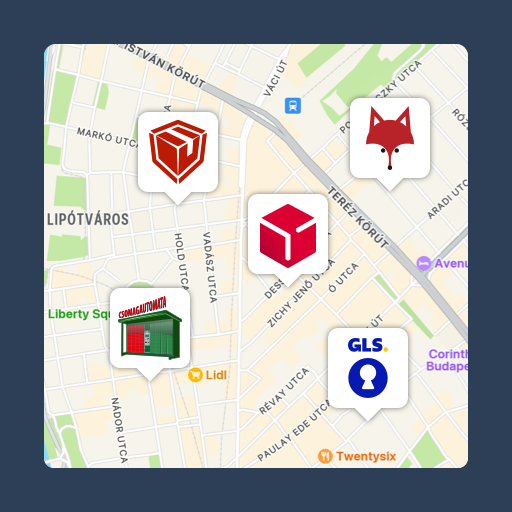
• 顯示 Foxpost 自提點互動地圖
• 不傳送個人資料至 APT 查找器
外掛標籤
開發者團隊
原文外掛簡介
Plugin to provide Foxpost apt and home delivery shipping methods to woocommerce webshop.
It also ensure an order export function to create mass import file to Foxpost.
This plugin utilizes Foxpost Web API and Foxpost APT finder
Foxpost Web API docs: docs
Foxpost Web API service terms and privacy policy: docs
Foxpost APT finder docs: docs
Foxpost APT finder is an embeddable widget to the website, it is not handling any of your data.
External services
This plugin connects to Foxpost external services in order to create and manage parcel shipments.
Foxpost Web API – https://webapi.foxpost.hu/api/
What it is used for: creating parcels, printing labels, synchronizing parcel status and exporting orders to Foxpost.
What data is sent and when: when you create or update a parcel, export orders or trigger a parcel status sync, the plugin sends shipment‑related data such as:
* order ID and reference code,
* recipient name, address, postcode, city and country,
* phone number and email address (if provided),
* COD amount, parcel size and delivery mode (locker or home delivery).
Service documentation: https://webapi.foxpost.hu/swagger-ui/index.html
Terms of service and privacy policy: https://foxpost.hu/en/general-terms-and-conditions
Foxpost APT finder widget – https://cdn.foxpost.hu/apt-finder/v1/app/
What it is used for: displaying an interactive map and list of Foxpost parcel lockers on the checkout page so customers can select a pickup point.
What data is sent and when: the widget is loaded in the customer’s browser from Foxpost’s CDN; the plugin itself does not send any personal data to this widget. The widget may receive non‑personal context such as language and previously selected locker ID.
Service documentation: https://cdn.foxpost.hu/apt-finder/v1/documentation/
Foxpost parcel locker list (JSON) – https://cdn.foxpost.hu/foxpost_terminals_extended_v3.json
What it is used for: loading the searchable parcel locker dropdown on the WooCommerce Blocks checkout page.
What data is sent and when: the plugin fetches the public terminal list from Foxpost’s CDN in the customer’s browser when the Blocks checkout parcel locker selector is displayed. No personal data is sent with this request.
Service documentation: https://cdn.foxpost.hu/apt-finder/v1/documentation/
Upgrade
1. Its simple: make the install process one more time
Development
The WooCommerce Blocks checkout integration is built with @wordpress/scripts. Source and output:
Source: includes/woocommerce-blocks-checkout/src/index.js
Build config: includes/woocommerce-blocks-checkout/package.json
Output bundle: public/checkout/index.js
Asset metadata: public/checkout/index.asset.php
Build commands:
cd includes/woocommerce-blocks-checkout
npm install
npm run build