內容簡介
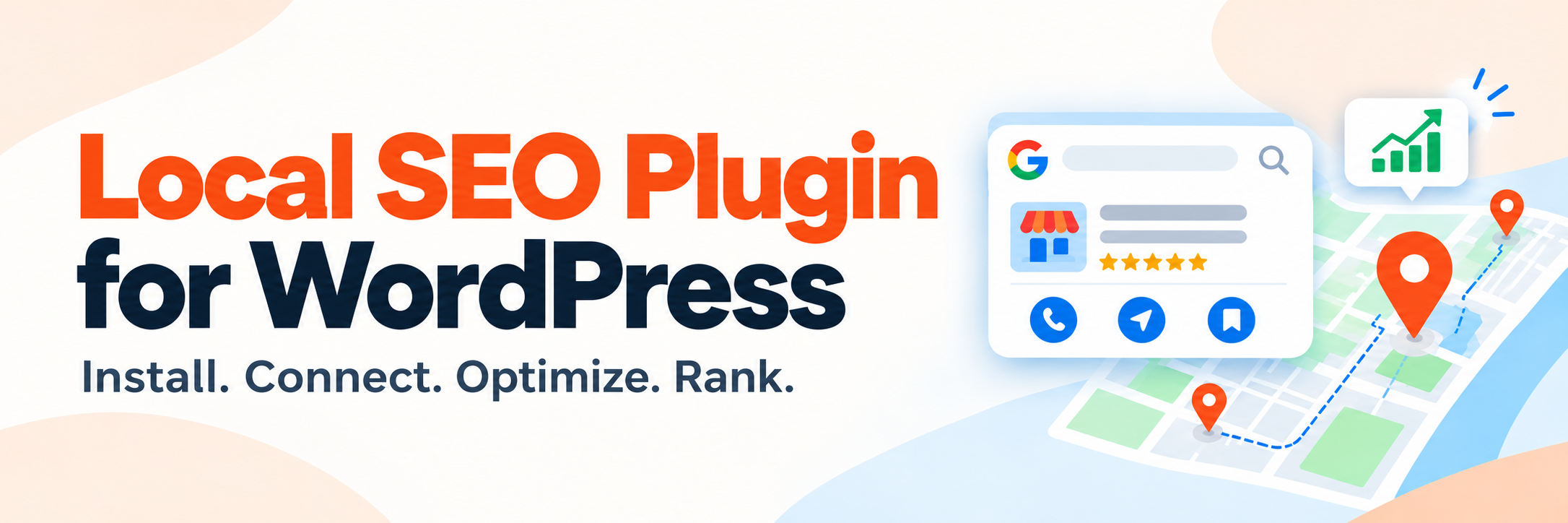
FoundHint 是一款專為本地 SEO 設計的 WordPress 外掛,幫助本地客戶找到、信任並造訪您的商家。透過單一控制台管理 Google 商業資料、地點、服務、架構標記、審核等資訊,提升您的線上能見度。
【主要功能】
• 管理商業資訊,避免重複輸入
• 整合 Google 商業資料與網站
• 提供清晰的地點與服務結構
• 準確的架構標記管理
• 審核與更新管理簡化流程
外掛標籤
開發者團隊
② 後台搜尋「FoundHint – Complete Local SEO, Schema, GMB Multi-Location & Reviews Management」→ 直接安裝(推薦)
原文外掛簡介
FoundHint is a Local SEO WordPress plugin that helps local customers find you, trust you, and visit you. Manage your Google Business Profile info, locations, services, schema, audits, and reviews from one WordPress dashboard.
Works with WordPress and WooCommerce.
Does this sound like you?
“I don’t know if my local SEO is set up correctly.”
“My website and Google listing show different hours or phone numbers.”
“I type the same address and hours on every page.”
“I added schema, but I’m not sure it’s right or if it’s duplicated.”
“Managing many locations is a mess.”
“I switch between WordPress and Google just to reply to reviews or post updates.”
“I don’t know where I actually rank across my area.”
Local SEO is more than adding an address to your website. Your business details must be complete and consistent. Your location pages need a clear structure. Your services need clear descriptions. Your schema must be accurate. And your Google Business Profile must match your website.
FoundHint brings all of this together in one simple flow:
Business → Locations → Services
Enter your details once. FoundHint reuses them in your schema, your audit and your Google Business Profile, so you never repeat the same work.
Why choose FoundHint?
Most WordPress SEO plugins focus on general website SEO. FoundHint is built only for local SEO. It gives you one trusted source for your business data and connects it to your website, your schema, your Google Business Profile and your whole local SEO workflow.
Features marked (Coming soon) are planned and not in this version yet.
Business Information Management
Stop typing the same details everywhere. Add them once, in one place:
Business name
Business type, primary category and additional categories
Business description, with a history of earlier versions
Phone number, up to two more phone numbers, email address and website
Opening date
Price range
Social profiles and directories
Booking and messaging links: appointment link, texting number and WhatsApp
Business hours, including special hours for holidays
Services
Service area
Logo, cover photo and gallery photos
FoundHint uses this information across your whole local SEO setup.
Business Categories
Tell search engines exactly what you do. Search Google’s own list of categories, set a primary category and add secondary categories. Clear categories keep your business described the same way everywhere.
Location Management
Each location keeps its own details:
Location name
Address line 1 and address line 2
City, state or region, country and postal code
Map position, shown on a Google map
Phone, website and opening date
Service area: the places you serve beyond your address
Business details and location details are kept separate, so your setup grows easily when you add more locations.
Multiple Locations
Run many branches from one WordPress site, free. Switch between them from the bar at the top of every screen. Each location gets its own:
Business information
Address and contact information
Opening hours
Services
Photos, attributes and reviews
Opening Hours Management
Set your hours for each day of the week as Open, Closed, or Open 24 Hours. Multiple opening periods per day are supported, so split hours (like a lunch break) work too. Add special hours for holidays and one-off dates. Hours are saved in a structured format for use in schema and on Google.
Service Management
List the services you offer. Each service can include:
Service name and slug
Description
Price and currency
URL
Status
A matching ready-made service from Google’s list for your category
LocalBusiness Schema
Get accurate structured data with no coding. FoundHint builds schema from your saved business, location, hours and service details:
LocalBusiness and business subtypes
PostalAddress
Geo coordinates
Opening hours
Services
Contact information and social profiles
Areas served
Every location is published. No separate schema-only data to maintain.
Schema Ownership (No Duplicate Schema)
Already using another SEO plugin? FoundHint detects Yoast SEO, Rank Math, All in One SEO and SEOPress. If one of them already outputs LocalBusiness schema, FoundHint can stand aside so your pages never carry duplicate markup. FoundHint never changes or disables another plugin’s settings.
Local SEO Audit
Find out what’s missing before it hurts your visibility. Run an audit right from your dashboard. It checks:
Business information: business name, type, description, phone number, logo, services, social profiles
Location information: complete address, coordinates, primary location, status
Opening hours: hours configured and complete
Structured data: schema published, opening hours in schema, conflicts with other plugins
Website signals: HTTPS and site address
Google Business Profile: connected, mapped, and whether the name and phone match your website
More website checks — homepage availability, basic indexability, canonical URL (Coming soon)
Local SEO Health Score
See your progress at a glance with one simple score, with a trend over time. It covers business information, location, schema, opening hours, website signals and your Google connection.
Note: the Health Score shows your setup progress. It is not a Google ranking score and does not show your position in Google Search or Google Maps.
Local SEO Issues
Every problem found is sorted by severity: Critical, High, Medium, Low and Passed. Each issue explains what’s wrong and why it matters, in plain words.
Safe Optimization Workflow
You stay in control. Supported fixes follow a safe process:
Detect → Explain → Apply → Recheck
A one-click fix is offered only when the right value is already known — for example, your own site address with https:// in front of it. Nothing is made up: anything that needs your judgement stays a finding with a recommendation. A fix is applied only when you press its button, and the audit runs again straight away so the score shows the result. FoundHint never silently makes risky changes to your website or to third-party services.
Preview and confirm each change before it is applied (Coming soon)
Centralized Business Data
Your Business → Location → Services data is one source of truth. The audit, the schema, your Google Business Profile and other features all reuse it. Less duplicate work, fewer mistakes.
Google Business Profile Connection
Connect your Google account with one button — no Google Cloud project, client ID or API key needed. FoundHint finds the Business Profile locations your account manages, and each Google listing is linked to its own FoundHint location.
Google Business Profile Data Comparison
Spot mismatches before customers do. Compare Website Data vs Google Data side by side:
Business name and description
Phone and website
Address and map position
Opening hours
Categories
Services
Social and booking links
See what matches and what’s different, then decide which version to keep.
Sync Google Data
Bring your details in from Google in a guided import — name, description, categories, address, phone numbers, website, opening date, opening hours, services, service area, social and booking links. Refresh from Google reads your attributes and photos, and only fills fields that are empty here, so nothing you set is overwritten.
Google Business Profile Sync
Send supported updates from FoundHint to Google: business information, phone numbers, website, opening date, categories, opening hours, special hours, services, service area, attributes, social and booking links, and photos. Review the changes first; anything left empty here is never sent as a deletion. Nothing gets blindly overwritten.
Google Business Profile Reviews
See your customer reviews right inside your WordPress dashboard, for each location: the average rating, every review, and which ones are still waiting on a reply.
Review Replies
Reply to reviews directly from FoundHint — post, edit or delete your reply. No more switching between WordPress and Google.
Coming soon
These are planned and are not in this version yet.
Advanced Schema (Coming soon) — richer, more detailed structured data for your business, each location and your services, with more control over what search engines see.
Advanced Local SEO Audit (Coming soon) — deeper checks across your business, locations, website, schema and local search setup.
Location Landing Pages (Coming soon) — build a page for each location from data you already saved: address, phone, hours, services, description, map and directions, photos, calls to action and LocalBusiness schema.
Location Page Templates (Coming soon) — keep every location page consistent with reusable templates.
Front-end blocks (Coming soon) — show your business details, hours and map on any page.
Google Business Profile Posts (Coming soon) — create posts for your connected locations from FoundHint.
Post Scheduling, Post Calendar and Post History (Coming soon) — plan posts ahead, see them on a calendar, and track everything you have published.
Multi-Location Post Management (Coming soon) — choose which locations each post goes to.
Google Business Profile Performance (Coming soon) — see how customers find and interact with your Business Profile.
Local Ranking Grid (Coming soon) — see how you rank across your whole area, not just from one spot: set a keyword, a location, a search area and grid points, and see the results on a map.
Ranking Results (Coming soon) — average rank, top 3 and top 10 visibility, and positions gained and lost at each grid point.
Competitor Analysis (Coming soon) — find out who shows up in your local results and compare their visibility with yours.
Area Coverage (Coming soon) — find the strong and weak parts of your service area.
Ranking History (Coming soon) — compare old scans with new ones.
Local Search Visibility (Coming soon) — a clear picture of how visible you are across different areas.
Local SEO Performance Dashboard (Coming soon) — Google performance, customer actions, ranking changes and visibility trends in one place.
Actionable Local SEO Recommendations (Coming soon) — your issues turned into prioritized actions, grouped as Critical, High Priority, Quick Wins and Completed.
Your Local SEO Workflow
Build → Connect → Optimize → Grow, then repeat.
Build: set up your business, categories, locations, opening hours, services and schema.
Connect: link your Google Business Profile and your Google locations.
Optimize: use the SEO audit, its issues, data comparison and schema to improve your setup.
Grow: reply to reviews, keep Google in step with your website — and, coming soon, monitor rankings, competitors and performance.
Works with your WordPress website
FoundHint fits into your current setup. No need to replace your existing SEO workflow. It works alongside:
Gutenberg
Classic Editor
Yoast SEO
Rank Math
All in One SEO
SEOPress
WooCommerce
Common WordPress themes
Who is FoundHint for?
Any business that depends on local customers, including:
Local businesses and small businesses
Service area businesses and home service businesses
Restaurants and retail stores
Professional services
Healthcare businesses and dental clinics
Salons and beauty businesses
Hotels and hospitality businesses
Automotive businesses
Real estate businesses
Educational institutions
Franchise and multi-location businesses
Local SEO agencies and digital marketing agencies
External services
This plugin connects to three external services. Google’s Business Profile APIs and FoundHint Connect are not contacted until you choose to connect Google; Google Maps is contacted only when the Business Profile screen shows a map.
1. Google Business Profile APIs (Google LLC)
When you connect your Google account, your site talks directly to Google to read the business profiles your account manages: account and location lists, business details, opening date, phone numbers, opening hours, categories, services, service area, attributes (which carry your social and booking links), map coordinates, photos and reviews. Photos are shown in your admin directly from Google’s image servers. When you press Send to Google or Upload to Google, or post, edit or delete a review reply, your site sends what you chose to your listing.
What is sent: your Google access token, and the identifier of the profile being read. When you choose to send them: your business details, attribute answers, photo files and review replies.
When: when you press Continue with Google, Read from Google, Refresh from Google, Import, Send to Google or Upload to Google, or reply to a review, and once when you first open the Business Profile screen for a connected listing. Never on a visitor-facing page.
Terms of service: https://policies.google.com/terms
Privacy policy: https://policies.google.com/privacy
2. FoundHint Connect (the sign-in service at https://foundhint.com)
Google requires an OAuth client, and an OAuth client requires one fixed web address registered in advance plus a secret that cannot ship inside a downloaded plugin. FoundHint runs that one address so you do not need a Google Cloud project of your own.
What is sent: your site’s address, the address Google should return your browser to, and — when an access token expires — your refresh token, so a new access token can be issued. Tokens pass through and are not stored by the service.
What is not sent: your business data. Once your site has a token it talks to Google directly, and nothing about your business reaches foundhint.com.
When: when you start a Google sign-in, and when an access token needs renewing (about hourly while you use the Google screens).
Terms of service: https://foundhint.com/terms-and-conditions/
Privacy policy: https://foundhint.com/privacy-policy/
If you would rather not use that service, open Google → Advanced: use your own Google client and enter a client ID and secret from your own Google Cloud project. The plugin then talks only to Google.
3. Google Maps embed (Google LLC)
The Business Profile screen shows your location on a Google map. The map is Google’s own embed page, loaded in a frame by your browser; it needs no API key.
What is sent: your browser’s IP address, and either the location’s map coordinates or, when it has none, the business name and address, so Google can find the place. No referrer is sent with it. Your Google sign-in and tokens are not involved.
When: when an administrator opens the Address tab of the Business Profile screen. Never on a visitor-facing page.
Terms of service: https://policies.google.com/terms and https://www.google.com/help/terms_maps/
Privacy policy: https://policies.google.com/privacy
Bundled resources
The compiled admin application in assets/build/ is built from the uncompressed JavaScript in src/admin/, which ships with the plugin. To reproduce it:
npm install --legacy-peer-deps && npm run build
It bundles two third-party resources, which are GPL-compatible:
Archivo Variable (webfont) — Omnibus-Type, SIL Open Font License 1.1. Source and licence: https://github.com/Omnibus-Type/Archivo
Simple Icons (social network logos) — Simple Icons contributors, CC0 1.0. Source and licence: https://github.com/simple-icons/simple-icons
…