內容簡介
透過學習如何使用 Google 圖表 API 繪製基於時間的資料之後,我創建了一個 WordPress 外掛,可以將存儲在自訂欄位中的數值與使用該欄位的 WordPress 網誌文章的發布日期進行繪製。
使用範例
我使用這個外掛程式來追蹤我的體重。我有一個私人 WordPress 日誌,其中有一個自訂欄位名稱為「體重(公斤)」,每週當我記錄日誌時,我都會在這個自訂欄位中填寫我的體重。我有一個頁面名為「我的體重」,這個頁面是空的,但使用了 Fotherplot 模板。
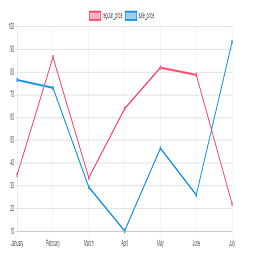
該外掛可輸出圖片和相關數據列表,例如:
2009 年 1 月 17 日:110.67 公斤
2009 年 1 月 10 日:113.4 公斤
2009 年 1 月 3 日:116.1 公斤
2008 年 11 月 5 日:110 公斤
2008 年 10 月 18 日:109.7 公斤
2008 年 10 月 8 日:112.9 公斤
2008 年 8 月 30 日:110.5 公斤
2008 年 7 月 17 日:103.4 公斤
2008 年 4 月 8 日:98.9 公斤
2008 年 3 月 10 日:99.3 公斤
2008 年 2 月 11 日:100.9 公斤
2008 年 2 月 4 日:102.3 公斤
2008 年 1 月 28 日:102.9 公斤
2008 年 1 月 20 日:103.4 公斤
外掛標籤
開發者團隊
原文外掛簡介
After working out how to plot time-based data using Google charts API, I created a WordPress plugin to plot values stored in a custom field against the published-on date of WordPress blog posts that use the field.
Usage Example
I use this plugin to keep a track of my weight. I have a private WordPress journal with a custom field called “Weight (kgs)” and each week when I make my journal entry I fill in my weight in this custom field. I have page called “My Weight” which is empty but uses the Fotherplot Template.
The plugin outputs a image and a list of the relevant data, example:
January 17, 2009: 110.67kgs
January 10, 2009: 113.4kgs
January 3, 2009: 116.1kgs
November 5, 2008: 110kgs
October 18, 2008: 109.7kgs
October 8, 2008: 112.9kgs
August 30, 2008: 110.5kgs
July 17, 2008: 103.4kgs
April 8, 2008: 98.9kgs
March 10, 2008: 99.3kgs
February 11, 2008: 100.9kgs
February 4, 2008: 102.3kgs
January 28, 2008: 102.9kgs
January 20, 2008: 103.4kgs