內容簡介
Footloom Analytics 是一款自我託管的 Google Analytics 替代方案,提供清晰且有用的訪客分析,所有數據儲存在您的 WordPress 資料庫中,確保隱私與速度。
【主要功能】
• 實時訪客計數,隨時查看在線人數
• 訪客日誌,詳細記錄每次訪問的資訊
• 自訂事件追蹤,無需撰寫程式碼
• 目標設定,追蹤轉換率
• 隱私友好,不使用 Cookies
外掛標籤
開發者團隊
② 後台搜尋「Footloom Analytics – Self-Hosted Google Analytics Alternative」→ 直接安裝(推薦)
原文外掛簡介
Footloom gives you clear, useful visitor analytics right inside your WordPress dashboard. All data is stored in your own database. Nothing is sent to an outside analytics service.
It is built to stay light. Tracking requests are answered very early in the WordPress load, before your theme and most plugins run, so even busy sites stay fast. The tracking script is small, loads deferred and never blocks your pages.
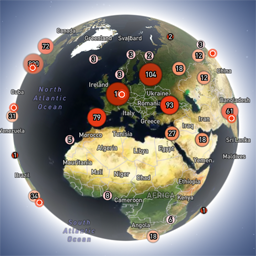
See who is on your site right now
Live count of visitors online at the top of every screen.
Spy shows what current visitors are doing as it happens, page by page.
Visitors drop off the live view the moment they close or hide the tab, and come back when they return.
Follow every visit
Visitor log lists each visit with landing page, referrer, country, device, pages viewed and time on site.
Action log shows every pageview and event across your site, newest first.
Open any visit to see its full timeline, or see every visit from the same returning visitor.
Filter everything by page, landing page, country, device, browser, operating system, referrer, campaign, event or new and returning visitors.
Reports
Visitors, pageviews, visits, bounce rate, pages per visit and average visit time. A bounce is a visit that saw one page and left within 10 seconds.
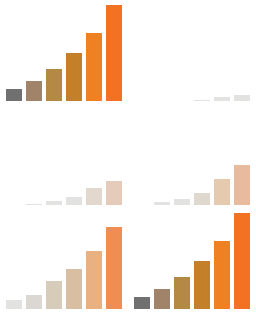
Daily chart and a heatmap of your busiest days and hours.
Content: top pages with average time on page, entry pages, exit pages and the query strings used on each page.
Not found: 404 pages with the referrer sending the most traffic to each one, so you know what to fix or redirect.
Searches: what visitors search for on your site, and which searches return nothing.
Links: referrers and outbound link clicks.
Campaigns: UTM source, medium and campaign.
Platforms: devices, browsers, operating systems and screen sizes.
Locale: countries and languages.
Choose today, yesterday, the last 7 or 30 days, this month or any custom range. Reports follow your site timezone.
Visit and action times show in your own local time, like 3:42 PM.
Custom events without code
Track clicks, form submissions and page visits from the Custom Events screen. Pick a CSS selector or a URL path, choose a label and an optional value, and you are done. Each rule shows how many times it fired in the last 7 days, so you can check it works.
Outbound link clicks and form submissions are tracked automatically.
Developers can send events from JavaScript:
footloom.track('signup', { label: 'footer form', value: 1 });
Or add attributes to any element:
Download
Goals
Set a goal for an event or a page visit, like a signup or a thank you page. Page goals can match an exact path or every page under a path, such as /blog/*. The dashboard shows completions and conversion rate for each goal.
Go links
Create short links like yoursite.com/go/summer-sale from the Redirections screen and share them anywhere, in emails, social posts, ads or QR codes. Footloom counts each click on your server and sends the visitor straight on to the destination. Each link shows its clicks for the last 7 days and all time, with a copy button for the link.
You choose the prefix, so links can start with /go/, /out/ or anything else you like. Bots are not counted.
Privacy friendly
No cookies. A random visitor ID is kept in the browser’s local storage.
IP addresses are used only in memory to look up the country and are never stored.
No data leaves your server for analytics.
Visitor countries are off until you turn them on.
Bots and crawlers are ignored.
Administrators are not tracked by default, so your own browsing does not change the numbers.
Choose to keep data forever or delete it automatically after a number of days.
External services
Footloom does not contact any outside service unless you turn on visitor countries.
DB-IP (country lookup database)
Off by default. When you turn on “Show visitor countries” in Footloom, then Settings, Footloom uses the free DB-IP Lite database to show which country each visit comes from.
What it does: downloads the database file from https://download.db-ip.com/free/ and saves it in your uploads folder. All country lookups then happen on your own server.
When: only after you turn the setting on, then about once a month while it stays on. Turning it off stops the downloads and deletes the file.
What is sent: a plain file download request. Like any download, DB-IP can see your server’s IP address. No visitor data or site data is sent.
Service: https://db-ip.com
Terms and license: https://db-ip.com/db/lite.php (Creative Commons Attribution 4.0)
Privacy policy: https://db-ip.com/privacy.php
If your site runs behind Cloudflare, Footloom reads the country from the header Cloudflare adds to each request. This needs no download and works with the setting off.
Other Products
Also check out our other WordPress products.
BerqWP – All-in-One WordPress performance plugin.
WP Replai – The skills-powered AI customer support agent that lives inside your site, answering questions, walking visitors through fixes, qualifying leads, and only escalating to your team when it truly should.
ElizaWP – SEO MCP for AI agents that researches, writes and publishes for WordPress.
CanvoWP – Completely free Agent-first website builder plugin. No blocks, no bloat.
Berq Markdown – Automatically generate markdown version of web pages for AI agents.
Berq Used CSS – Remove unused CSS automatically.
Camouflage Security – Static WordPress Firewall and PHP Isolation.
Barlapse – Fix admin bar overflow issue in WordPress admin panel.
Seenli Blocks – Conditional display blocks for logged in users & user roles.
Credits
IP geolocation by DB-IP, licensed under Creative Commons Attribution 4.0.
Charts by Chart.js (MIT license). Source: https://github.com/chartjs/Chart.js
MaxMind DB Reader (Apache 2.0 license).