內容簡介
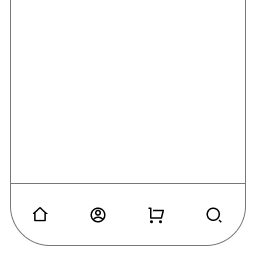
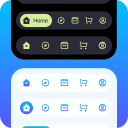
總結:Footer Fixed Menu - Customized Bottom Navigation 可讓您顯示具有圖示的固定頁腳導覽列,該導覽列會自動與您現有的 WordPress 選單同步。適用於行動友好網站,快速導覽是必要的。這個外掛創建了一個時尚現代的固定底部導覽欄,一直停留在屏幕底部。
問題與答案:
1. 如何讓 Footer Fixed Menu 外掛與現有的 WordPress 選單同步?
- 安裝並啟用 Font Awesome 外掛
- 在 WordPress 選單項目中的「CSS 類別」欄中加入 Font Awesome 圖示名稱
2. 這個外掛的重要特色有哪些?
- 可與所選 WordPress 選單同步
- 可自訂背景色和圖示顏色
- 滑鼠懸停時的工具提示標籤,提升使用者體驗
- 可自訂價格/動作按鈕,並設定文本和 URL
- 行動響應設計
- 輕量且優化效能
- 簡單易用的管理設定面板
- 支援 Font Awesome 圖示
- 不需要外部依賴 - 所有檔案皆在本地包含
外掛標籤
開發者團隊
② 後台搜尋「Footer Fixed Menu — Customized Bottom Navigation」→ 直接安裝(推薦)
原文外掛簡介
Footer Fixed Menu — Customized Bottom Navigation allows you to display a fixed footer navigation bar with icons that automatically sync with your existing WordPress menu. Check live demo Nitin Monga
Perfect for mobile-friendly sites where quick navigation is essential. The plugin creates a sleek, modern bottom navigation bar that stays fixed at the bottom of the screen.
Important: This plugin requires the Font Awesome plugin to be installed and activated. You’ll then need to add Font Awesome icon names to your WordPress menu items (in the CSS Classes field).
Key Features:
Syncs with your selected WordPress menu
Customizable background and icon colors
Tooltip labels on hover for better user experience
Custom pricing/action button with configurable text and URL
Mobile-responsive design
Lightweight and performance-optimized
Easy-to-use admin settings panel
Font Awesome icons support
No external dependencies – all files included locally
How It Works:
Install and activate the Font Awesome plugin
Create or select a WordPress menu
Configure colors and button settings from the admin panel
Enable CSS Classes in Screen Options and add Font Awesome class names to menu items (e.g., fas fa-home)
The menu automatically appears as a fixed bottom navigation