
8,000+
安裝啟用
★★★★☆
4.4/5 分(99 則評價)
167 天前
最後更新
—
問題解決
WordPress 4.0+ v3.0 上架:2012-12-07
內容簡介
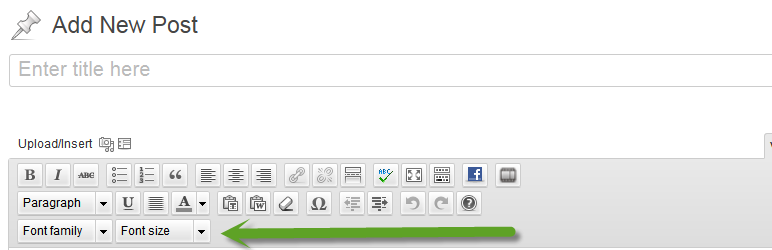
這個外掛會在編輯器中新增兩個下拉選單,提供額外的字型大小和字型選項:
樣式按鈕
字型大小按鈕
新增:您也可以透過購買進階版,將您自己選擇的 Google 字型或自定義字型(包括進階版字型)新增到您的編輯器中。
Gutenberg
支援最新版本的 Gutenberg
支援
新增支援-開始即時聊天
進階版:
新增 Google 字型 http://wpsites.net/wordpress-admin/add-google-web-fonts-to-your-wordpress-editor/
新增自定義字型 http://wpsites.net/wordpress-themes/add-custom-fonts-to-the-wordpress-editor/
外掛標籤
開發者團隊
原文外掛簡介
This plugin adds 2 drop down menus to your visual editor with additional sizes and fonts:
A button for Styles
A button for Sizes
New: You can also add your own selection of Google & Custom fonts including premium fonts, to your editor by upgrading to Fonts Pro.
Fonts Pro:
Fonts Pro
Support
New Support
Gutenberg
Works with the latest version of Gutenberg