內容簡介
Fleetwire 是一款專為汽車租賃業務設計的 WordPress 外掛,讓使用者能夠在網站上輕鬆瀏覽車輛清單、檢查可用性並進行線上預訂。無論是汽車、卡車、房車還是設備租賃,Fleetwire 都能提供即時的預訂服務。
【主要功能】
• Fleetwire 嵌入:使用短碼添加所有清單和預訂按鈕
• 清單選擇器:在 WordPress 後台載入 Fleetwire 清單
• 連接狀態:驗證 WordPress 是否能連接到 Fleetwire
• 主機儀表板:查看活躍清單和即將到來的取車
• Fleetwire 結帳:引導訪客進入 Fleetwire 的預訂流程
外掛標籤
開發者團隊
② 後台搜尋「Fleetwire – Car Rental Booking & Website Builder」→ 直接安裝(推薦)
📦 歷史版本下載
原文外掛簡介
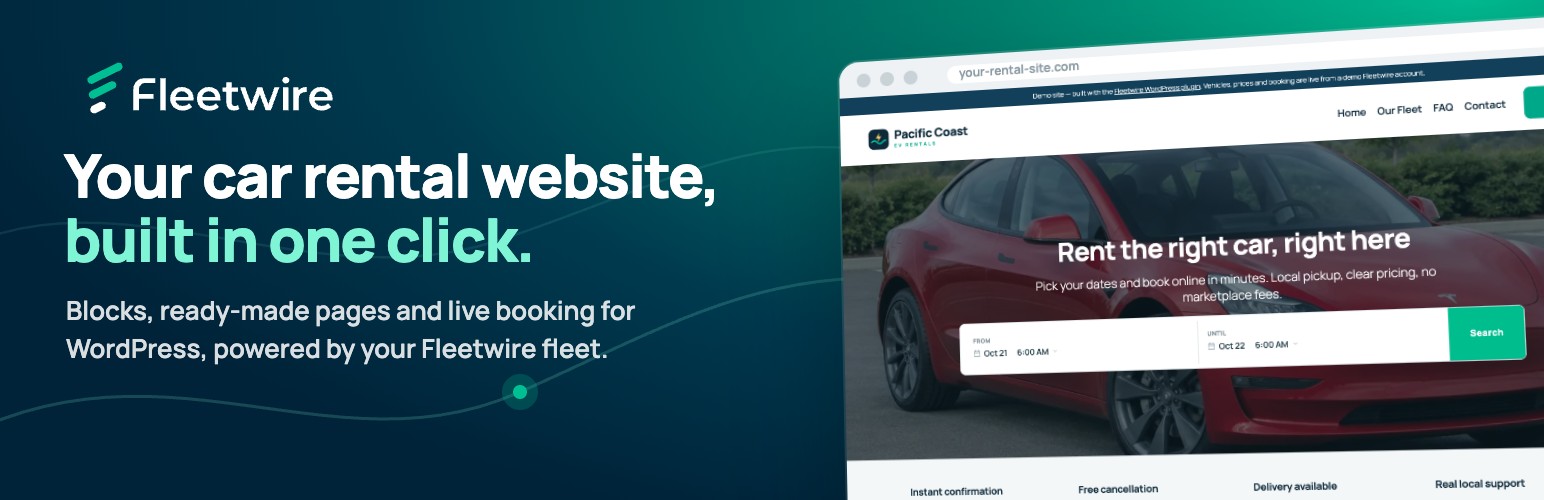
Fleetwire turns WordPress into a car rental website. Connect your Fleetwire account, click Build my rental site, and get draft Home, Our Fleet, FAQ, Contact and vehicle pages filled with your own fleet — photos, prices, live availability search and booking buttons included. Review the drafts, edit the text, and publish.
Whether you rent cars, trucks, vans, RVs, trailers or equipment, visitors browse your vehicles, pick dates and book on your own site instead of a marketplace.
Build your rental website in one click
Starter pages from your fleet: Home, Our Fleet, FAQ, Contact and a page for each vehicle you pick, created as drafts. Nothing is published or overwritten, and pages you already have (like an existing FAQ) are reused instead of duplicated.
Publish when you’re ready: publish pages one by one, or all at once with Publish all draft pages.
Menu and front page: optionally add the pages to your site menu and make the new Home your front page once you publish it.
Car rental blocks
Seven blocks in a Fleetwire category, with previews of your real vehicles right in the editor:
Vehicles — your bookable fleet as a responsive grid of cards, with a limit, paging, price toggle, and optional renter filters and sorting.
Vehicle Availability — a monthly calendar for one vehicle showing which days are free, with a button to book the picked dates.
Search — trip dates search that sends renters to available vehicles.
Vehicle Card, Book Button, Vehicle Gallery and Vehicle Details — pick a vehicle from a searchable list.
Ready-made car rental patterns
Twelve sections in the Fleetwire – Car Rental pattern category: hero with date search, trust bar, fleet grid, how renting works, why book direct, renter reviews, rental FAQ, rental requirements, book-now banner, contact and hours, a vehicle page with a booking card, and three featured vehicles. Patterns use core blocks, so they pick up your theme’s fonts and colors, and work with block themes like Twenty Twenty-Five as well as classic themes.
Booking handled by Fleetwire
Renters book through Fleetwire’s secure hosted checkout, with real-time availability, online payments and security deposits, rental agreements and order management in your Fleetwire dashboard. Your vehicles, prices and photos stay in sync automatically — update them once in Fleetwire and your site follows.
Built for rental businesses
Car rental companies: a branded car rental website with real-time availability and online booking.
Independent hosts: take direct bookings instead of relying only on marketplaces.
Truck, van and trailer rentals: box trucks, cargo vans, trailers and haulers with per-day pricing.
RV and camper rentals: let travelers check dates and reserve motorhomes and campers online.
Equipment rentals: tools, machines and other rental inventory.
Also included
Shortcodes for every embed ([fleetwire_list], [fleetwire_search], [fleetwire_listing_card], [fleetwire_button] and more) for page builders and classic editors, with a shortcode builder in WordPress admin.
Connection status to confirm WordPress can reach your Fleetwire account.
Fleetwire dashboard in WordPress admin with setup progress, connection status, and your upcoming pickups and returns (with an optional read-only integration token).
Translation ready.
Note: A Fleetwire account is required. Visit fleetwire.io to learn more or start your free 14-day trial.
External services
This plugin connects your site to Fleetwire, the rental platform that stores your vehicles and handles bookings. A Fleetwire account is required.
Fleetwire API ({your-company}.fleetwire.io): in WordPress admin, the plugin requests your public vehicle list (names, photos, prices) to fill the vehicle picker, previews, patterns and starter pages, and checks the connection with your Company ID. If you add an integration token, it also requests your private dashboard summary. Your Company ID, and the token when set, are sent with these requests.
Fleetwire embed script ({your-company}.fleetwire.io/tenant/v2/fleetwire.js): loaded on your public pages to show vehicles, search and booking buttons. It requests your vehicles and company details from the Fleetwire API, and sends the page address and plugin version so Fleetwire can show where your embeds run. When a visitor books, they continue to Fleetwire’s hosted checkout.
Vehicle photos are served from Fleetwire’s image service (media.fleetwire.io).
Date picker styles are loaded from jsDelivr (cdn.jsdelivr.net) by the embed script.
Fleetwire terms of service and privacy policy. jsDelivr privacy policy.