外掛標籤
開發者團隊
原文外掛簡介
Fixlight checks your pages for common accessibility problems, fixes the ones that can be fixed safely, and tells you in plain language what still needs a person.
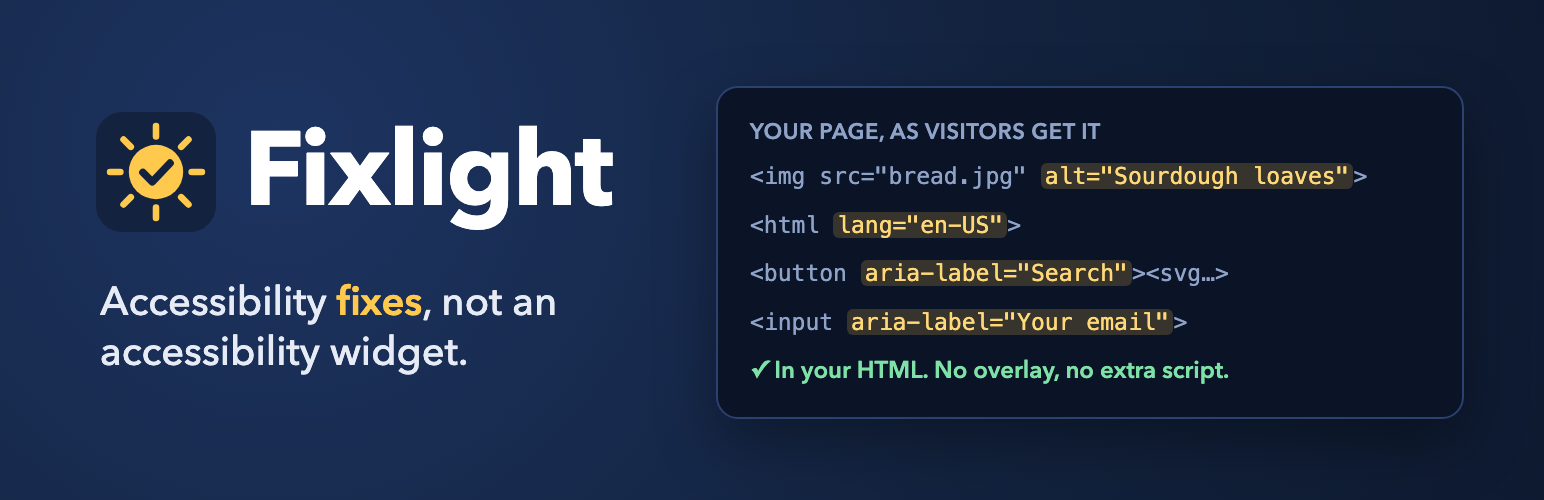
It is not an overlay. Fixlight adds no toolbar, no widget and no script for your visitors. The fixes are made in the HTML your site sends, so they work for screen readers, keyboards and search engines, and they keep working if JavaScript is off.
No account, no limits. Everything in this plugin works without signing up for anything. There are no page limits, no visit caps and no trial period.
What it fixes automatically
Each fix can be turned off on its own, and turning one off undoes it immediately. Your posts and theme files are never edited.
Page language, when the theme does not set one
Empty or missing page titles
A “Skip to content” link for keyboard users (only when the theme has none)
A clearly visible keyboard focus outline
Alt text on images in posts, copied from the media library
Tracking pixels and spacers marked as decorative
Titles for embedded videos, maps and other iframes
Labels for form fields that only have placeholder text
Labels for icon-only links and buttons (social icons, search, menu, cart)
“Read more” links that say which post they lead to
Positive tabindex values that scramble the keyboard order
Warnings for links that open a new tab or a PDF
Zoom blocked on phones
Play/pause controls on video and audio that start on their own
Animations stopped for visitors who ask their device to reduce motion
Optional: underlined links in text, for people who cannot tell colours apart
Theme and plugin fixes for Divi (4 and 5), Extra, Bloom and Monarch: their mobile menus, search icons, toggles and close buttons work with the keyboard, submenus open on keyboard focus, and their icon links and share buttons get names
What it checks
Key pages, in your browser: your home page and recently changed pages are tested with axe-core, the open-source engine behind most accessibility testing tools. This includes colour contrast.
The whole site, on your server: every published page is checked once a week, a few at a time, and each page is re-checked after you update it.
You see a score with and without Fixlight, how many problems were fixed, and a list of what is left, most important first. Every item explains why it matters and how to fix it.
Image alt text
The Images screen lists every image in your media library that has no alt text. Describe each one, or mark it decorative. The alt text is saved in WordPress itself, so it stays if you ever remove Fixlight.
Optional AI suggestions write a first draft for you to check: 50 free images per site per month through Fixlight’s service, or unlimited with the AI you connected to WordPress (Settings → Connectors, WordPress 7 and later).
Accessibility statement and barrier reports
Under Fixlight → Statement, fill in a few details and publish an accessibility statement page with one click. It says what your site aims for, what Fixlight does and how to reach you, and it never claims that the site is compliant. The page includes a short form where visitors can tell you about a barrier (you can also place it anywhere with the [fixlight_report_form] shortcode). Reports are saved in your site’s own database and emailed to the contact address you set (at most 10 emails an hour; every report is still listed), and you see them under Fixlight → Reports. The form has no CAPTCHA, because a CAPTCHA is a barrier itself. It never stores visitors’ IP addresses; to limit repeated sending it keeps a one-way code made from the address for one hour. Reports stay until you delete them, and WordPress’s Export and Erase Personal Data tools include them (matched by email address). Fixlight also adds suggested text to WordPress’s privacy policy guide.
For developers
wp fixlight scan checks every published page from the command line, and wp fixlight status shows the results.
The statement is built by the [fixlight_statement] shortcode, and the fixlight_statement_sections filter can add sections to it (their HTML is filtered with wp_kses: post tags plus form fields).
Honest about what it can do
No plugin can make a website fully accessible on its own, and automated checks find only some of the barriers people meet. Fixlight fixes what can be fixed safely and shows you the rest. It does not claim that your site complies with any law or standard, and it is not legal advice. Test with a keyboard and a screen reader too.
External services
Fixlight works without any external service. The alt text services below are used only if you turn on AI alt text in Fixlight → Settings, and only when you click Suggest on the Images screen. Apart from that, the plugin contacts fixlight.fernwaylabs.com only to send anonymous statistics, and only if you turn them on.
Fixlight alt text service (fixlight.fernwaylabs.com)
Used when you choose “Fixlight free service” and tick the consent box. The first time, the plugin sends your site address and the plugin version to get a token for your site (and again only if that token stops working). Each time you ask for a suggestion it sends that one image (resized to at most 768 pixels) and its context: file name, image title, caption, the title of the page it is used on, your site name and your site language. The service passes the image to Google’s Gemini API and returns the description. It never stores the image or the text. It stores your site address, a one-way hash of your site’s token and monthly usage counts, and, to stop abuse, a daily count of requests per network using a salted one-way hash of the IP address that changes every day.
Fixlight terms: https://fixlight.fernwaylabs.com/terms/
Fixlight privacy: https://fixlight.fernwaylabs.com/privacy/
Google Gemini API terms: https://ai.google.dev/gemini-api/terms
Google privacy policy: https://policies.google.com/privacy
Anonymous statistics (only if you turn them on)
Off unless you turn it on in Fixlight → Settings → Anonymous statistics; Fixlight never asks you to. While it is on, once a week the plugin sends to fixlight.fernwaylabs.com: how many problems of each kind it found and fixed, which of its fixes are on, your theme’s folder name, your page builder, whether WooCommerce is active, the Fixlight, WordPress and PHP versions, and a random id made when you turned sharing on (it is deleted when you turn it off, and the next week’s numbers replace the last). It never sends your site’s address, pages, content or anything about your visitors. We publish totals across at least five sites, never one site’s numbers.
Fixlight privacy: https://fixlight.fernwaylabs.com/privacy/
Links to fixlight.fernwaylabs.com
Two links point to fixlight.fernwaylabs.com/go/, which counts the visit and forwards it: the optional credit link on your statement page (off unless you turn it on; it forwards to Fixlight’s page on WordPress.org) and the link in the More help card that you can send to an agency (it forwards to Fixlight Pro). Nothing is sent unless someone clicks one. The count keeps only how many people came from each link per day; to count each person once, it uses a salted one-way hash of the IP address that changes every day and is deleted after two days.
Fixlight privacy: https://fixlight.fernwaylabs.com/privacy/
The AI connected to WordPress (WordPress 7.0 and later)
Used when you choose “The AI connected to WordPress”. The image and context above go from your server to whichever provider you connected under Settings → Connectors, under that provider’s terms. Fixlight’s server is not involved.
Third-party code
Fixlight includes axe-core 4.14.0 by Deque Systems, licensed under the Mozilla Public License 2.0. The bundled file is the project’s unmodified release build, assets/vendor/axe-core/axe.min.js; its source code is at https://github.com/dequelabs/axe-core/tree/v4.14.0 and its license is in assets/vendor/axe-core. It is used only on Fixlight’s own check pages, never for visitors.