外掛標籤
開發者團隊
② 後台搜尋「First Found: Lead Source Info for Contact Form 7」→ 直接安裝(推薦)
原文外掛簡介
A contact form email tells you who wrote. It does not tell you how they found you.
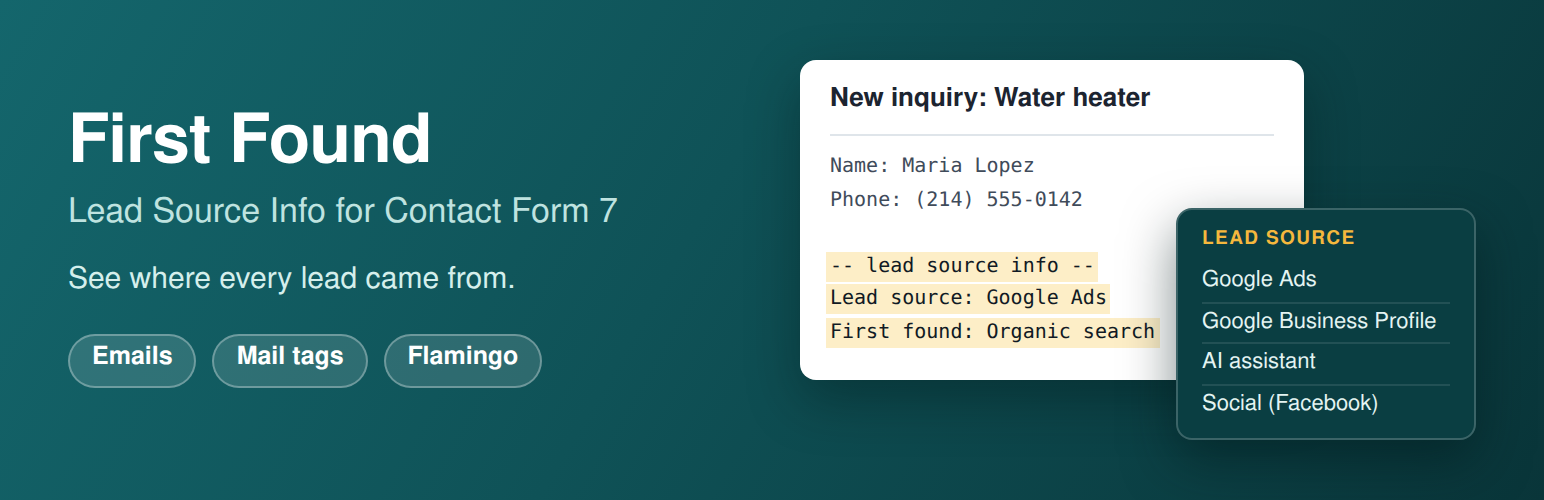
First Found adds that answer to every message, in words a business owner can read without knowing what a UTM tag is:
-- lead source info --
Lead source: Google Ads
First found: Organic search (Google), September 26, 2026 7:15 am
Submitted: October 5, 2026 11:20 pm
Lead source is the visit they sent the form on. First found is the first time they came to your site, which can be weeks earlier and from somewhere else. Together they show which of your ads, listings and links start a customer’s search and which one closes it.
What it does
Adds the three lines above to the end of each form’s main email
Never touches Mail (2), the copy many sites send to the customer
Names the source in plain words: Google Ads, Microsoft Ads, Organic search (Google), Google Business Profile, Social (Facebook), AI assistant (chatgpt.com), Email, Direct, Other website (example.com)
Recognizes visitors sent by ChatGPT, Perplexity, Claude, Gemini, Copilot and other AI assistants
Gives you eleven mail tags to place the information anywhere in an email, including the subject
Works with plain text and HTML emails
Stores the full record with each message in Flamingo, and adds a Lead source column to Flamingo’s Inbound Messages list
Works behind page caching, because the visit is recorded in the browser
Waits for the visitor’s consent when a cookie banner that supports the WP Consent API is active
Makes no outside requests and adds no script or style files to your pages
Works with Flamingo
Flamingo is the free message storage plugin by the author of Contact Form 7. With it active, Inbound Messages gets a Lead source column, so you can read the source of every lead down the list without opening one. Each message’s Meta box holds the detail behind it: both visits, their landing pages, referrers, campaign tags and ad click ids. Flamingo is optional. Without it the emails work the same.
How the source is worked out
The plugin looks at three things from the visit: an ad click id in the link (Google Ads, Microsoft Ads, Meta), campaign tags in the link (utm_source, utm_medium, utm_campaign), and the website the visitor came from. An ad click wins over everything else, since an ad click arrives from google.com too. A visit that carries no information at all is Direct. A visitor whose browser stored nothing shows as Unknown, never as a guess.
To have your Google Business Profile show as its own source, tag the website link on the profile, for example https://example.com/?utm_source=google&utm_medium=organic&utm_campaign=gbp.