
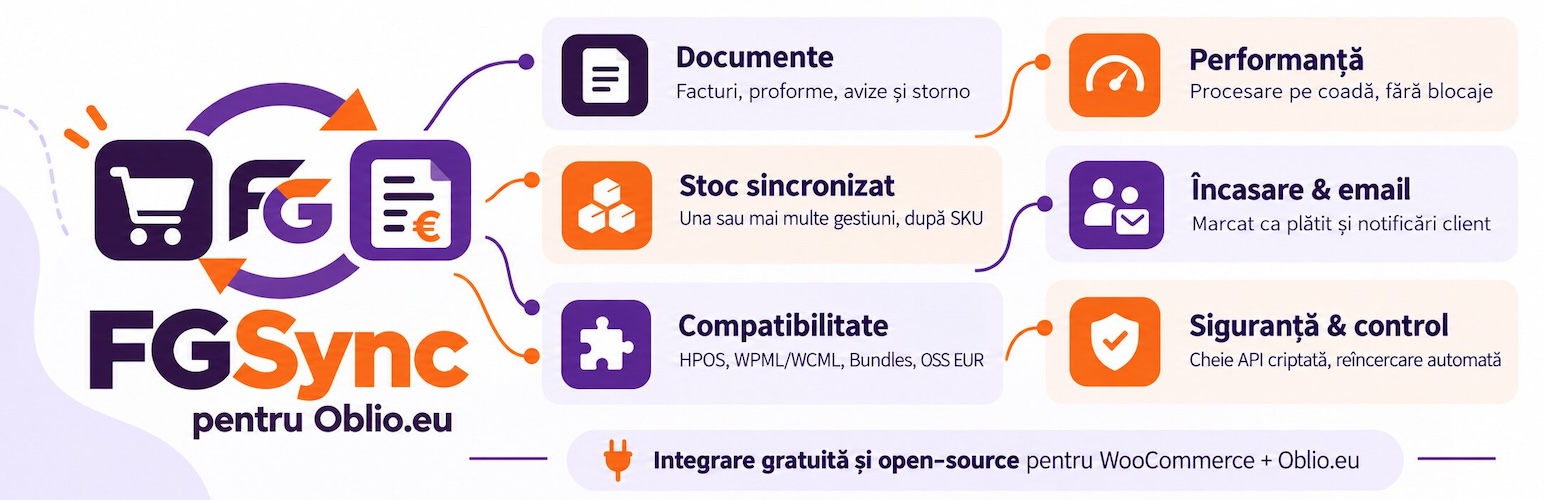
內容簡介
FGSync for Oblio 是一款獨立的開源外掛,旨在將 WooCommerce 與 Oblio.eu 發票服務整合。使用者可透過此外掛自動或手動發送發票、預付款發票及信用票據,提升訂單管理效率。
【主要功能】
• 自動或手動發送發票及信用票據
• 根據訂單自動生成發票,避免重複計算庫存
• 支援 WooCommerce 退款自動生成信用票據
• 提供多種文件選項,如發票日期及到期日
• 客戶可在 WooCommerce 帳戶中查看發票
• 虛擬產品可設定專屬的發票類型
外掛標籤
開發者團隊
原文外掛簡介
FGSync for Oblio is an independent open-source integration between WooCommerce and the Oblio.eu invoicing service. It is not developed, endorsed, maintained, or supported by Oblio.eu; Oblio is a third-party service, and an active Oblio account is required.
Documents
Issue invoices, proformas, delivery notes and credit notes (storno), automatically or manually from the order screen.
Proforma to invoice rule: a proforma is transformed into an invoice or deleted; a proforma is never issued after an invoice, nor for an order already paid online, since a proforma is a request for payment.
When an order already has a delivery note, its invoice is issued based on it in Oblio, so stock is taken out only once.
Automatic credit note on WooCommerce refunds (partial and full). Refunds made before the invoice is issued are taken off the invoice instead, and an order refunded in full before invoicing gets no invoice.
Experimental bridge to the WooCommerce Returns feature, off by default and available only when your WooCommerce version has that feature.
Customers find their invoices and credit notes in a “Facturi” section of their WooCommerce account.
Document options: series, document date (issue day or order day), work point, warehouse, unit of measure, due date, notes, “issued by” and delegate, document language and product type.
Per product and per variation: Oblio product type and units per package (decimals allowed, for example 2.5 m² per box). Virtual products (for example digital goods) can get their own default type, such as “Serviciu”.
Works with Oblio accounts without warehouses, for example shops selling only digital products: the stock options are switched off and invoices are issued without stock deduction.
Sale discounts are invoiced as the customer saw them at checkout, even if prices change later.
Optional: fill in company details from Oblio by CIF.
VAT
Each line is sent with the exact VAT category from your Oblio account, matched by rate (including rates like 25.5% or 5.5%), using the rate recorded on the order.
A “TVA” tab lists the WooCommerce rates your Oblio account has no category for, with the name to give each one in Oblio, so a missing rate is caught before an invoice fails.
Choose which 0% category is used for lines without VAT (SDD, SFDD, Scutita, Taxare inversa, etc.).
Optional one-click import of the standard VAT rates for all 27 EU countries into WooCommerce, refreshed with plugin updates.
Company and individual customers (CUI, CNP, registration number, bank, IBAN) from the free “Facturare – Persoana Fizica sau Juridica” plugin, on classic and block checkout.
Performance
Queued processing (Action Scheduler) so issuing never blocks checkout or status changes.
Automatic retries with backoff, plus a reconciliation job for missed invoices.
Stock synced in batches, across one or more warehouses (locations), matching the WooCommerce SKU with the Oblio product code.
Optional price update from Oblio during stock sync, keeping your sale prices.
Optional stock reservation for orders not yet invoiced, so the store doesn’t oversell.
Bulk actions (invoice/proforma/storno for multiple orders at once) are queued per order, not run one after another in the same admin request.
Settings and warehouse/series lists are read from a short-lived cache, refreshed on demand, instead of calling Oblio on every page load.
Collection and notifications
Automatic “mark as paid”, configurable per payment method, with exceptions.
Invoices issued the moment the order reaches a status, or on a schedule (batch), your choice, and optionally as soon as an online payment is confirmed.
Customer notifications two ways: a standalone email from the plugin, or a button linking to the invoice inside WooCommerce’s own order emails.
Orders screen
Oblio status column on the orders list, with an error badge and the reason when issuing failed.
Filter the orders list by Oblio document (none, proforma, invoice, delivery note, credit note, failed).
Issue, view or delete documents from the order screen; the delete button only shows when Oblio allows it (the last document in its series).
Status and security
The API key is stored encrypted (AES-256-GCM).
A “Stare” tab with today’s log (with live updates), the processing queue, update status, any plugin hooks overridden by other code, and a one-click diagnostics report for support that never includes the API key or personal data.
A connection dot in the admin toolbar, and suggested text for your site’s privacy policy.
Compatibility
Works with both High-Performance Order Storage (HPOS) and the classic order storage.
Compatible with WPML / WooCommerce Multilingual (invoice language and currency from the order).
WooCommerce Product Bundles: the components are invoiced and take the stock, and a fixed bundle price is split across them.
Logs through WooCommerce (WooCommerce, Status, Logs) and a dedicated status panel.
One-click import from the old “WooCommerce Oblio” plugin.
Extensibility
Filters and actions for cases the settings screen doesn’t cover: adjusting a stock quantity or price before it’s written, overriding a document’s currency or language per order, and changing the invoice email button’s behavior.
This plugin uses the Oblio.eu API. You need an Oblio account and an API secret.
Project page, with features and a comparison with the old plugin: https://rwkyyy.github.io/fgsync-oblio/
Source code and issue tracker: https://github.com/rwkyyy/fgsync-oblio
Try it in your browser in WordPress Playground: https://playground.wordpress.net/?blueprint-url=https://rwkyyy.github.io/fgsync-oblio/blueprint.json
External services
This plugin connects to the Oblio.eu invoicing service (https://www.oblio.eu) through its API (https://www.oblio.eu/api) to create and manage your accounting documents. Sending data to Oblio is the core purpose of the plugin and happens only for the actions you enable.
When data is sent:
When a document is issued (invoice, proforma, delivery note, or credit note), automatically on the order status you choose or manually from the order screen.
When an order is marked as paid (“collection”), if you enable it.
When stock is synchronised from Oblio, on the schedule you set or on demand.
When you test the connection or import settings from the connection screen.
What is sent for a document: your company identifier (CIF), the customer’s billing details (name, company, address, tax/registration identifiers, email and phone when present), the order lines (product name, code/SKU, quantity, price, VAT), shipping and fees, totals, and the payment method. Authentication uses your Oblio account email and API secret. No data is sent to any party other than Oblio.
Oblio service: https://www.oblio.eu
Oblio Terms and Conditions: https://www.oblio.eu/terms
Oblio confidentiality/privacy policy: it is part of the Terms and Conditions above (the “notă de confidențialitate”); the current version is published on https://www.oblio.eu
Please review those documents before use. Sending customer and order data to Oblio is subject to your agreement with Oblio and your own privacy obligations.
Upgrading from a pre-1.1.0 beta
If you installed an earlier oblio-fgwoo beta build directly (not through this wp.org listing), note before updating:
This release ships under a new plugin slug/folder (fgsync-oblio) and main file (fgsync-oblio.php). WordPress treats it as a different plugin, not an in-place update of the old folder.
Deactivate and delete the old oblio-fgwoo (or similarly named) plugin folder first, then install this one. Your settings, order metadata, product fields, and issued-document history are preserved: they are all stored under the oblio_fgwoo_ option/meta prefix, which this release deliberately did not rename.
Any Action Scheduler job (document issue, refund/storno, stock sync, reconciliation) still queued or in-flight at the exact moment of the swap may need to be re-triggered manually (e.g. via “Sync now” or by re-saving the order), since the old plugin’s runtime is gone when its folder is removed. Nothing already completed (issued invoices, stored settings) is lost.
Any custom code hooking the plugin’s filters/actions (e.g. oblio_fgwoo_email_button_issue) keeps working unchanged, since those hook names were intentionally not renamed.














