內容簡介
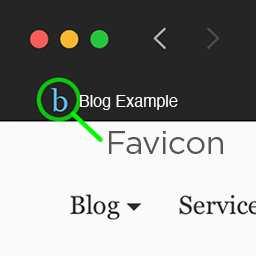
WordPress 通過其站點定制器提供了一種方便的方式來添加網站圖標。這個圖標將在桌面瀏覽器上用作網站圖標,當用戶在移動設備上創建快捷方式時,也會在移動設備上使用。但如果您想在不同的場合使用不同的圖標,例如 iOS 不支持透明度或者只是因為您想在移動設備上有更詳細的圖標,會發生什麼情況呢?這個外掛擴展了 WordPress 的原生功能,允許您上傳不同的圖像用於移動 (Android)、iOS 和 Windows。如果省略圖像,則會回退到默認的站點圖標。
功能
擴展 WordPress 的原生站點圖標功能,以在 Android、iOS 和 Windows 上使用不同的圖標。
外掛標籤
開發者團隊
原文外掛簡介
WordPress includes a handy way to add a favicon on your site through its Site Customizer. This icon will be used as a favicon on desktop browsers, but on mobile devices as well, when users create a shortcut on their homescreen. What happens, though, if you want to have different icons on different occasions, either because, for example, iOS doesn’t support transparency or simply because you want to have a more detailed icon on mobile devices? This plugin extends the WordPress’ native functionality and allows you to upload different images for mobile (Android), iOS and Windows. Omitting an image will fallback to the default Site Icon.
Features
Extend the native WordPress Site Icon functionality to use different icons for Android, iOS and Windows.