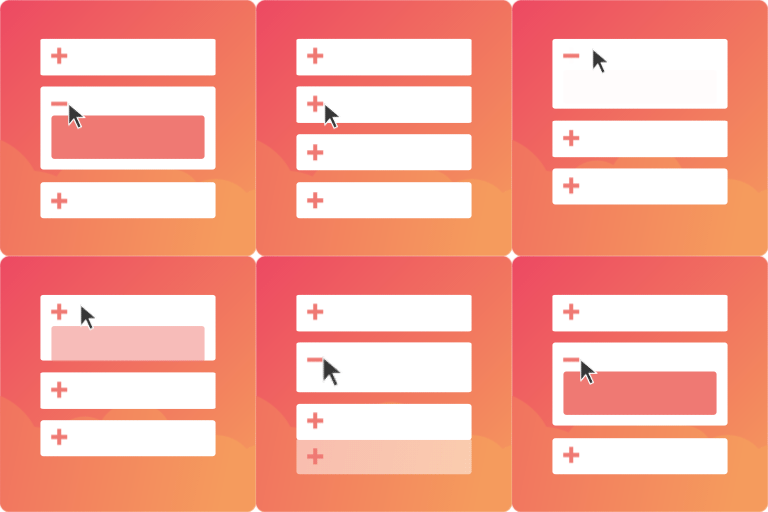
內容簡介
FAQ Manager For Divi, Gutenberg Block & Shortcode 可以幫助您在您的網站上添加、管理、分類、設計和創建結構化的問與答數據 (SEO)。
特點
管理及分類問與答
自訂文章類型區域以創建和管理問與答。
使用類別建立問與答群組
欲了解詳情,請瀏覽如何在管理員中添加和管理問與答數據
觀看影片
注意:付費版本才有一些功能,詳情請參閱此處
顯示問與答
使用縮略指令在任何佈景主題中顯示問與答,或在 Divi 佈景主題上的 FAQ Divi 模塊或 Gutenberg 區塊上的 Faq List 區塊。
使用功能豐富的 wpt_faqs 縮略指令顯示問與答。
使用縮略指令的詳細資訊,請參閱FAQ 縮略指令文檔。
觀看有關使用縮略指令的影片
對於 Divi 佈景主題使用者,該外掛已整合一個FAQ Divi 模塊。 觀看影片
對於 Gutenberg 區塊編輯器,一個Faq List 區塊可供使用。 觀看影片
注意:付費版本才有一些功能,詳情請參閱此處
結構化問與答數據
結構化問與答頁面使您的網頁有資格列入 Google 的豐富搜尋結果。
欲瞭解詳情,請參閱如何使用 Google 的結構化數據測試工具驗證問與答的結構化數據
觀看影片
可加入書籤的問與答
每個問與答項目顯示都有唯一的URL
當單擊問與答項目時,將此URL添加到瀏覽器歷史記錄中。
在支援票證/電子郵件中分享這些URL
付費外掛
付費外掛位於 https://wptools.app/wordpress-plugin/faq-manager-with-structured-data/。 使用優惠碼 BIGSALE30 可享有 30% 折扣。
外掛標籤
開發者團隊
② 後台搜尋「FAQ Manager For Divi, Gutenberg Block & Shortcode」→ 直接安裝(推薦)
📦 歷史版本下載
原文外掛簡介
FAQ MANAGER : THE BEST SEO-FOCUSED FAQ PLUGIN FOR DIVI THEME, EXTRA THEME & BLOCK INTEGRATION
Are you tired of answering the same questions repeatedly from your website visitors? Do you want to reduce the number of support requests and increase customer satisfaction? Are you looking to improve your website’s search engine ranking? Look no further than our FAQ plugin!
Without a comprehensive and organized FAQ section, you risk frustrating your visitors and increasing their own workload with repetitive support requests. Not only does this waste time and reduce efficiency, but it also leads to a poor user experience and potentially lost business.
With our user-friendly and customizable FAQ plugin, you can easily manage & organize FAQs. Use of divi module, block or shortcode to display custom designed FAQs. Plus, our plugin’s FAQPage structured data integration improves your website’s SEO.
Take control of your website’s user experience and efficiency with our FAQ plugin. Get your 7-day FREE trial today!
HASSLE-FREE FAQ MANAGEMENT
As a website owner, manually entering FAQs and not having a central place to manage them can be time-consuming and frustrating. It can be hard to keep track of which FAQs have been answered and which ones still need attention. This can lead to a disjointed and unorganized FAQ section that frustrates your visitors and hurts your brand’s credibility.
Our FAQ plugin provides you with a user-friendly interface to create and manage all your FAQs in one central location, so you can save time and keep your FAQ section organized and up-to-date.
Spend less time managing FAQs and more time growing your business with our plugin.
Read our guide on FAQ Management
CREATE CUSTOM-DESIGNED FAQS – DIVI, BLOCK & SHORTCODE
One can struggle to create a custom-designed FAQ section that aligns with their brand without page building tools like a Divi module or WordPress block.
Our FAQ plugin provides a “FAQ List” divi module and “FAQ List” block (and a shortcode). Each of these provide FAQ filtering options and variety of customizable styling options, so you can easily create a unique and branded FAQ section that stands out on your website.
Our plugin provides three pre-designed style presets and five icon sets, you can quickly and easily customize your FAQ section without any technical skills.
Say goodbye to generic FAQ sections and hello to a customized solution that sets you apart from the competition.
Read our guides on
“FAQ List” Divi Module
“FAQ List” Block
FAQ Shortcode
BOOST YOUR WEBSITE’S SEO WITH FAQPAGE STRUCTURED DATA
Don’t have FAQPage structured data integrated into your website? Well, you could be missing out on a lot of potential benefits. Without this data, search engines like Google are not be able understand and display your FAQ content in search results, which can hurt your website’s visibility and traffic. Your customers may also struggle to find the information they need, which could lead to frustration and lost sales.
By integrating FAQPage structured data into your website with our plugin, you can ensure that your FAQ content is properly recognized by search engines and easily accessible to your customers, improving both your SEO and customer experience.
Missing FAQPage structured data? Low website visibility. Don’t lose out on potential customers. Get our plugin today.
Read on guide on FAQPage Structured Data Integration
BOOST WEBSITE SUPPORT WITH BOOKMARKABLE FAQS
Bookmarkable FAQs can be useful for website visitors who want to quickly find the information they need, businesses who want to efficiently answer support requests. With a well-organized and bookmarkable FAQ section, customer support can share relevant FAQ links with customers, reducing response times and improving customer satisfaction. Businesses can use bookmarkable FAQs as a reference when creating internal documentation or training materials for employees.
GET YOUR 7-DAY FREE TRIAL (PREMIUM PLUGIN)
As a single website owner, small or a large agency, provide your website visitors with a clear and concise FAQ section that will improve their user experience and save you time and resources in customer support.
Experience the benefits of our plugin with a hassle-free 7-day free trial. No upfront payment information required. Take the time to explore and decide if our plugin is right for you. Try it now and see the difference it can make for your website.
PREMIUM FEATURES
Group FAQS using categories.
Show FAQ subset by categories & premium filtering options.
Premium icons.
Premium style presets.
GET Your 7-Day FREE Trial | Plugin Page | Documentation