外掛標籤
開發者團隊
② 後台搜尋「Shop Search for WooCommerce」→ 直接安裝(推薦)
原文外掛簡介
The built-in WordPress search finds a title when it is typed exactly as
written. It does not find the SKU, the category, or the word with a typo.
Shop Search for WooCommerce turns it into a shop search that understands what your
customers mean – and shows you what they did not find.
Everything runs in your own WordPress database. The plugin contacts no
external service.
At a glance
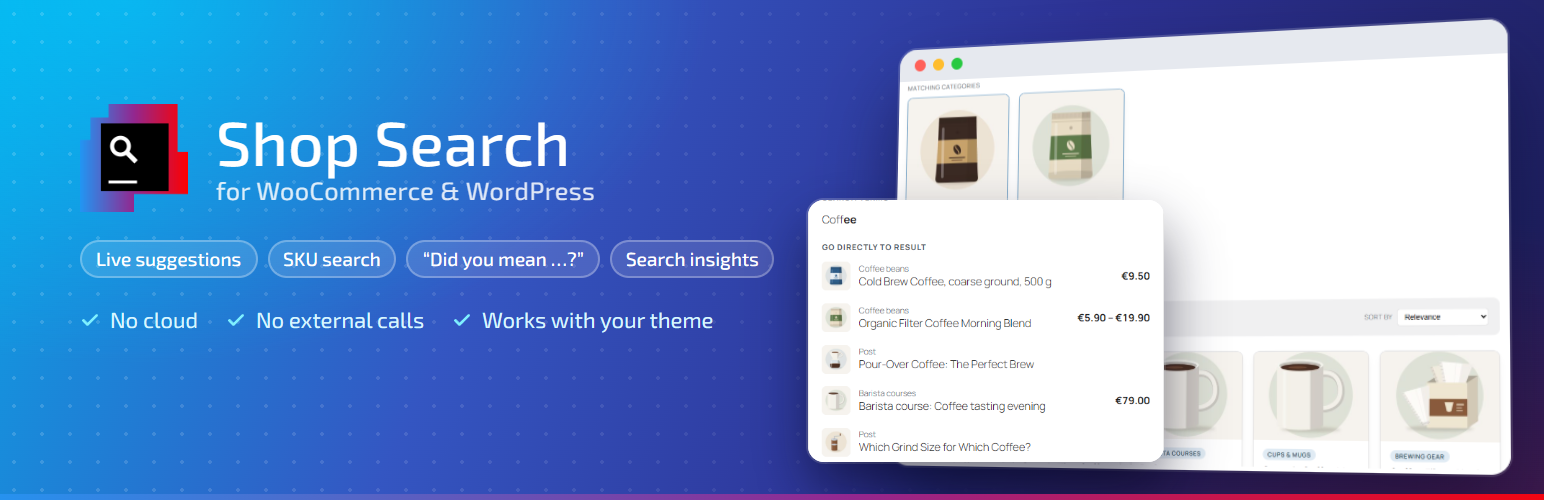
Live suggestions with image, price and stock status – from two characters on
Finds SKUs, categories and tags, ranked by relevance
“Did you mean …?” checked against the real number of results
Results page with tabs per section, sorting and an empty state that helps
Search log with the searches that found nothing – your shopping list of
missing products and words
Blocks, Elementor widgets, shortcodes and filter hooks
No cloud, no tracking, no external requests
Need synonyms, automatic typo correction, filters or rules per search term?
They are part of the separate plugin
F12 Shop Search Pro
– see “Free and Pro” below.
As you type
Suggestion list from two characters on: word completions and the
matching products with image, price, “Sale” and “Out of stock”, plus the
SKU when it was what matched.
Popular products on the first click into an empty search field
(optional).
Width, corner radius and colors of the list are adjustable, with a live
preview.
Cached and rate-limited, so a script hammering the endpoint does not slow
down your shop.
What is found
SKUs, including those of variations – the product is found.
Categories and tags as search text; matching categories as cards above
the results.
Relevance: a full title match ranks before an SKU, before a category,
before body text.
“Did you mean …?” for typos, checked against the actual number of
results – no guessing.
On the results page
Tabs per section (All · Products · Posts · Pages …) with result counts;
“All” as a grouped overview. Sections combine any content types.
Sorting, unit price, pack sizes and badges on the product card.
Empty state with tips and categories instead of a dead end.
The plugin’s own results page, your theme’s, or a page you design
yourself, with any theme – tested with Twenty Twenty-Five and Twenty
Twenty-One.
Insights
Search log in your own database: frequent searches and searches without
results for the last 7, 30 or 90 days – the list that tells you which
products or words your shop is missing.
Fits in
Blocks for the block editor, Elementor widgets and shortcodes.
Every setting is also available as a filter hook – for developers. A
filter always wins over the setting; the hook name is shown next to each
field.
Free and Pro
This plugin is complete on its own. For shops with a large range, many
spellings of the same product, or a team that tunes the search every week,
F12 Shop Search Pro
is a separate plugin from Forge12 that adds:
Synonyms with a visual editor – connect terms, categories and products
with a line, so “wholemeal” finds the “whole grain flour”. Simulate the
search first; get suggestions from real searches.
Typos corrected automatically – “Dinkl” shows the results for “Dinkel”
right away, with a way back to the typed word.
Word forms and compound words – “pans” finds “pan”,
“wholegrainflour” finds “whole-grain flour”; only words from your own range,
nothing guessed.
Filters on the results page – category, price (steps or slider),
availability and any WooCommerce attribute, with the number of results at
every value; without reloading the page, as a panel on phones.
Rules per search term – pin a product to the top, hide results, or send
a search straight to a page.
Custom fields (also ACF) searched along.
Click rate per term and “searched but rarely clicked”, with a button
that creates the rule right there.
Search templates – carry the look of field, suggestion list, results
page and filters over to the next site.
Avada Post Cards, icon sets and the search field in the header;
WPML and Polylang.
Fast path for suggestions, delivered without loading plugins and theme.
See the comparison and Pro on forge12.com
Source code and third-party software
The settings screen is a React application. Its readable source code is in the
src/ folder of the plugin; build/index.js is generated from it. To rebuild:
npm install && npm run build (Node.js 18 or later; the help chapters in
hilfe/ are turned into src/hilfe/inhalt.generated.js by
tools/hilfe-bauen.mjs).
Bundled with the plugin:
Inter variable font (build/fonts/) – SIL Open Font License 1.1,
https://openfontlicense.org
lucide-react icons – ISC license
react-router – MIT license
WordPress packages (@wordpress/components, element, i18n, api-fetch) –
GPL-2.0-or-later
The plugin’s own code is licensed under GPL-2.0-or-later.