內容簡介
Ezhance 是一款專為 WooCommerce 商家設計的外掛,幫助用戶從控制台創建、顯示和追蹤產品級促銷活動。它提供多樣化的促銷選項,讓商家能夠更有效地吸引顧客並提升銷售。
【主要功能】
• 創建簡單的產品折扣
• 提供批量定價和分層數量折扣
• 顯示產品頁面優惠卡片
• 設定購物車折扣和免費運送優惠
• 提供促銷分析和安全評分
外掛標籤
開發者團隊
② 後台搜尋「Ezhance – Product Discounts, Bulk Pricing and Safety Score for WooCommerce」→ 直接安裝(推薦)
原文外掛簡介
Ezhance helps WooCommerce merchants create, display, control, and track product-level promotions from one dashboard.
WooCommerce store owners often need more than a basic coupon code. They need offers that shoppers can understand before checkout, rules that apply only to the right products, and better visibility into whether a promotion is safe to run.
With Ezhance, you can create simple product discounts, bulk pricing offers, product-page offer messages, strikeout pricing, scheduled promotions, usage-limited campaigns, promotion analytics, and Offer Safety Score, a merchant-friendly scoring panel that helps you review promotion risk before publishing.
For WooCommerce agencies, Ezhance provides a structured promotion workflow that can reduce custom WooCommerce discount snippets, scattered coupon setups, and one-off promotion logic across client stores.
With the separate Ezhance Pro add-on, you can unlock advanced promotion workflows such as Buy X Get X, Buy X Get Y, auto-added free gifts, countdown timers, savings messages, order reward coupons, margin range targeting, stock level targeting, and advanced customer/cart/order conditions.
View Website | Simple Discount Demo | Bulk Pricing Demo | Buy X Get Y Demo | Buy X Get X Demo
Key Free Features
Create simple product discounts — apply fixed or percentage discounts to selected products.
Create fixed amount product discounts — for example, give $5 off a product.
Create percentage product discounts — for example, give 10% off selected products.
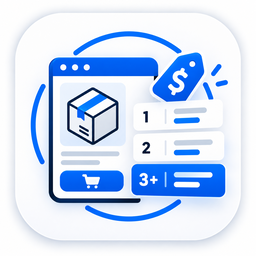
Create bulk pricing and tiered quantity discounts — encourage shoppers to buy more.
Create cart discounts and free shipping offers using auto-applied virtual coupons.
Target specific WooCommerce products and variations.
Exclude sale items from product-level discounts.
Add cart subtotal conditions.
Add cart item count conditions.
Show product-page offer cards.
Show bulk pricing tables on product pages.
Show optional strikeout pricing.
Refresh product pricing when quantity changes.
Schedule promotions for campaign periods.
Set promotion usage limits.
Track promotion usage from WooCommerce orders.
View a Margin (%) column in the WooCommerce product list.
Use Offer Safety Score to review promotion risk before publishing.
Recalculate promotion scores in bulk.
Free Discount Types and Use Cases
Ezhance Free supports several practical WooCommerce discount types from one promotion editor.
Simple product discounts
Use these when a selected product or variation should receive a fixed or percentage discount.
Example use cases:
Run 10% off selected bestsellers.
Give $5 off a specific product.
Launch a new product with an introductory discount.
Discount selected products only after the cart reaches a minimum subtotal.
Exclude products already on sale so discounts do not double up.
Bulk and tiered quantity discounts
Use these when the discount should improve as the shopper buys more units.
Example use cases:
Buy 2 or more and save 5%.
Buy 5 or more and save 10%.
Create wholesale-style quantity breaks.
Show a tier table on the product page.
Encourage consumables, accessories, supplies, and repeat-purchase products to sell in larger quantities.
Cart percentage discounts
Use these when the entire cart should receive a percentage discount after cart-level requirements are met.
Example use cases:
Spend $100 and save 10% on the order.
Reward larger baskets without editing product prices.
Run a storewide campaign controlled by cart subtotal or item count.
Show shoppers what they need to add before the cart discount unlocks.
Cart fixed amount discounts
Use these when the shopper should receive a fixed discount from the order total.
Example use cases:
Spend $150 and get $15 off.
Create a clear cart goal during a weekend campaign.
Run a minimum-spend promotion while keeping product-level prices unchanged.
Limit usage so the fixed discount stays controlled.
Free shipping offers
Use these when shipping cost is the friction point and the offer should unlock automatically.
Example use cases:
Offer free shipping over $100.
Show a cart progress message before checkout.
Combine free shipping with cart subtotal conditions.
Use a unique virtual coupon label without creating a normal WooCommerce coupon.
Offer Safety Score
Discounts can increase sales, but they can also reduce profit when the offer is too aggressive, applies to low-margin products, stacks with other discounts, or is unclear to shoppers.
The Ezhance Offer Safety Score helps merchants review a promotion before it goes live.
The score uses a 0-100 rating across key areas such as:
Margin safety.
Discount depth.
Purchase threshold quality.
Stacking risk.
Abuse control.
Offer clarity.
Data confidence.
For fixed-amount discounts, Ezhance can also highlight the worst-case eligible product so merchants can see which product is most affected by the discount.
Example:
A $5 fixed discount may be safe on a $100 product.
The same $5 discount may be risky on a $10 product.
Ezhance helps show that difference before the promotion is published.
The Safety Score is designed as a decision-support tool. It helps merchants understand potential commercial risk, but it is not a guarantee of profit or financial advice.
Product Margin Column
Ezhance adds a Margin (%) column to the WooCommerce product list.
This helps merchants quickly review product margin levels while planning offers. Margin values can also support safer promotion decisions inside the Offer Safety Score.
Example use cases:
Identify products with thin margins before discounting.
Review whether a product can safely support a promotion.
Spot high-margin products that may be better candidates for campaign offers.
Improve fixed-discount decisions across products with different prices.
Product Discount Examples
Product discounts help WooCommerce merchants run product-level campaigns without manually editing product prices.
Use Ezhance product discounts for:
Seasonal sales.
Product launch offers.
Clearance campaigns.
Selected product promotions.
Limited-time product deals.
Product or variation-specific campaigns.
Example scenarios:
Give 10% off a selected bag.
Give $5 off a specific accessory.
Discount selected products for a holiday campaign.
Apply a promotion only when cart subtotal is above a chosen amount.
Schedule a product discount to run during a weekend sale.
View example: Simple Discount Demo
Bulk Discount, Quantity Discount and Tiered Pricing Examples
Bulk pricing, also known as quantity discount or tiered pricing, helps merchants encourage shoppers to buy more of the same product.
As shoppers increase quantity, they can receive a better price or a larger discount. This is useful for stores selling accessories, consumables, supplies, wholesale products, bundles, and repeat-purchase items.
Example scenarios:
Buy 2 or more and save 5%.
Buy 5 or more and save 10%.
Buy 10 or more and get a better unit price.
Create wholesale-style quantity pricing.
Show a buy-more-save-more table on the product page.
Encourage customers to increase quantity before checkout.
View example: Bulk Purchase Offer on Analog Watches
Product-Page Offer Messages
Discounts are easier to understand when shoppers can see the offer before checkout.
Ezhance lets merchants show product-page offer cards for eligible promotions. These messages help shoppers understand the active deal while they are viewing the product.
Use offer cards to explain:
What the promotion is.
Which product is eligible.
Which quantity is required.
Which cart condition must be met.
How the shopper can receive the discount.
When the promotion is available.
Example scenarios:
Show “Buy more and save more” above the add-to-cart button.
Explain a product discount on the product page.
Highlight a limited-time product offer.
Tell shoppers how many units are required to unlock a better price.
Strikeout Pricing
Ezhance includes optional strikeout pricing so shoppers can compare the regular product price with the promotional price.
Strikeout pricing can help stores make discounts easier to understand across product, catalog, and cart surfaces.
Example scenarios:
Show the regular price crossed out next to the discounted price.
Make product savings visible before checkout.
Help shoppers quickly compare original and promotional prices.
Promotion Targeting and Conditions
A good promotion should apply only where it makes sense.
Ezhance gives merchants control over which products qualify and when the promotion should apply.
Free targeting and condition options include:
Specific product targeting.
Product variation targeting.
Sale item exclusion.
Cart subtotal condition.
Cart item count condition.
Promotion schedule.
Usage limits.
Promotion priority.
Example scenarios:
Apply a discount only to selected products.
Exclude products that are already on sale.
Apply a promotion only when the cart subtotal is above $100.
Apply a promotion only when the cart has 3 or more items.
Schedule a promotion for a specific campaign period.
Limit how many times a promotion can be used.
Promotion Analytics
Ezhance records promotion usage from WooCommerce orders so merchants can review campaign performance.
Promotion analytics help store owners understand:
Which promotions were used.
Which products received promotion discounts.
Which orders included promotion activity.
How much discount was applied.
How often a promotion was used.
This helps merchants move beyond guesswork and review real promotion usage from order data.
Ezhance Pro Features
Ezhance Pro is a separate add-on. It is not required to use the free product discount, bulk pricing, cart discount, free shipping, product-page offer display, Offer Safety Score, and promotion analytics features.
Pro adds advanced promotion workflows such as:
Buy X Get X offers.
Buy X Get Y offers.
Auto-added free gifts.
Countdown timers.
Savings messages.
Order reward coupons.
My Account coupon pages.
Category targeting.
Tag targeting.
Attribute targeting.
Margin range targeting.
Stock level targeting.
Customer conditions.
Advanced cart conditions.
Order conditions.
Address conditions.
Shop time conditions.
Pro example scenarios:
Buy one hoodie and get another hoodie free or discounted.
Buy one product and get a different product free or discounted.
Give first-time customers a cart discount after they meet a spend threshold.
Reward VIP customers with a cart discount based on lifetime spend.
Apply offers only to products within a chosen gross margin range.
Apply offers only to products with stock below, above, or between selected thresholds.
Give customers a future coupon after completing an order.
Why Merchants Use Ezhance
WooCommerce merchants often need a promotion system that helps them create offers, show those offers clearly, control eligibility, and review campaign usage.
Ezhance helps solve common merchant problems such as:
Managing product discounts without manually changing product prices.
Creating quantity-based offers without confusing shoppers.
Showing promotions before checkout.
Avoiding scattered promotion rules across products, coupons, and custom snippets.
Reviewing promotion risk before publishing.
Running scheduled campaigns with better control.
Tracking promotion usage after orders are placed.
Why Agencies Use Ezhance
WooCommerce agencies often build stores where clients need to manage promotions after launch.
Ezhance gives agencies a structured promotion system that can be handed over to store owners.
Agencies can use Ezhance to:
Set up product-level promotion workflows for clients.
Reduce one-off custom discount snippets.
Provide repeatable promotion setup across WooCommerce projects.
Give clients a clearer way to manage product offers.
Support stores that need simple discounts, quantity offers, and promotion display.
Upgrade clients to advanced Pro promotion strategies when needed.
Live Demo Examples
Free promotion examples:
Simple Discount Demo
Bulk Purchase Offer on Analog Watches
Pro promotion examples:
Buy X Get Y Demo
Buy X Get X Demo
Some demo examples may require Ezhance Pro features.
Quick Links
Ezhance Website
Simple Discount Demo
Bulk Pricing Demo
Buy X Get Y Demo
Buy X Get X Demo
External Services
Ezhance stores promotion settings and promotion analytics in your WordPress site database.
The free plugin does not require an external service to calculate product discounts, display product-level offers, calculate Offer Safety Score, or track promotion usage.
The plugin may include links to Ezhance documentation, demos, support, pricing, or review pages. These links are opened only when a site administrator chooses to visit them.
If you use Ezhance Pro, license handling, billing, or premium update functionality may be handled by the Pro add-on and its licensing provider. Review the Pro plugin information and privacy policy before enabling Pro features.