內容簡介
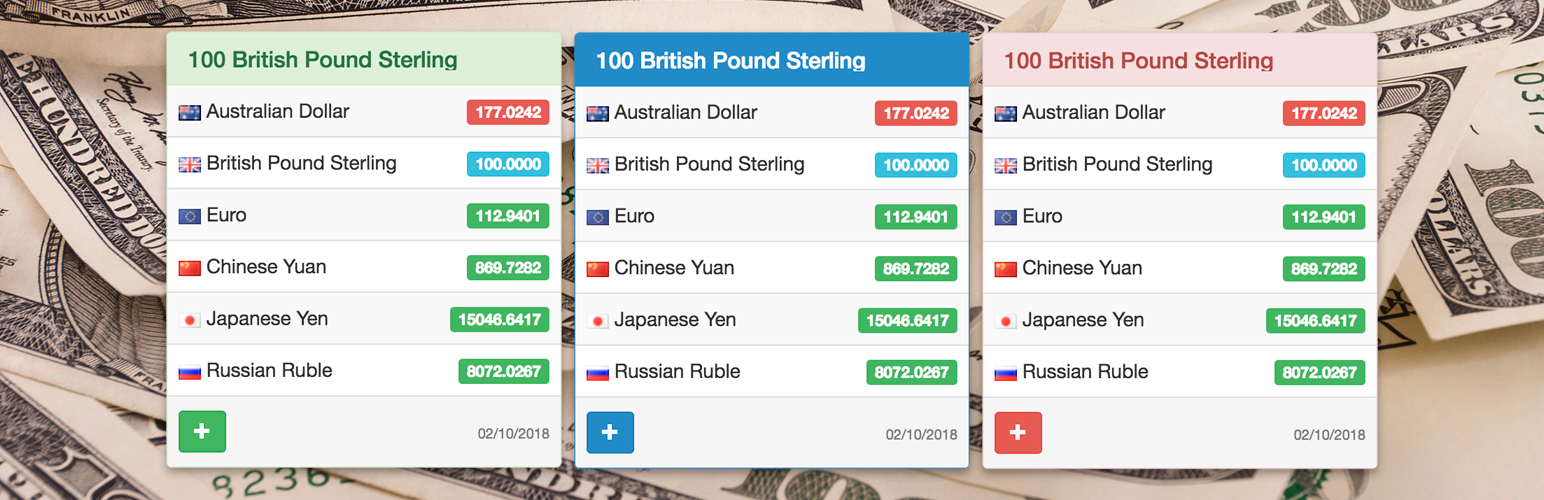
Exchange Rates Widget 外掛幫助訪客在不離開 WordPress 頁面的情況下比較即時匯率。透過簡潔的短碼或經典小工具,將 190 種以上的貨幣、加密資產和金屬的即時匯率添加到網站上,提供訪客即時的匯率參考。
【主要功能】
• 支援 190 多種貨幣及資產,包括熱門加密貨幣
• 可使用短碼或經典小工具輕鬆添加匯率
• 無需 API 金鑰或本地匯率數據庫
• 響應式佈局適用於各種頁面
• 多種顏色主題可供選擇
• 多語言小工具標籤適合國際觀眾
外掛標籤
開發者團隊
原文外掛簡介
Exchange Rates Widget helps visitors compare live exchange rates without leaving your WordPress page.
Add clean live exchange rates to finance articles, tourism and travel guides, news websites, pricing pages, business blogs, and sidebars with a shortcode or classic widget.
Visitors get instant context for 190+ currencies, crypto assets, and metals.
Site owners get a lightweight setup: no API key, no local rate database, and no exchange-rate processing load on WordPress.
⭐ What makes it useful
🌍 190+ currencies and assets, including popular cryptocurrencies and metals.
🧩 Add rates with a shortcode, the Shortcode block, or a classic WordPress widget.
⚡ No API key, local exchange-rate database, or exchange-rate processing load on your WordPress site.
📱 Responsive layout for posts, pages, sidebars, and footers.
🎨 Multiple color themes for matching different site designs.
🌐 Multilingual widget labels for international audiences.
🕒 Time zone setting for the displayed update date.
🔒 SSL-ready CurrencyRate.Today service URLs.
🎯 Where it works best
Finance blogs that need a quick EUR, USD, GBP, JPY, or crypto reference.
Tourism and travel websites where readers compare destination prices in familiar currencies.
News websites that cover markets, business, travel, inflation, or international stories.
Pricing and comparison pages that need a simple exchange-rate reference nearby.
Business websites that want always-visible rates in a sidebar or footer.
Multilingual sites that need exchange-rate labels in the visitor’s language.
👀 Demos
Official demo: Exchange Rates Widget
Product demo: Exchange Rates Widget on Yuri.ws
🚀 Quick start
Install and activate Exchange Rates Widget.
Paste the shortcode into a post, page, or Shortcode block.
Choose the base currency, target currencies, language, theme, and amount.
Optionally add the classic widget to a sidebar or footer.
Important: this plugin provides a classic WP_Widget.
On modern WordPress installations with the block-based widget screen, install and activate Classic Widgets to manage the widget in Appearance > Widgets.
Shortcodes work without Classic Widgets.
🧩 Shortcode examples
Market widget example:
[erw_exchange_rates_widget lg="en" tz="0" fm="EUR" to="USD,GBP,AUD,CNY,JPY,RUB" st="info" cd="0" am="100" size_width="100%"][/erw_exchange_rates_widget]
Travel widget example:
[erw_exchange_rates_widget lg="en" tz="0" fm="USD" to="EUR,JPY,GBP" st="success" cd="1" am="100" size_width="100%"][/erw_exchange_rates_widget]
🔧 Shortcode attributes
lg – language. Supported values: en, ru, it, fr, es, de, cn, pt, ja, id, hi.
tz – time zone offset.
fm – base currency code, for example EUR.
to – comma-separated target currency codes, for example USD,GBP,AUD,CNY,JPY,RUB.
st – theme. Supported values: primary, info, danger, warning, default, success.
cd – display mode. Use 1 to show currency codes only or 0 to show currency names.
am – amount shown by the rates widget, for example 100.
size_width – widget width, for example 100%, 240px, or 300px.
Currency codes are listed at https://currencyrate.today/different-currencies.
Donations
Official website and data source: CurrencyRate.Today
You may also like these plugins:
Currency Converter Calculator
Crypto Converter Widget
Cryptocurrency Price Widget
Currency Converter Widget PRO
CurrencyRate.Today – Currency Blocks and Widgets
Exchange Rates
FX Currency Converter