
內容簡介
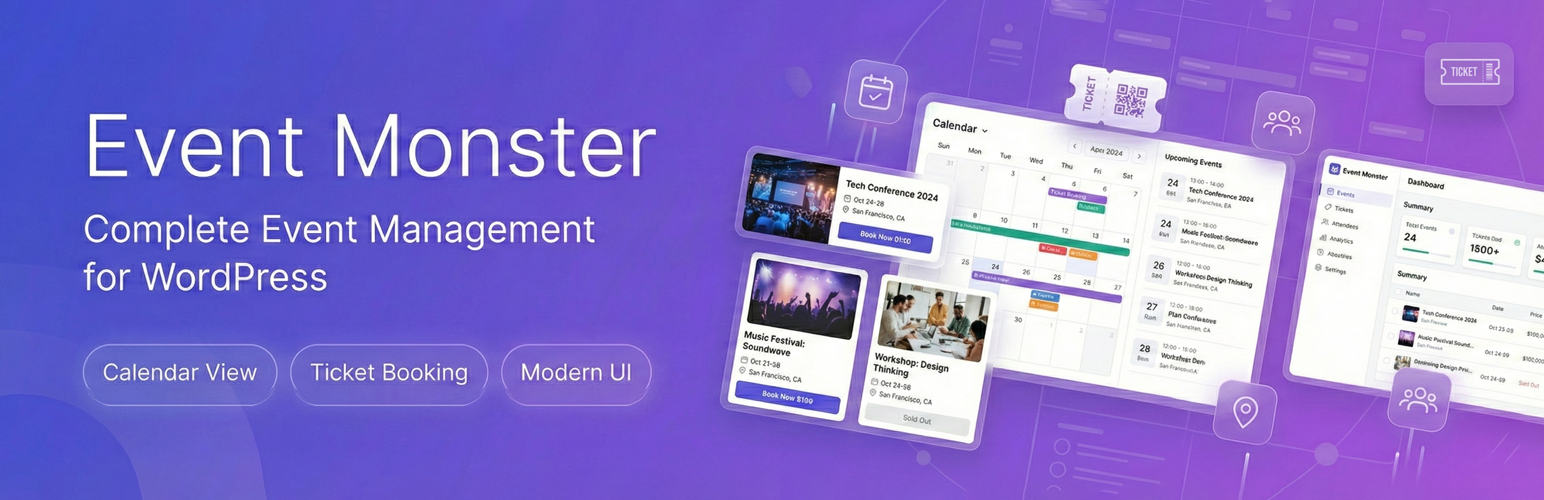
Event Monster 是一款功能豐富的 WordPress 事件管理外掛,專為活動預訂、註冊及票務管理而設計。無論是會議、工作坊、網路研討會或社區聚會,Event Monster 讓您能夠全面掌控活動日程、場地地圖、與參加者報名。
【主要功能】
• 完整的事件管理控制台
• 事件預訂與註冊功能
• 自訂座位分配與選擇
• 互動式事件日曆顯示
• OpenStreetMap 場地位置整合
• 自動化確認電子郵件發送
外掛標籤
開發者團隊
② 後台搜尋「Event Monster – Event Manager, Event Booking, Event Ticket & Registration」→ 直接安裝(推薦)
📦 歷史版本下載
原文外掛簡介
Event Monster is a feature-rich WordPress event manager designed for event booking, event registration, and event ticket management. Whether you host conferences, workshops, webinars, sports activities, or community meetups, Event Monster gives you complete control over your event schedule, venue maps, attendee sign-ups, and calendar displays.
With Event Monster, you can publish detailed event pages in minutes. Visitors can easily browse upcoming schedules using an interactive event calendar or modern card listing, submit registrations, select assigned seats, and receive automated email confirmations.
Pro Demo Links
Pro Demo: Event Monster Premium Demo
Pro Features: Event Monster Premium Details
Purchase Pro: Get Event Monster Premium
Core Features of Event Monster
Complete Event Manager Dashboard: Easily create and manage unlimited events with custom dates, start and end times, descriptions, venue locations, and organizer details.
Event Booking and Registration: Allow visitors to register for events directly on your site with instant attendee management in the WordPress admin panel.
Seat Allocation and Seat Selection: Set up a custom seat grid (Rows A-Z, Columns 1-50) so attendees can choose their preferred seats during event registration.
Interactive Event Calendar: Display events on a clean calendar with month, week, day, and list view toggles powered by FullCalendar.
OpenStreetMap Integration: Display venue locations on responsive maps automatically without needing a Google Maps API key.
Event Countdown Timers: Build excitement with real-time countdown timers leading up to the start of each event.
Automated Confirmation Emails: Automatically send branded registration notices to attendees and notification emails to site administrators.
Search and Category Filtering: Let users filter events by custom categories or search keywords for fast navigation.
Mobile-Responsive Design: Works across smartphones, tablets, and desktop displays.
Available Shortcodes
[EM-CALENDAR] – Displays the interactive event calendar with month, week, day, and list views.
[EM-LIST] – Shows all published events in a card layout with search and category filters.
[EM id="123"] – Displays a single specific event page (replace 123 with your event ID).
[EM] – Displays the default event list.
Free Version Features
Unlimited event creation
Interactive event calendar view ([EM-CALENDAR])
Free event booking and registration form
Interactive seat selection map with grid allocation
Attendee tracking and management dashboard
Automatic email confirmations for registrations
OpenStreetMap venue location display
Real-time event countdown timer
Custom event categories and search filter
Social sharing buttons for event pages
Organizer profile display with contact information
Gallery photos (up to 3 images per event)
Speaker profile (up to 1 speaker per event)
Sponsor logos (up to 3 sponsors per event)
Schedule items (up to 3 schedule entries per event)
Two responsive layout templates (Default and Magazine)
Pro Version Features
Event Monster Pro unlocks advanced event manager and ticket booking tools:
Unlimited gallery photos, speakers, sponsors, and schedule items
Paid ticket booking with multiple ticket types and pricing tiers
Integrated payment gateways (PayPal, Stripe, Razorpay, and Square)
Promotional coupon codes and discounts for event booking
Drag-and-drop custom layout builder for event pages
Customizable email templates with custom branding and SMTP support
QR Code venue check-in system for scanning attendee tickets
Priority customer support
Suitable for All Types of Events
Conferences, summits, and seminars
Workshops, classes, and training sessions
Webinars and virtual online events
Concerts, shows, and musical performances
Community, school, and university gatherings
Corporate meetings, networking, and business functions
Fundraisers and charity events
Sports tournaments and fitness activities
Resources
AWPLife Official Website
Support Forum
Contact For Query