
內容簡介
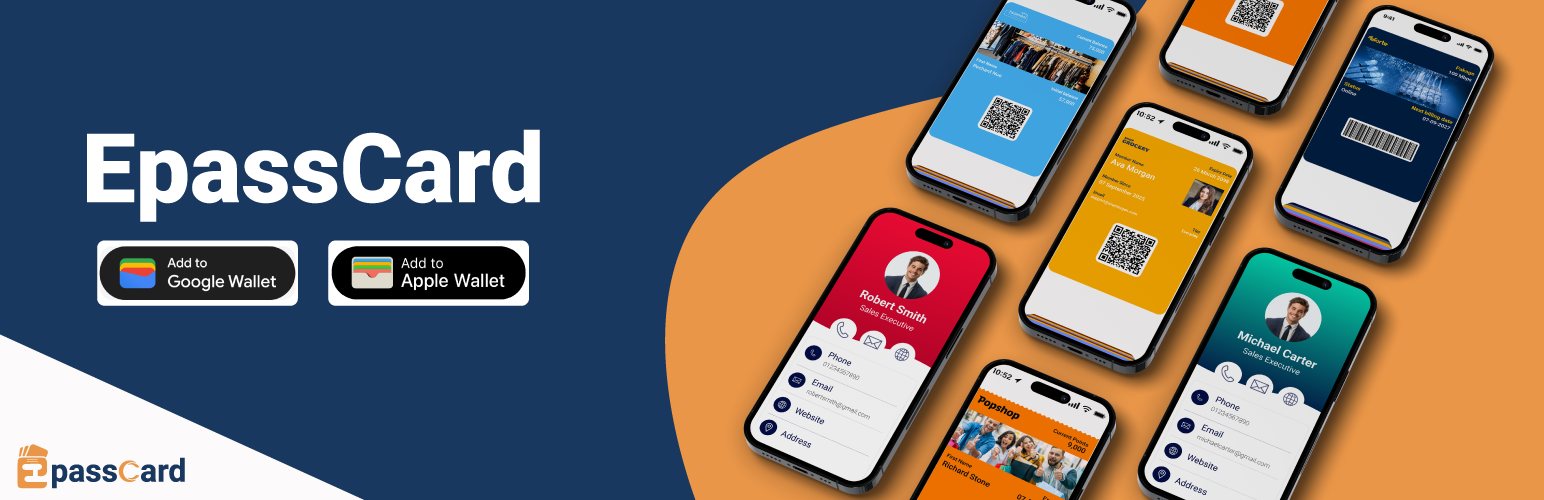
EpassCard 外掛可將 WordPress 數據轉換為 Apple Wallet 和 Google Wallet 的通行證,支援 WooCommerce 忠誠計畫、會員卡、活動票券及禮品卡,自動更新並推送至客戶手機,無需編碼或使用 Zapier。
【主要功能】
• 支援多個整合,適用於多種外掛
• 自動更新通行證,隨時反映變更
• 提供推播通知,吸引客戶回流
• 數位會員卡,方便儲存於手機
• 免費啟用 50 張通行證,付費計畫起價 $19/月
外掛標籤
開發者團隊
② 後台搜尋「EpassCard – Apple & Google Wallet Passes for Loyalty, Memberships, Events & Gift Cards」→ 直接安裝(推薦)
原文外掛簡介
EpassCard turns your WordPress data into Apple Wallet and Google Wallet passes. Loyalty cards for WooCommerce, membership cards for MemberPress and Paid Memberships Pro, event tickets, and gift cards are issued, updated and pushed to your customers’ phones automatically. No code, no Zapier.
Why EpassCard
Built for WordPress. One plugin with 10 integrations. Most wallet pass tools reach WordPress only through Zapier or cover a single plugin.
A loyalty program with a wallet card, built in. Points, tiers and rewards for WooCommerce, with the card living in Apple Wallet and Google Wallet.
Both wallets from one template. Apple Wallet (.pkpass for iPhone, iPad and Apple Watch) and Google Wallet (Android).
Passes stay up to date. When points, a balance, a membership level or an expiry date changes, the pass on the phone changes too, and you can send push notifications.
Free to start. 50 live passes free. Paid plans from $19/month, or $13/month billed yearly.
Documentation | Pricing | Book a demo
WooCommerce loyalty program with an Apple Wallet and Google Wallet card
Give every customer a loyalty card that lives on their phone, not in a forgotten account page.
Earn points on orders
Tiers and milestone rewards
Coupon rewards, and point redemption at checkout
The wallet card shows the current points balance and updates automatically
Push notifications to bring customers back
Full setup walkthrough (16 minutes, with chapters):
Digital membership cards
Turn memberships into digital membership cards members save to their phone wallet.
MemberPress – issue a membership wallet pass on signup, renewal and profile updates; expire it on refund or expiry
Paid Memberships Pro – issue passes when a level is assigned, renewed, cancelled or expires
Simple Membership – issue passes when members register, change level or change account state
Ultimate Membership Pro – issue passes for UMP members with the same template-mapping workflow
WooCommerce Subscriptions – create a subscription wallet pass when a subscription activates or renews
Event tickets in Apple Wallet and Google Wallet
The Events Calendar (with Event Tickets) – map events to pass templates and issue a wallet ticket to each attendee
Events Manager – issue wallet passes when bookings are approved, and update them when the status changes
Gift cards in the wallet
PW WooCommerce Gift Cards – issue a pass when a gift card is created, and update the balance on the pass
YITH WooCommerce Gift Cards – issue and update passes when gift cards are generated or used
Map names, plans, expiry dates, QR codes, barcodes and custom fields from your plugin to your pass template.
Other pass types
Because passes are designed in EpassCard, you can also issue stamp cards, coupons, employee and student ID cards, visitor passes, conference badges, digital business cards (vCard) and reservation passes.
Pricing
Plans are based on live passes: passes in your customers’ wallets that you can update and send notifications to at any time. Delete a pass you no longer need to free its slot.
Free – 50 live passes, 3 templates
Starter – $19/month – 250 live passes, 5 templates, AI pass designer
Growth – $39/month – 1,000 live passes, 10 templates
Business – $65/month – 5,000 live passes, 25 templates
Pro, Scale and Scale+ – up to 50,000 live passes
Save 30%+ with yearly billing. See all plans.
A PassKit alternative for WordPress
Looking for a PassKit, Passcreator or Pass2U alternative that works natively inside WordPress? EpassCard is a wallet pass platform with a built-in WordPress connector, not a middleware automation. Connect your account, map your templates, and passes are created when things happen on your site.
Features
Apple Wallet and Google Wallet – one integration, both wallets
Automatic pass issuing – on signup, renewal, purchase, booking or points earned
Pass updates – passes stay in sync when the source data changes
Template mapping – map your plugin’s fields to pass fields, including QR codes and barcodes
Push notifications – reminders before expiry, renewal or an event
Built-in WooCommerce loyalty program – points, tiers, rewards and checkout redemption
Issued passes list – searchable table of passes and delivery links, with retry for failed actions
My Account access – customers open their passes from their account area
Email delivery – the pass link is emailed automatically
Who is it for?
WooCommerce stores that want a loyalty program customers actually use
Membership sites – gyms, clubs, associations and online courses
Subscription businesses using WooCommerce Subscriptions
Event organisers using The Events Calendar or Events Manager
Gift card sellers using PW or YITH gift cards
Agencies that build WordPress sites and want to offer wallet passes to clients
Requirements
An EpassCard account (free plan available – sign up from the plugin or at app.epasscard.com)
For the loyalty program: WooCommerce
For other passes: at least one supported plugin (MemberPress, Paid Memberships Pro, Simple Membership, Ultimate Membership Pro, WooCommerce Subscriptions, The Events Calendar + Event Tickets, Events Manager, PW Gift Cards or YITH Gift Cards)
External services
This plugin relies on the following third-party services. Nothing is sent to them until you use the related feature.
EpassCard API (https://api.epasscard.com) — the service that creates and delivers the wallet passes.
When you sign up from the plugin, your name and email address are sent to create an EpassCard account.
When you sign in, your EpassCard email and password are sent once to generate an API key, together with your site name, site address (used to lock the key to your domain) and timezone. The password is not stored by the plugin.
When you connect, refresh or renew an API key, the key is sent for validation.
When passes are created, updated, expired or notified, the pass field values you map (for example member name, email, membership level, expiry date, ticket or gift card details, loyalty points) are sent, along with your site address in request headers.
Pass templates and template fields are read from your EpassCard account.
EpassCard Terms and Conditions and Privacy Policy.
WebCartisan plugin catalog (https://webcartisan.com) — the “Our Products” section on the EpassCard Connection screen loads a list of our other plugins from https://webcartisan.com/wp-json/webcartisan/v1/catalog. Only the plugin slug (epasscard) and the standard WordPress user agent (which includes your site address) are sent; the result is cached for 12 hours. WebCartisan.
Google Fonts (https://fonts.googleapis.com) — the EpassCard admin screens load the DM Sans, Inter and Material Symbols fonts. Your browser requests them from Google when you open an EpassCard admin screen. Google Privacy Policy.
YouTube (privacy-enhanced mode) (https://www.youtube-nocookie.com) — an intro video is embedded on the EpassCard Connection screen. Google Privacy Policy.
bwip-js barcode API (https://bwipjs-api.metafloor.com) — the WooCommerce Loyalty pass designer shows a barcode preview image generated by this service. Only sample barcode settings are sent (no customer data). bwip-js.
Privacy Policy
EpassCard uses Appsero SDK to collect some telemetry data upon user’s confirmation. This helps us to troubleshoot problems faster & make product improvements.
Appsero SDK does not gather any data by default. The SDK only starts gathering basic telemetry data when a user allows it via the admin notice. We collect the data to ensure a great user experience for all our users.
Integrating Appsero SDK DOES NOT IMMEDIATELY start gathering data, without confirmation from users in any case.
Learn more about how Appsero collects and uses this data.














