內容簡介
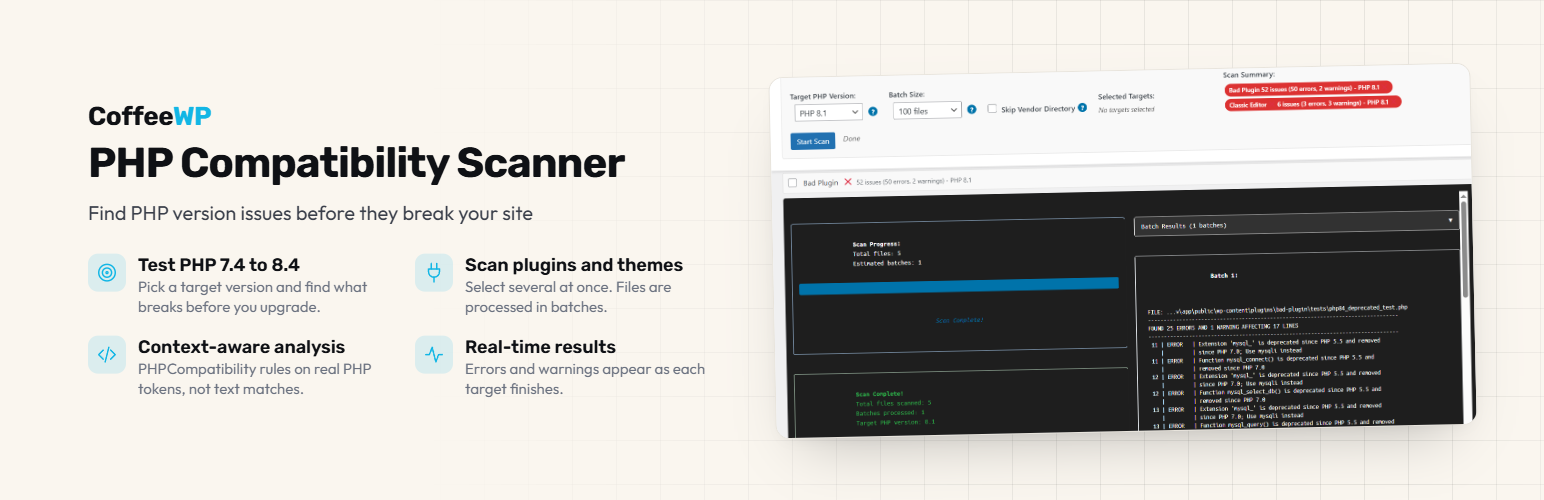
Eli's PHP Compatibility Scanner 是一款用於檢查 WordPress 外掛和佈景主題與 PHP 版本相容性的工具。它能夠掃描安裝的外掛和佈景主題,並列出在指定 PHP 版本(7.4 至 8.4)中可能會出現錯誤或警告的檔案和行數,幫助使用者在升級 PHP 前做好準備。
【主要功能】
• 檢查外掛和佈景主題的 PHP 相容性
• 支援 PHP 版本範圍從 7.4 到 8.4
• 實時顯示掃描結果和錯誤警告
• 自訂掃描選項,如批次大小和目標 PHP 版本
• 兼容多種本地開發環境和伺服器
外掛標籤
開發者團隊
② 後台搜尋「Eli's PHP Compatibility Scanner」→ 直接安裝(推薦)
原文外掛簡介
Before you upgrade PHP, check your plugins and themes. The scanner reads their code and lists every file and line that will break, or start throwing warnings, on the PHP version you pick (7.4 to 8.4). It checks any plugin or theme installed on the site, including premium and custom ones.
It is a PHP compatibility checker built on PHP_CodeSniffer and the PHPCompatibility ruleset. The plugin ships the current development version of that ruleset instead of its last stable release from 2019, so changes made in PHP 8.1, 8.2, 8.3 and 8.4 are covered.
PHP 8.2 stops receiving security fixes on 31 December 2026. If a site you look after still runs 8.2 or older, now is a good time to check what an upgrade would break.
Where it runs
The free scanner runs on your own setup: LocalWP, XAMPP, MAMP, Docker, or any server where PHP’s exec() function is enabled. Many managed hosts (WP Engine, Kinsta, SiteGround and others) turn exec() off, and the free scanner needs it.
If your site is on one of those hosts, PHP Compatibility Scanner Pro runs the scan on a remote service instead, so it does not need exec() and the heavy work happens off your live server. Pro is a separate plugin, available from coffeewp.dev.
How it works
PHP_CodeSniffer turns your code into PHP tokens instead of searching it as text. A function name inside a comment or a string is not reported, and each finding names the PHP version that deprecated or removed what your code uses.
How to Use:
Open PHP Compatibility Scanner in the WordPress admin menu
Review the System Check section to ensure your environment is compatible
Select the plugins and/or themes you want to scan by checking their boxes
Configure your scan options:
Target PHP Version: Choose the PHP version you want to test against (7.4 – 8.4)
Batch Size: Select how many files to process at once (default: 50 files)
Skip Vendor Directory: Keep checked to skip third-party dependencies
Click Start Scan to begin the compatibility check
View results in real-time as each plugin/theme is scanned
Review any errors (❌) or warnings (⚠️) found in your code
Click on any target to expand and see detailed compatibility issues
Contributing
This plugin is actively developed for WordPress development environments. Contributions are welcome, especially:
Additional PHP version compatibility rules
Performance optimizations
UI/UX improvements
Hosted environment compatibility solutions
Technical Details
How the scan runs
Bundled dependencies: PHP_CodeSniffer and the PHPCompatibility ruleset ship with the plugin
Batch processing: files are scanned in configurable batches (10 to 100) to manage memory usage
Command execution: PHPCS is invoked through PHP’s exec() function
Server-side state: file lists are stored in WordPress options to keep AJAX requests small
Progressive UI: batch results appear in real time, with stop and start controls
Dependencies
PHP_CodeSniffer: ^3.13 (static analysis engine)
PHPCompatibility: dev-develop (compatibility ruleset)
License
GPLv2 or later – same as WordPress core.