內容簡介
### 總結:
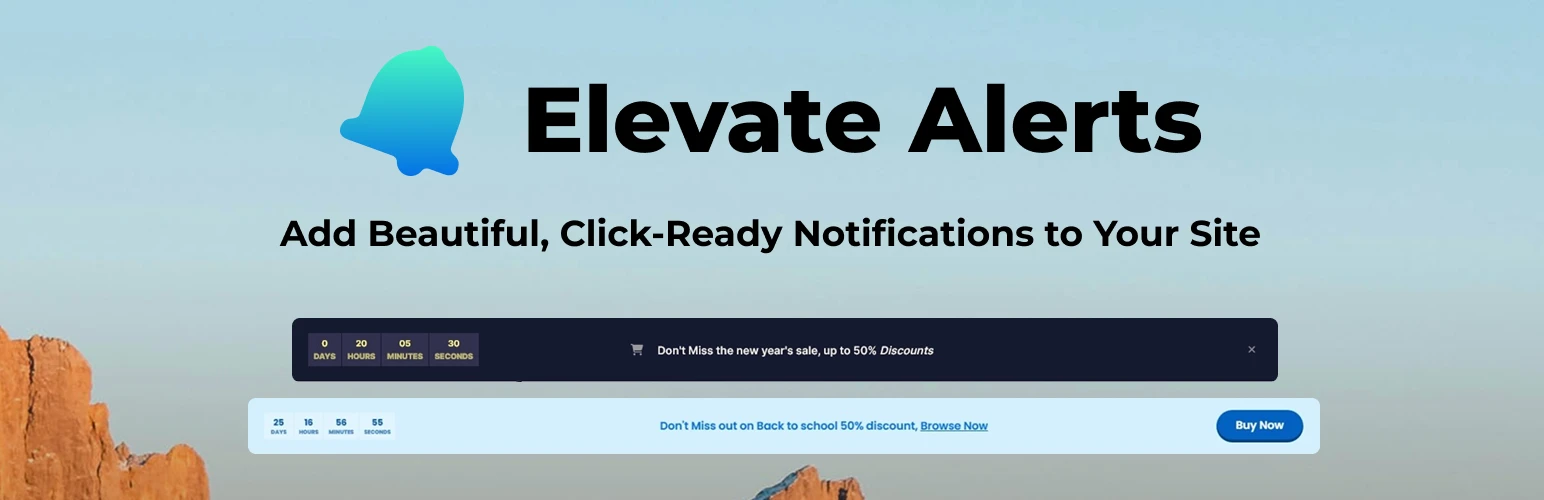
Elevate Alerts 透過引人注目並促使行動的專業通知橫幅,轉變您網站的用戶互動。適用於電子商務網站、部落格、企業網站以及任何需要與訪客有效溝通的線上存在。
### 問題與答案:
- **Q: Elevate Alerts 的關鍵特點是什麼?**
- Visual Customizer Integration: 透過 WordPress 客製化預覽實現完全控制
- Dynamic Countdown Timers: 創建具有精確倒數功能的緊急感
- Call-to-Action Buttons: 內置按鈕,可自訂網址和新分頁選項
- Fully Responsive Design: 在所有設備和屏幕尺寸上都能完美顯示
- Advanced Typography: 完整的字體、顏色和間距控制
- Flexible Color Schemes: 匹配品牌,有無限的顏色選擇
- Granular Positioning: 精確的填充、邊距和尺寸控制
- User-Friendly Dismissal: 可摺疊警報,記住用戶偏好
- Translation Ready: 完整的國際化支持
- **Q: Elevate Alerts 適用於哪些情況?**
- E-commerce Flash Sales: 壓力倒數有限時間優惠
- Event Announcements: 網絡研討會、發布和特殊活動
- Newsletter Signups: 通過定向活動增加電子郵件列表
- Cookie Consent Notices: 符合 GDPR 條例的通知橫幅
- Maintenance Alerts: 定時中斷和服務公告
- Product Launches: 通過倒數計時器建立期待
- Holiday Promotions: 季節性活動和特別優惠
- Important Updates: 重要信息的傳遞
- **Q: Elevate Alerts 的進階自定義有哪些內容管理功能?**
- Content Management: 支持格式化內容的豐富文字編輯器
- Visual Design: 字體、顏色和間距控制
- Countdown Functionality: 伺服器同步計時,自動隱藏/顯示
- Button Integration: 自定文本和URL,全面的樣式控制
- **Q: Elevate Alerts 的技術規格是什麼?**
- Framework: 建立在 WordPress.org 的 Kirki Customizer Framework 上,提供強大功能
- Dependencies: 使用 TGMPA 進行依賴管理
- Performance: 輕量代碼,優化加載
- Compatibility: WordPress 5.0+ 與現代 PHP 支持相容
- Standards: 遵循 WordPress 編碼標準和最佳實踐
- Security: 整個過程使用消毒的輸入和輸出進行
這些問題與答案可讓使用者更容易理解 Elevate Alerts 的功能和適用情況。
外掛標籤
開發者團隊
② 後台搜尋「Elevate Alerts – Attractive Notification Banners」→ 直接安裝(推薦)
原文外掛簡介
Elevate Alerts transforms your website’s user engagement with stunning, professional notification banners that capture attention and drive action. Perfect for e-commerce sites, blogs, corporate websites, and any online presence that needs to communicate effectively with visitors.
Key Features
Visual Customizer Integration – Complete control through WordPress Customizer with live preview
Dynamic Countdown Timers – Create urgency with precise countdown functionality
Call-to-Action Buttons – Integrated buttons with custom URLs and new tab options
Fully Responsive Design – Perfect display on all devices and screen sizes
Advanced Typography – Complete font, color, and spacing controls
Flexible Color Schemes – Match your brand with unlimited color options
Granular Positioning – Precise padding, margins, and dimensional controls
User-Friendly Dismissal – Collapsible alerts that remember user preferences
Translation Ready – Full internationalization support
Perfect For
E-commerce Flash Sales – Limited-time offers with countdown pressure
Event Announcements – Webinars, launches, and special events
Newsletter Signups – Grow your email list with targeted campaigns
Cookie Consent Notices – GDPR-compliant notification banners
Maintenance Alerts – Scheduled downtime and service announcements
Product Launches – Build anticipation with countdown timers
Holiday Promotions – Seasonal campaigns and special offers
Important Updates – Critical information delivery
Advanced Customization
Content Management:
– Rich text editor support for formatted content
– Shortcode integration for dynamic content
– Default fallback content for quick setup
Visual Design:
– Typography controls (font family, size, weight, spacing)
– Color customization (background, text, button colors)
– Dimensional controls (padding, margins, heights)
Countdown Functionality:
– Server-synchronized timing for accuracy
– Customizable time format (HH:MM:SS)
– Visual countdown elements with separate styling
– Automatic hide/show based on expiration
Button Integration:
– Custom text and URLs
– Target options (same window/new tab)
– Comprehensive styling controls
– Show/hide toggle with smooth transitions
Technical Specifications
Framework: Built on Kirki Customizer Framework from WordPress.org for robust functionality
Dependencies: Uses TGMPA (TGM Plugin Activation) for dependency management
Performance: Lightweight code with optimized loading
Compatibility: WordPress 5.0+ with modern PHP support
Standards: Follows WordPress coding standards and best practices
Security: Sanitized inputs and escaped outputs throughout
Use Cases & Benefits
For E-commerce:
– Increase conversion rates with urgency-driven countdown timers
– Promote flash sales and limited-time offers effectively
– Drive traffic to specific product pages or categories
For Content Sites:
– Announce new content or features
– Promote newsletter subscriptions
– Share important updates or policy changes
For Service Providers:
– Advertise special pricing or package deals
– Announce webinars, workshops, or events
– Communicate service updates or maintenance schedules
For Marketers:
– A/B test different messages and calls-to-action
– Create seasonal campaigns with appropriate timing
– Build email lists through strategic placement
Support
For support questions, feature requests, or bug reports, please visit our GitHub repository or use the WordPress.org support forums.
Contributing
We welcome contributions! Please visit our GitHub repository to submit issues, feature requests, or pull requests.
Privacy Policy
Elevate Alerts uses browser cookies only to remember user dismissal preferences. No personal data is collected or transmitted to external services. All functionality operates entirely within your WordPress installation.
Third-Party Assets & Licensing
This plugin includes the following third-party assets, all of which are GPL-compatible:
Dependencies
Kirki Customizer Framework
– Source: WordPress.org Plugin Directory
– License: MIT License (GPL-compatible)
– Purpose: Advanced WordPress Customizer functionality
– URL: https://wordpress.org/plugins/kirki/
TGM Plugin Activation (TGMPA)
– Version: 2.6.1
– License: GPL v2 or later
– Purpose: Plugin dependency management
– Author: Thomas Griffin, Gary Jones, Juliette Reinders Folmer
– URL: http://tgmpluginactivation.com/
Icon Library
Remix Icon
– License: Apache License 2.0 (GPL-compatible)
– Purpose: Professional icon set for notifications
– Total Icons: 2000+ icons across multiple categories
– Categories Used: System, Business, Finance, Logos
– URL: https://remixicon.com/
– Note: Only icons actually used in the plugin are included in the distribution
Code Libraries
PostCSS & Webpack
– Used for: Asset compilation during development
– License: MIT License (GPL-compatible)
– Note: Only compiled output is included in distribution, not source tools
All assets have been verified for GPL compatibility and licensing compliance. No proprietary or restricted-license assets are included in this plugin.
Developer Guide
This section provides information for developers who want to contribute to or modify the Elevate Alerts plugin.
Development Environment Setup
Clone the Repository
git clone https://github.com/moustafa-brahimi/elevate-alerts.git
cd elevate-alerts
Install Dependencies
npm install
Build Tools
The plugin uses modern build tools to compile assets:
Webpack: For JavaScript bundling and transpilation
PostCSS: For CSS processing with multiple plugins
Available Build Commands
`
Watch and build JavaScript files
npm run js:build
Watch and build main CSS
npm run css:build
Watch and build admin CSS
npm run css:build:admin
Watch and build RTL CSS
npm run css:build:rtl
`
File Structure
`
elevate-alerts/
├── assets/
│ ├── dist/ # Compiled assets (do not edit directly)
│ │ ├── css/
│ │ └── js/
│ ├── img/ # Image assets
│ └── src/ # Source files (edit these)
│ ├── css/
│ └── js/
├── includes/ # PHP includes
├── languages/ # Translation files
├── template-parts/ # Template files
├── package.json # NPM configuration
├── postcss.config.js # PostCSS configuration
├── webpack.config.js # Webpack configuration
└── elevate-alerts.php # Main plugin file
`
CSS Architecture
The plugin uses PostCSS with the following plugins:
– postcss-import: For importing CSS files
– postcss-nested: For nesting CSS rules
– postcss-for: For loops in CSS
– postcss-conditionals: For conditional rules
– postcss-easings: For easing functions
– postcss-random: For random values
– postcss-preset-env: For modern CSS features
– postcss-inline-svg: For inline SVG
– autoprefixer: For browser prefixes
– cssnano: For minification
– postcss-color-mod-function: For color manipulation
JavaScript Architecture
The plugin uses Webpack and Babel to compile JavaScript:
– ES6+ features are transpiled to ES5 for browser compatibility
– Code is minified for production
Coding Standards
Please follow these standards when contributing:
– Follow WordPress coding standards
– Use proper escaping for all outputs
– Sanitize all inputs
– Include translators comments for strings with placeholders
– Use meaningful variable and function names
– Document your code with PHPDoc comments
Building for Production
Before submitting a pull request or creating a release:
1. Run all build commands to ensure assets are up-to-date
2. Test thoroughly in various WordPress environments
3. Ensure all code passes WordPress coding standards
4. Update version numbers in the main plugin file and readme.txt
5. Update the changelog with your changes