內容簡介
從版本 1.2.0 開始,Elegance Modal Box 具有自適應響應式設計!
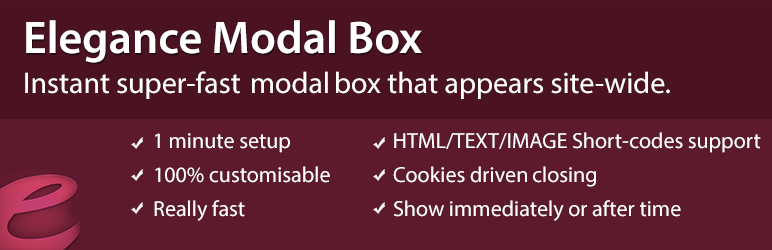
Elegance Modal Box 是一個簡單的外掛,可以幫助你在用戶訪問你的網站後立即在模態彈出窗口中顯示內容。你可以顯示廣告、視頻、粉絲盒、橫幅廣告或任何你想要的內容。
Elegance Modal Box 允許你輕鬆自定義模態彈出窗口的寬度、高度、背景色、邊框半徑、包裝器的背景色等屬性。你可以在外掛的設置頁面中定義用戶何時可以看到模態彈出窗口,是否只顯示一次,並存儲 Cookie 以不再顯示該彈出窗口,或在每次重新加載後都重新顯示。
Elegance modal box 能夠存儲以下內容:
圖片
橫幅廣告
文字/內容
HTML/JS 代碼
Iframe
SWF 文件
從 YouTube、Vimeo 等嵌入的視頻
Google 广告
Facebook 粉絲盒
你可以輕鬆修改以下內容:
彈出窗口的寬度和高度
彈出窗口及包裝器的背景色
弹出框的邊框半徑
彈出窗口中的內容
用戶 Cookie 的到期時間
立即顯示彈出窗口還是在幾秒後顯示
計劃在指定日期範圍內開始顯示
在全站顯示還是在特定頁面上顯示。
在 Elegance Modal Box 中,你可以顯示各種類型的內容–文本、橫幅廣告、圖片、媒體,甚至可以使用其他外掛定義的所有短代碼。
Elegance modal box 是一個帶有包裝器和關閉按鈕的彈出窗口。當訪問者單擊包裝器或關閉按鈕時,將為他設置 Cookie,以便不再顯示該彈出窗口。
如何在我的網站上添加彈出式廣告
取決於你想使用什麼類型的廣告。如果要使用 Google AdSense 等外部廣告、顯示 Facebook 粉絲盒或 YouTube 視頻,應選擇「源代碼」作為內容類型,然後添加你想顯示的代碼。
外掛標籤
開發者團隊
原文外掛簡介
Since 1.2.0 Elegance modal box is responsive!
Elegance Modal Box is a simple plugin that helps you to show content in a modal lightbox immediately after user steps on your site. You can show ads, video, fan boxes, banners ot whatever you like.
Elegance Modal Box allows you easily to customise the modal box width, height, background color, border radius, wrapper’s background color and more. From plugin’s settings page you can define when users should see the modal box, if they should see it only once and store a cookie not to show them the box again, or to see it after each reload.
Elegance modal box can store:
Images
Banners
Text/content
HTML/JS code
Iframes
SWF Files
Embed video from youtube, vimeo or etc.
Google ads
Facebook like box
You can easily modify:
Width & height of the popup box
Popup & wrapper’s background colours
Popup box’ border radius
Popup content
When the user’s cookie will expire
To display the modal popup immediately or after some seconds
Schedule for starting on specific date range
To be visible side-wide or on a specific page.
In Elegance Modal Box you can show all kind of content – text, banners, images, banners, media even you can use all kind of shortcodes that are defined by other plugins.
Elegance modal box is a pop up with a wrapper and a close button. When a visitor clicks on the wrapper or close button, a cookie will be set for him not to see the pop up again.
How to add pop-up advertising to my site
Depends on what kind of advertising you want. If you want to use external advers as google adsense, show facebook fan box or youtube video, you should select Source code as content type, and add the code that you want to be shown.