內容簡介
eeoom GEO – AI SEO 是一款專為 WordPress 設計的外掛,旨在幫助網站擁有者分析和改善網站以適應 AI 搜尋。透過清晰的工作流程,使用者可以評估頁面品質並獲得改善建議,提升網站在 AI 搜尋中的表現。
【主要功能】
• 分析頁面品質與機器可讀信號
• 構建結構化數據與實體信號
• 提供客戶問題與內容機會建議
• 評估證據密度與語意清晰度
• 支援與現有 SEO 外掛整合
外掛標籤
開發者團隊
原文外掛簡介
Analyze and improve your WordPress site for AI search.
eeoom GEO is an AI SEO and Generative Engine Optimization plugin for WordPress that helps website owners analyze and improve their site for AI search. Important public pages can be opened through two clear workflows: Analyze page and Improve page.
The plugin combines AI search readiness checks, improvement ideas, real search signals, structured data and entity signals. It can help prepare content for ChatGPT, Google AI Overviews and Perplexity, but does not guarantee rankings, citations or mentions.
Analyze your WordPress site for AI search
Analyze page evaluates the current quality and machine-readable signals of a selected page. The available scores are internal readiness and quality indicators. They do not measure actual visibility in AI systems.
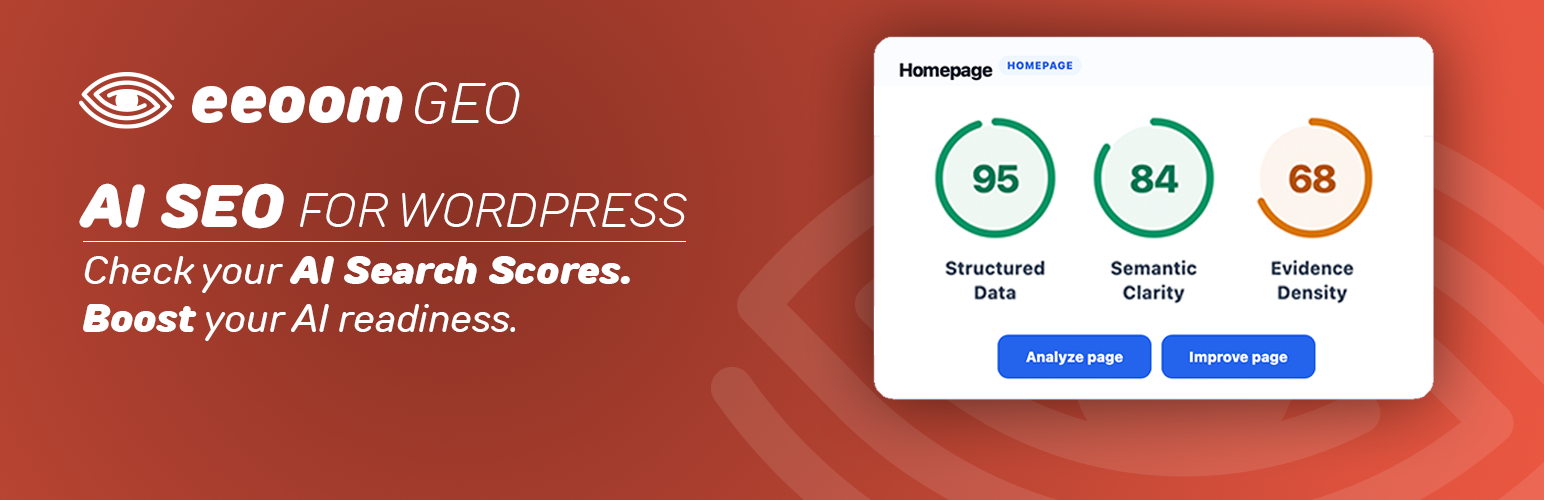
Structured Data checks structured data, entity relationships and other machine-readable signals.
Evidence Density evaluates concrete, useful information in relation to generic, interchangeable marketing language. It evaluates present content rather than penalizing missing topics.
Semantic Clarity evaluates how clearly the page’s main topic, important terms, services and relationships can be understood from its content.
Each analysis can provide a score, findings and recommendations. Audits are started manually, run independently and follow server-defined recheck periods.
Improve your WordPress site for AI search
Improve page turns page context and real search signals into practical editorial ideas. It does not automatically rewrite or publish content.
Customer Questions identifies relevant questions and needs around the selected page’s topic.
Content Opportunities turns demand into recommendations for strengthening the page or deciding where an idea may fit.
Content Opportunities can recommend actions such as:
Add as FAQ
Add as section
Add section + FAQ
Consider a dedicated page
Add or strengthen CTA
These are editorial options, not claims that a page or section is missing.
Search Signals
Customer Questions and Content Opportunities combine:
the content and context of the selected public page
page-specific Search Tags
real Google Autosuggest/Search Signals
AI-assisted filtering, clustering and interpretation
This helps identify what people are looking for and translate relevant demand into page-specific ideas. It does not provide search volumes, ranking data or measured AI visibility.
Schema & Entity
Add organization details and entity signals to supported structured-data output.
Map posts, pages and public custom post types to a Primary Entity.
Optionally use EntityPool entities, relationships and graph signals.
Add Full Graph, entity-specific Subgraph or saved Representation data where configured.
The graph integration complements supported schema output, including Yoast SEO. It does not require replacing an existing SEO plugin.
How it works
Start with Analyze my homepage in the setup, or choose Analyze page or Improve page. The technical Suite connection is created if needed, without a separate visible Connect step.
Select important published pages. The homepage is the first active page.
Choose Analyze page for Structured Data, Evidence Density and Semantic Clarity.
Choose Improve page for Customer Questions and Content Opportunities.
Review results and choose relevant recommendations. Content is never changed automatically.
Optionally configure Schema & Entity and connect EntityPool.
Before the first explicit user action that enables the Suite connection, no data is sent to the eeoom / Source of Trust platform. Plugin activation alone does not connect a new installation or start an audit. Authorized users start audits manually; they are not silently scheduled.
External Services / Privacy
No data is sent to Source of Trust before an authorized user first explicitly enables the Suite through an action such as Analyze my homepage, Analyze page or Improve page. Once connected, the existing connection is reused, including technical lifecycle updates when the plugin is deactivated or reactivated.
eeoom / Source of Trust platform
Source of Trust provides the Suite installation identity, active page records and manually initiated audits.
On connection, the plugin sends the public WordPress home URL, wordpress as platform information and standard request metadata to https://api.sourceoftrust.com. Returned installation credentials are stored locally for later requests.
After connection, requests may include credentials, public URLs, workspace/page identifiers, audit type, locale, lifecycle status and standard metadata. Source of Trust retrieves the selected public page for analysis. The plugin does not submit drafts, private content, preview URLs, passwords, visitor data or personal WordPress user data.
The plugin can register a WordPress-generated probe URL. Its opaque token returns only HTTP 204 when valid or HTTP 404 otherwise and exposes no account, entity, configuration, analysis or product data.
Service: https://sourceoftrust.com/
Production API: https://api.sourceoftrust.com/
Privacy Policy: https://sourceoftrust.com/en/privacy
Terms of Service: https://sourceoftrust.com/en/terms
Source of Trust handles downstream processing on its servers. For AI-assisted audits, it may send normalized public page context, task instructions, locale and search signals to OpenAI. For Customer Questions and Content Opportunities, it may send search tags or query phrases plus language and market context to Google Autosuggest. The WordPress plugin makes no direct requests to OpenAI or Google. These downstream requests do not include WordPress credentials, private posts or visitor data.
Provider information: OpenAI Privacy Policy and Terms of Use; Google Privacy Policy and Terms of Service.
EntityPool
EntityPool optionally provides centrally managed entities, relationships and graph representations. It is contacted only after an authorized user enters an integration key and uses it.
Requests may contain the integration key, entity or Representation identifiers and standard metadata. Returned graph data is cached locally. Post bodies, visitor data, passwords and WordPress user credentials are not sent.
Service: https://entitypool.com/
Privacy Policy: https://entitypool.com/privacy
Terms of Service: https://entitypool.com/terms