
內容簡介
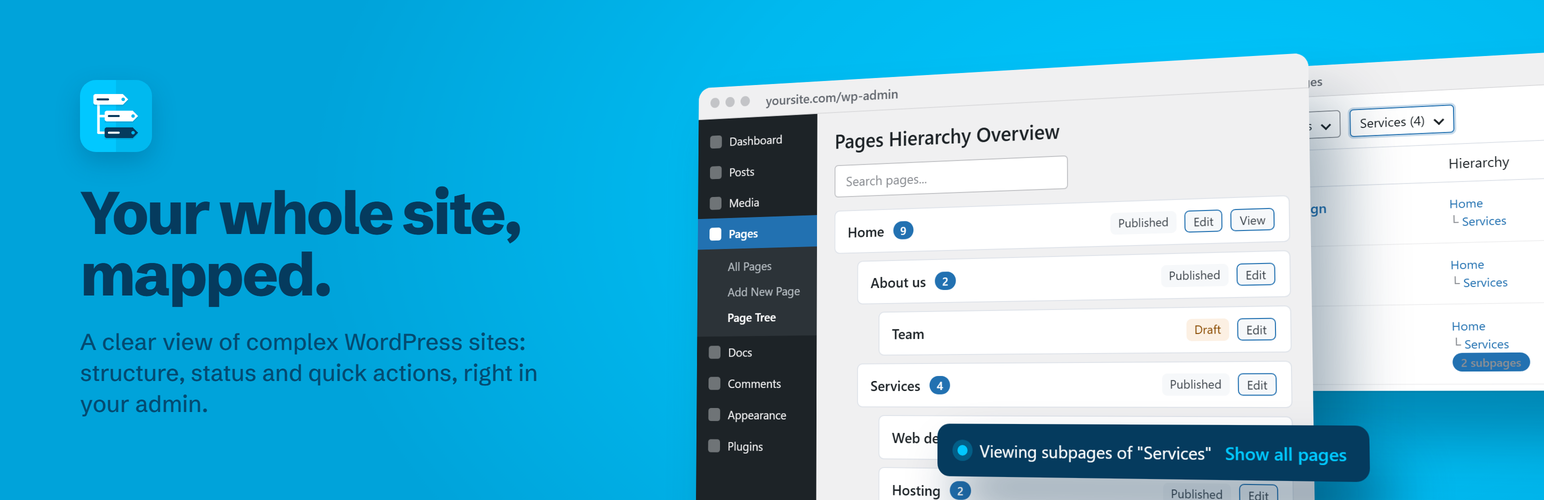
Easy Hierarchy 外掛專為管理大型、複雜的 WordPress 網站而設計,提供清晰的內容結構視圖,幫助用戶快速找到所需頁面和自訂文章類型,提升管理效率。
【主要功能】
• 提供頁面及自訂文章類型的樹狀視圖
• 顯示每個項目的完整父路徑
• 樹狀圖中顯示草稿、待審核及排程項目
• 支援按標題、最新、最舊或最近修改排序
• 快速搜尋樹狀圖中的項目
• 一鍵編輯和檢視每個項目
外掛標籤
開發者團隊
② 後台搜尋「Easy Hierarchy – Monitor Page Tree & Custom Post Types」→ 直接安裝(推薦)
原文外掛簡介
Your whole site, mapped.
Easy Hierarchy is made for people who manage large, complex WordPress sites: hundreds of pages, deep hierarchies, many editors and custom post types.
Over time, the structure gets hard to follow. Pages end up in the wrong place, drafts and scheduled content are forgotten, and finding things means scrolling through flat lists. Easy Hierarchy gives you a clear view of your content, so you can see how the site is organized, check what needs attention and reach any item in one click.
Who is it for
Public administrations and schools
Universities and large organizations
Agencies managing client sites
Documentation sites, knowledge bases and intranets
See the structure
A tree view for Pages and every hierarchical post type (for example Pages > Page Tree).
A Hierarchy column in the list screen, with the full parent path of each item.
The number of children of each item, in the tree and in the list.
Settings > Easy Hierarchy lists all hierarchical post types, with links to their list and tree.
Monitor what needs attention
Drafts, pending, private and scheduled items are shown in the tree.
Filter the tree by status, keeping the parents visible for context.
Sort by title, newest, oldest or recently modified, without losing the hierarchy.
Publish date, last revision and status for each item.
Navigate and act
Search the tree by title.
Filter the list by parent, with every item that has children at any level.
Edit and View links for each item.
Fast on large sites, fully integrated with the WordPress admin.