內容簡介
Dragwyb Click to Chat 是一款全方位的客戶溝通、AI 自動化及支援票務套件,專為 WordPress 設計。它能將網站轉變為 24/7 的銷售與客服中心,提供即時回答、管理支援票務、提升 WooCommerce 收入等功能。
【主要功能】
• 5合1通訊套件,整合多種功能
• 準確的 RAG AI,僅從網站內容回答問題
• WooCommerce 銷售助理,簡化購物流程
• 完整的客戶支援中心,管理票務生命周期
• 動態自訂分類,創建票務分類系統
外掛標籤
開發者團隊
② 後台搜尋「Dragwyb Click to Chat – AI Chatbot, Helpdesk & Lead Generation」→ 直接安裝(推薦)
原文外掛簡介
Dragwyb Click to Chat is an all-in-one customer communication, AI automation, and support ticketing suite for WordPress.
Turn your website into a 24/7 sales and customer support powerhouse. Answer visitor questions instantly using smart AI (OpenAI & Google Gemini), manage support tickets with a full-featured helpdesk, boost WooCommerce revenue with an interactive AI shopping assistant, capture and score high-intent leads, and connect visitors to WhatsApp, Telegram, Facebook Messenger, Instagram, Twitter (X), LinkedIn, Phone, SMS, and Email.
Live Demo | Upgrade to Pro | Documentation
Modular Feature Management
Enable only the modules your website needs under Click to Chat → Settings → General to Disabling any module completely stops its scripts, styles, and assets from loading on your site:
Social Channels: floating or embedded contact options.
AI Assistant: chatbot and knowledge-base features.
Support Center: ticketing and customer portal features.
Core Highlights
🌟 5-in-1 Communication Suite: Combines an AI Chatbot, Customer Support Helpdesk, WooCommerce Shopping Assistant, Lead Capture Engine, and WhatsApp Floating Widget into a single lightweight plugin.
🧠 Accurate RAG AI (No Hallucinations): Uses Retrieval-Augmented Generation to answer questions strictly from your WordPress content and WooCommerce catalog, complete with verified clickable source links.
🛍️ WooCommerce Sales Booster: Shoppers ask for product advice, view live product cards, add items to cart in 1 click, and track their order delivery status directly inside the chat window.
🎧 Complete Customer Helpdesk: Manage the entire ticket lifecycle from your WordPress admin, assign tickets to agents, write private staff notes, and embed self-service customer portals with simple shortcodes.
🏷️ Dynamic Custom Taxonomies: Create custom ticket classifications (Departments, Regions, Platforms) alongside Categories, Tags, and WooCommerce Products with category-controlled sub-field ordering.
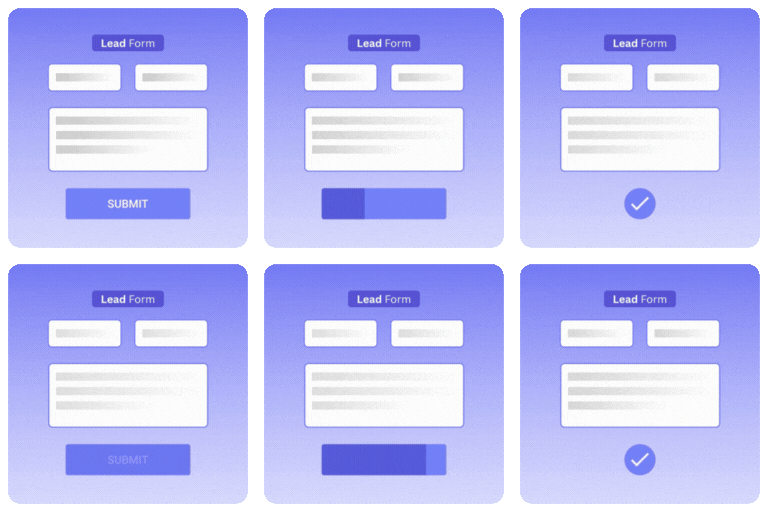
🎯 Conversational Lead Capture: Collect visitor contact details naturally and automatically score buyer readiness (0–100) so you know which leads to prioritize.
💬 Omnichannel Floating Widget: Connect WhatsApp, Telegram, Facebook Messenger, Instagram, Twitter (X), LinkedIn, Phone, SMS, and Email with dynamic page title and URL tags.
🔒 100% Privacy & BYOK: Bring Your Own Key (OpenAI & Google Gemini). No middleman subscription fees, no markup on AI usage, and full control over your data.
🤖1. Smart AI Chatbot & Knowledge Base
Multi-Provider AI Intelligence: Connect your OpenAI (GPT-4o, GPT-4o-mini, GPT-3.5) or Google Gemini (Gemini 2.5 Flash, Gemini 2.0 Flash, Gemini 1.5 Flash & Pro) API key (BYOK).
Custom Chatbot Sizing & Styling: Set exact container height with flexible unit controls (px, vh, %), custom width, floating position (bottom-right / bottom-left), custom avatar icons, and brand colors.
RAG Vector Knowledge Base: Automatically indexes your WordPress pages, posts, documentation, FAQs, and custom post types into vector embeddings.
Built-in Fast SQLite Vector Engine: High-performance vector search running right on your server with zero third-party database dependencies.
Pinecone Cloud Vector Database: Connect remote Pinecone indexes for enterprise catalogs or high-traffic sites.
Clickable Source Citations: AI displays verified links to your website pages so visitors can verify facts and explore related content.
Real-Time Content Sync: Automatically updates or deletes vector index embeddings when posts are published, edited, or trashed.
Confidence Fallback & Handoff: Gracefully passes unresolved questions to human support or creates a ticket when confidence is low.
🛍️ 2. WooCommerce AI Shopping & Order Assistant
Conversational Product Recommendations: Shoppers find products in plain language (e.g., “Show me waterproof hiking boots under $100”).
Interactive Live Product Cards: Displays real-time price, stock status, ratings, and featured product images directly inside the chat window.
1-Click Add to Cart: Customers can add recommended items to their WooCommerce cart directly from chat.
Secure Order Status Lookup: Customers check real-time order status and shipment tracking by providing their Order ID and verified billing email.
Agent WooCommerce Context: Support agents view customer lifetime value, recent orders, and cart items directly within the support ticket workspace.
🎧 3. Built-In Support Helpdesk & Customer Portal
Complete Ticket Workspace: Create, assign, reply to, prioritize (Low, Normal, High, Urgent), resolve, and close support tickets from a streamlined dashboard.
Active Viewer Presence Indicators: Real-time badge shows when another agent is viewing or drafting a reply on a ticket to prevent duplicate responses.
Private Staff Notes: Leave internal notes on tickets visible only to your support team.
Auto-Pause AI on Staff Reply: Automatically pause AI chatbot responses when a human agent replies, with manual Take/Release AI controls.
Self-Service Customer Portals: Embed front-end support portals anywhere on your site using shortcodes:
[dctc_support_portal] – Full customer support desk with ticket submission, status tracking, and message history.
[dctc_support_ticket_form] (alias: [dctc_support_ticket_form]) – Standalone ticket submission form with trigger button or inline mode.
[dctc_support_user_tickets] (alias: [dctc_support_user_tickets]) – Customer dashboard table showing submitted tickets with status filters.
Guest Ticket Access & Security: Non-logged-in visitors can submit tickets with email confirmation verification, secure tokenized tracking links, and guest session countdown controls.
Automatic Guest-to-User Linking: When a guest user later logs in with the same email, their past guest tickets automatically link to their WordPress user account.
Automated Email Notifications: Notify customers and agents instantly on ticket creation, status changes, and new replies.
🏷️ 4. Dynamic Custom Taxonomies & Routing Engine
Unlimited Custom Taxonomies: Create user-defined ticket taxonomies (e.g., Department, Problem Type, Region, Platform) with custom colors and Dashicons or uploaded image icons.
WooCommerce Store Catalog Sync: 1-click sync WooCommerce store products into support ticket terms for instant product issue classification.
Category-Controlled Sub-Field Ordering: Choose exactly which taxonomies appear on ticket submission forms per category, and reorder them with intuitive controls.
Polymorphic Ticket Relationships: Link tickets to multiple taxonomies simultaneously for comprehensive agent filtering and queue segmentation.
🎯 5. Conversational Lead Capture & 0–100 Scoring
Natural Lead Collection: Collect visitor names, emails, phone numbers, and project requirements seamlessly during chat conversations.
Smart Intent Scoring (0–100): AI evaluates messages and automatically scores buyer intent, urgency, and purchase readiness.
Full Transcript Inspection: View the complete chat history behind every lead to understand customer context before following up.
Lead Pipeline Stages: Organize leads by status (New, Contacted, Qualified, Closed).
1-Click CSV Export: Export leads directly to CSV for CRM import or spreadsheet analysis.
💬 6. Multi-Channel Floating Contact Widget
Omnichannel Chat Launcher: Connect WhatsApp, Telegram, Facebook Messenger, Instagram, Twitter (X), LinkedIn, Phone, SMS, and Email.
Dynamic WhatsApp Page Tags: Pre-fill WhatsApp greetings with {title} and {url} tags so you know exactly which product or page the visitor was browsing.
Display Flexibility: Display as a floating launcher button or display channels directly on the page without the button.
Device Visibility Controls: Enable or disable specific channels separately on Desktop and Mobile devices.
🛡️ 7. Staff Roles & Granular Permission Matrix
5-Tier Staff Hierarchy: Assign roles including Administrator, Support Manager, Senior Specialist, Support Agent, and Junior/Fresher.
Granular Capability Matrix: Manage granular privileges for ticket assignment, AI takeover, category management, ticket deletion, and WooCommerce data access.
Agent Availability Controls: Staff set their availability (Available, Away, Offline) to ensure incoming inquiries route only to active agents.
⚙️ 8. Setup Wizard, Module Management & Privacy
4-Step Interactive Setup Wizard: Configure your active modules, AI credentials, knowledge base, and support desk in under 2 minutes.
Granular Module Toggles (Settings → General): Independently enable or disable Channels, AI Assistant, and Support Center. When a module is turned off, its JavaScript, CSS, and background queries are completely stopped from loading.
Built-in Error Logger: Track and inspect AI API responses, timeouts, and vector database sync errors directly in the dashboard.
Interactive Guide Center: In-dashboard documentation, shortcode references, and configuration walkthroughs.
Settings JSON Import & Export: Easily migrate or backup your entire plugin configuration and live application data.
GDPR & Privacy Controls: Selectively preserve or delete options, AI data, RAG embeddings, support tickets, error logs, and transients upon plugin uninstall.
💎 Free vs Pro – Which Version Is Right For You?
🌟 Always Included in the Free Version:
OpenAI & Google Gemini AI: Connect GPT-4o, GPT-4o-mini, GPT-3.5, and Gemini 2.5/2.0/1.5 using your own API keys (BYOK).
Feature & Module Management: Toggle modules in Settings → General to stop unused file and asset loading for maximum speed.
Custom Chatbot Sizing & Appearance: Full control over container height (px, vh, %), width, position, custom avatars, and colors.
RAG Knowledge Base: SQLite vector search & Pinecone integration with real-time content sync.
Clickable Source Links: Displays verified links back to your pages and products in AI answers.
WooCommerce Shopping Assistant: Conversational product search, interactive product cards, and 1-click Add to Cart.
Live WooCommerce Order Lookup: Customers track order shipping status securely with Order ID and billing email.
Support Helpdesk Ticketing: Full ticket lifecycle, private staff notes, manual assignment, and viewer presence indicators.
Dynamic Custom Taxonomies: Categories, Tags, WooCommerce Products, and custom user-defined taxonomies with dynamic form sub-fields.
Front-End Customer Portals: Embed support anywhere using [dctc_support_portal], [dctc_support_ticket_form], and [dctc_support_user_tickets].
Guest Ticket Access: Secure guest ticket creation, session expiry countdown, confirmation alerts, and auto-linking to user accounts.
Conversational Lead Capture: Collect visitor inquiries with automatic 0–100 buying intent scoring and CSV export.
Multi-Channel Contact Widget: WhatsApp with dynamic {title} & {url} tags, Telegram, Messenger, Instagram, Twitter, LinkedIn, SMS, Phone, and Email.
Setup Wizard, Diagnostics & Privacy: 4-step onboarding, Guide Center, diagnostic log viewer, JSON settings backup, and GDPR uninstall controls.
🚀 Supercharge Your Workflow with Click to Chat Pro:
☑️ More AI Providers: Unlock Anthropic Claude (3.5 Sonnet, 3.5 Haiku, Opus), Groq LPUs, DeepSeek (V3 & R1), OpenRouter, and local Ollama models.
☑️ Automatic Provider Failover: Keep your chatbot 99.99% online with automated failover to backup AI providers.
☑️ AI Reply Suggestions for Agents: Help support staff answer tickets faster with 1-click AI-suggested responses.
☑️ AI Ticket Summarization: Instantly generate concise summaries of long customer ticket threads.
☑️ Automated Ticket Assignment: Automatically distribute and balance incoming tickets across your support team based on skills and capacity.
☑️ CRM & Webhook Automations: Instantly send leads and tickets to Zapier, Make, HubSpot, ActiveCampaign, or custom webhook endpoints.
☑️ Admin AI Copilot: Built-in AI assistant inside your WordPress admin to draft documentation, analyze gaps, and answer questions.
☑️ Advanced Usage & Token Limits: Set strict per-user rate limiting and daily token budgets to control API costs.
👉 Upgrade to Click to Chat Pro Now
Shortcodes Reference
[dctc_support_portal] – Displays the full interactive customer support desk (Submit Ticket, My Tickets, and Guest Access tabs).
[dctc_support_ticket_form] – Displays a standalone ticket submission form. Supports attributes:
inline="true" – Embeds form directly inline.
trigger_id="my-custom-btn" – Opens ticket modal when clicking an existing button with that HTML ID.
(Alias: [dctc_support_ticket_form])
[dctc_support_user_tickets] – Displays a filterable customer ticket history table with status badges and thread access.
(Alias: [dctc_support_user_tickets])
[dctc-widget] – Embeds the omnichannel floating contact widget on specific pages or templates.
[dctc_ai] – Embeds the AI Chatbot assistant window or launcher button.
Recommended Plugins
🤖 AI Agent Workflows – Build visual automation workflows in WordPress with webhooks, form triggers, WooCommerce events, and AI agent actions.
🔄 Flipbox Addon for Elementor – Design animated flip boxes and 3D cards inside Elementor.
🧩 Smart Form Builder – A drag and drop form builder plugin for WordPress.
🎨 Contact form 7 Addon – Enhances the functionality of Contact Form 7.
External Services
This plugin connects to external third-party services only when configured and enabled by an administrator:
OpenAI API: When enabled, user prompts, chat messages, and knowledge base text are sent to OpenAI to generate responses and search embeddings.
OpenAI Terms of Use
OpenAI Privacy Policy
Google Gemini API: When enabled, chat inquiries and knowledge base text are sent to Google AI to generate responses and embeddings.
Google Gemini API Terms
Google AI Privacy Policy
Pinecone: When selected as your vector storage provider, text embeddings are stored in Pinecone indexes for semantic search.
Pinecone Terms of Service
Pinecone Privacy Policy
Dragwyb Feedback API: Optional diagnostic or deactivation feedback is sent to https://feedback.dragwyb.com only when explicitly submitted by an administrator.
Contribute
Dragwyb Click to Chat is an open-source project, and we welcome contributions from the community.
GitHub Repository
Submit Bug Reports & Feature Requests Please report any issues or bugs on the [GitHub Issues page].
Pull Requests: Feel free to fork the repository and submit pull requests for review.