
內容簡介
Dox POS for WooCommerce 是一款專為透過聊天平台銷售的商店設計的外掛,提供簡易的銷售管理、庫存追蹤及收款功能,讓商家能夠輕鬆管理線上與實體店的銷售流程。
【主要功能】
• 銷售與預訂管理
• 庫存記錄與供應商管理
• 訂單追蹤與發貨通知
• 產品創建與編輯功能
• 運費設定與計算
• 實體店收銀與收據打印
外掛標籤
開發者團隊
📦 歷史版本下載
原文外掛簡介
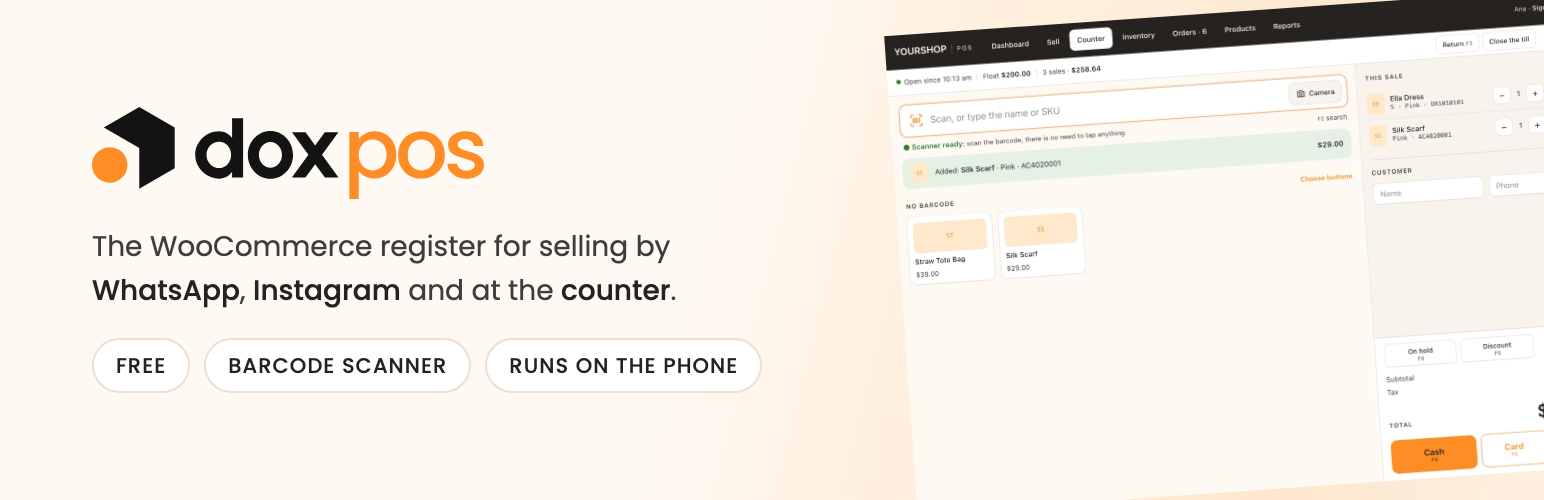
Dox POS adds a /pos page (/caja on a Spanish site) with its own sign-in screen. From there you search products with their photo and stock, record the sales that come in through WhatsApp or Instagram (each one is a WooCommerce order, so stock goes down on its own), put products on layaway while the customer pays, record the stock that arrives and keep the list of what has to be shipped.
It was born for the shop that sells through chat and ships by courier, where a phone is enough. If you also have a physical store, turn on the Counter: a till screen for a computer or a tablet with a barcode scanner, cash with the change worked out, receipts on any printer and opening and closing the till.
It follows the country of the store (WooCommerce > Settings > General): the payment methods it offers, the carriers it suggests and the default sales channels are the ones of that country, and where WhatsApp is not the norm (the United States, for instance) the messages to the customer open as text messages in the phone’s Messages app instead. Everything can be renamed, turned off or added to in WooCommerce > Dox POS > Sales.
What it does
Sell and put on layaway. Channel, customer, city, shipping, discount and payment method. A sale becomes a WooCommerce order, so the stock, the reports and the emails are the ones the store already had. A layaway holds the stock until its deadline (or with no deadline), takes deposits that count as sales on the day the money comes in, and cancels itself if it is not paid in time, unless it already has deposits.
Inventory. Record what arrives with supplier, invoice and cost. It adds to the stock and warns you if the same invoice was already recorded from another phone.
Orders. The ones from the register and, if you want, the ones from the website, with their status and the WhatsApp message ready. Mark them shipped with a carrier and a tracking number, and the customer gets an email with the tracking link, using the store’s own email design.
Products. Create and edit products from the phone: photos (iPhone HEIC included, stored as WebP), sizes and colors or whatever each category varies by (capacity, model, material), units of each one, weight and size for shipping, and an automatic SKU that follows the one the store already uses.
Shipping costs. Set what shipping costs without opening wp-admin: a fixed price, by weight, free from an amount or store pickup, for the whole country or for some of its regions. They are saved as WooCommerce shipping zones, so the web checkout and the register charge the same.
History. Sales, the daily cash, the stock ledger and, with costs on, what each product leaves. Everything downloads as a real Excel file.
Costs and profit. A cost per unit for each product, stored in the WooCommerce cost field. Every purchase recalculates the weighted average cost, and every sale freezes the cost in the order, so raising a cost later does not rewrite past sales.
The Counter, for a physical store. Scan barcodes with any USB or Bluetooth scanner, or with the phone camera. Quick buttons for products without a barcode, keyboard shortcuts, sales on hold, a discount, and cash with suggested bills and the change in large type, card or several payment methods in one sale.
Till and receipts. Open the till with its float and close it counting the drawer: the register tells you whether it matches. Every sale has a receipt for 58 or 80 mm paper, printed from the browser on any printer, with a barcode that opens its return. Returns put the pieces back in stock.
Roles for the store. A Cashier role that sells and never sees the WordPress dashboard, and a Counter cashier role that only reaches the Counter. Discounts can be capped for them, and they close the till blind.
No signal, no problem. A sale recorded with the screen open and no connection is kept on the phone and goes in on its own when the connection is back, without duplicating.
The business assistant (today’s pending work, a store review, a chat, a forecast and a daily summary by email) and the extras for a busy store (cashiers with a PIN, several tills, a Stripe card reader, a customer screen, direct printing to Star and Epson receipt printers with the cash drawer, and a fuller receipt editor) live in a separate add-on, Dox POS Pro. The register works fully without it.
Third-party libraries
The Counter’s camera scanner uses ZXing (zxing-js/library 0.21.3, Apache License 2.0) on browsers that cannot read barcodes on their own, such as Safari on the iPhone. It is bundled in assets/vendor/zxing with its license, loaded only when someone taps Camera, and never loaded from outside the site. Source code: https://github.com/zxing-js/library
External services
The register can load its two fonts from Google Fonts (fonts.googleapis.com and fonts.gstatic.com). This is off by default: a fresh install uses the fonts of the phone or the computer and the plugin does not connect to any outside service.
If you turn on the “Load the fonts from Google Fonts” switch in WooCommerce > Dox POS > Brand, the browser of whoever opens the register requests those fonts from Google, which receives their IP address and the usual data of a web request. With the switch on, the settings page loads the fonts the same way while you pick one, and when you type a font name the plugin asks Google whether a font by that name exists. No store, order or customer data is ever sent, and turning the switch off stops every request.
Google terms: https://policies.google.com/terms
Google privacy: https://policies.google.com/privacy














