外掛標籤
開發者團隊
② 後台搜尋「Double Check — Publish Check」→ 直接安裝(推薦)
原文外掛簡介
Check the essentials before you publish
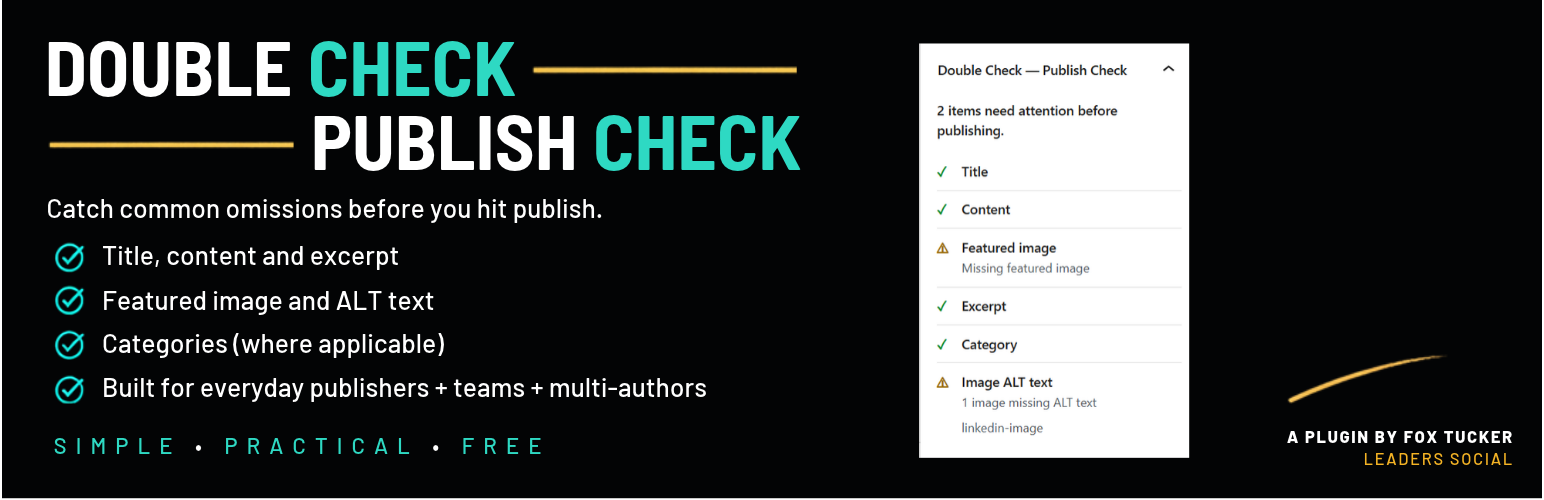
Double Check — Publish Check is a simple pre-publish checklist for WordPress.
It helps WordPress site owners, administrators and publishers catch common omissions before a post goes live.
Use it when publishing your own content or as a consistent final check across a multi-author WordPress site. If you work with writers, guest authors or contributors, Double Check — Publish Check gives you a quick way to see whether the essentials have been covered before publishing.
Double Check — Publish Check checks:
Title
Content
Featured image
Manual excerpt
Category
Image ALT text
The checklist appears in the WordPress block editor and updates while you work.
A check, not a gatekeeper
Double Check — Publish Check is advisory.
A missing featured image, excerpt or category might be a mistake. It might also be intentional.
Double Check — Publish Check highlights what may have been forgotten, but it does not disable the Publish button, change the post status or force anyone to complete the checklist.
The publishing decision remains yours.
Useful for solo and multi-author WordPress sites
If you run your WordPress site yourself, Double Check — Publish Check provides a quick final content checklist before you publish.
On a multi-author site, the same checklist can help when reviewing drafts from different writers, contributors or guest authors.
Editors and administrators can see common omissions without maintaining a separate publishing checklist or introducing a complicated editorial workflow.
What does Double Check — Publish Check look for?
Title – Checks that a title has been entered.
Content – Checks for meaningful visitor-facing content rather than an empty post structure.
Featured image – Checks that a valid featured image is assigned.
Excerpt – Checks for a manual excerpt when the current content type supports excerpts.
Category – Checks that a category other than the site’s configured default category has been selected when categories apply.
Image ALT text – Checks relevant images for missing ALT text.
If a check does not apply to the current content type, Double Check — Publish Check marks it as not applicable instead of showing an unnecessary warning.
Small by design
Double Check — Publish Check is deliberately small.
There is no settings screen to configure, no content score to improve and no external service or account to connect.
Double Check — Publish Check does not:
block publishing
change your content
add frontend output
create database tables
schedule background jobs
display advertising
collect analytics or telemetry
send your content to an external service
Your content stays in WordPress.