內容簡介
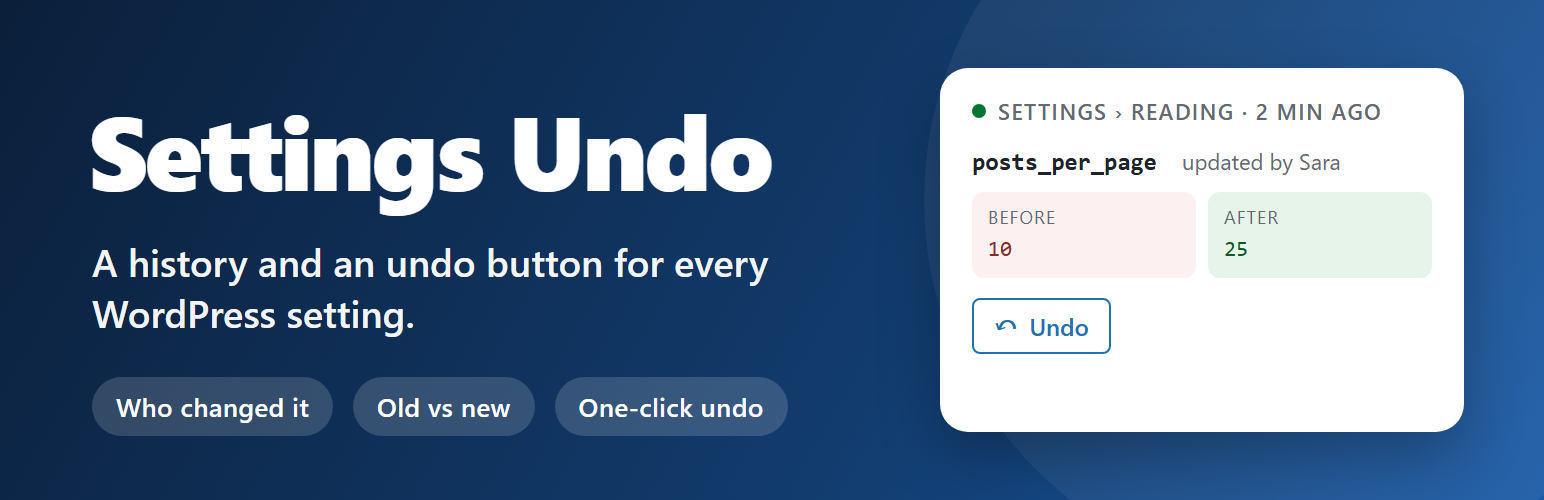
Dotance Settings History and Restore 外掛能夠記錄 WordPress 設定的變更歷史,讓使用者能夠輕鬆回溯和恢復設定,避免因錯誤修改而造成的困擾。透過清晰的時間軸和一鍵還原功能,提升網站管理的便利性與安全性。
【主要功能】
• 記錄所有設定變更的歷史
• 提供一鍵還原功能
• 支援設定檢查點標記
• 顯示變更前後的詳細資訊
• 可選擇接收關鍵變更通知
外掛標籤
開發者團隊
② 後台搜尋「Dotance Settings History and Restore」→ 直接安裝(推薦)
原文外掛簡介
WordPress keeps revisions for posts and pages. It keeps nothing for settings. Save the wrong value on a plugin’s options screen, or watch a colleague change something on Friday evening, and there is no history to go back to.
Dotance Settings History and Restore is that history. It records every real change to the options table made by a logged-in user – in WordPress itself, in any plugin, in any theme – and puts a timeline under Tools → Settings Undo with an Undo button on every entry.
What you see for each change
Who made it, and when
Which plugin, theme or WordPress core wrote it
Which screen it came from – “Settings › Reading”, a plugin’s admin page, the Customizer, a REST route
The value before and after: short values right on the row (“10 → 12”), arrays as a key-level diff that reaches into nested keys (added, removed and changed), collapsed to what moved
A short note you can add to any change set, so the timeline says why
Undo and roll back
Undo one option, or every option a single save touched, in one click
Checkpoints: save a named marker (“Before the redesign”) and later roll every setting back to how it was at that moment, after a preview of every option and its value
Roll back one person or one plugin: put back everything a user changed, or everything a plugin or theme wrote, in the last hour, day, week or month
Update markers: plugin, theme and core updates and activations show up on the timeline, so “what changed after that update?” has an answer and a Roll back button
Every rollback shows a preview first, flags options that someone else changed afterwards, and is itself recorded, so it can be undone too
Options that could lock you out – site URL, home URL, active plugins, theme, user roles – ask you to type the option name before they are restored
Know when something critical changes
Optional email when site URL, home URL, admin email, search-engine visibility, open registration or the default role changes, with who changed it and from which plugin (off by default)
A “noisy options” hint shows options a plugin rewrites over and over, with one click to ignore them
An admin-bar menu shows the last few changes and an “Undo the last change set” shortcut
Designed to be quiet
A settings log is only useful if it is readable, so the plugin does not record everything. Transients, cron state, rewrite rules, update-check timestamps, cache keys and plugin version bumps are ignored. One settings form save that writes twelve options is one card in the timeline, not twelve. A plugin that changes a value and puts it straight back within the same request leaves no entry. Changes made by cron, WP-CLI or anonymous requests are off by default and can be switched on, and you can add your own option names (with * wildcards) to the ignore list on the Settings tab.
Safe by default
Only administrators (manage_options) can view the timeline or undo anything
Values under keys that look like passwords, tokens or API keys are masked in the display and in exports; the stored value is intact, so an undo still works
Old rows are pruned daily by age and by row count, both configurable
Deleting the plugin keeps the history unless you tick “delete data on uninstall”; a “Delete all history” button clears it on demand
Nothing is sent anywhere. The plugin makes no external requests and loads no remote fonts or scripts; its two typefaces are bundled (SIL Open Font License)
Export, WP-CLI and REST
Download the filtered history as CSV or JSON, for an audit or a support ticket
WP-CLI: wp settings-undo list|diff|undo|undo-group|checkpoint|checkpoints|rollback|export|prune|clear
A read-only REST route (/wp-json/settings-undo/v1/changes) and, on WordPress 6.9+, a read-only Ability for AI assistants. Neither can change a setting.
For developers
settings_undo_ignored_options – filter an array of option names or * globs to ignore
settings_undo_max_value_size – filter the byte cap above which a value is logged but not stored (default 512 KB)
settings_undo_alert_options – filter the options that trigger the critical-change email
settings_undo_recorded – action fired after a change is stored
Not in this version: multisite network options, and post content (WordPress revisions already cover that).