內容簡介
Donor Merchant 是一款免費的 WordPress 外掛,專為非營利組織、教會、慈善機構、學校及社區團體設計,提供一次性及定期捐款的表單,支援 Stripe 和 PayPal,並能記錄每位捐款者及其捐款,還會發送收據。
【主要功能】
• 支援一次性及定期捐款
• 使用 Stripe 和 PayPal 處理支付
• 自訂捐款金額及最低捐款額
• 提供捐款費用回收選項
• 支援多達 20 種貨幣格式
• 可創建多個募款活動及目標
外掛標籤
開發者團隊
② 後台搜尋「Donor Merchant – Donation Form with Recurring Donations, Stripe and PayPal」→ 直接安裝(推薦)
原文外掛簡介
Donor Merchant is a free donation plugin for WordPress. It gives a nonprofit, church, charity, school, or community group a donation form that takes one-time and recurring donations through Stripe and PayPal, keeps a record of every donor and gift in your own database, and sends receipts.
Try the live demo: pick an amount, choose monthly, cover the fees, and see the receipt. Nothing is charged.
Every feature is in the free plugin. There are no paid add-ons, no locked settings, and no fee added on top of what Stripe or PayPal charge. Optional paid support plans are available: priority email help for a single organization, or faster help for agencies looking after several client sites. Details are at donormerchant.com/pricing.
Who it is for
Small nonprofits and charities that need a dependable donation page without a monthly platform bill.
Churches taking online tithes and offerings, with funds such as General, Building, or Missions, and year-end giving statements donors can download themselves.
Schools, PTAs, booster clubs, animal rescues, and community groups running a goal-based campaign.
Freelancers and agencies who build sites for nonprofit clients and want one donation setup they can repeat on every site, with no license keys.
Donations
One-time and recurring donations. Donors choose one-time, weekly, every 2 weeks, monthly, quarterly, or yearly, and you pick which of those your form offers. Recurring giving works on both gateways: Stripe subscriptions and PayPal subscriptions.
Stripe through Stripe’s Payment Element: cards, plus Apple Pay and Google Pay where you have them turned on in your Stripe account.
Bank debit (ACH) from US bank accounts through Stripe, as a setting you switch on.
PayPal Smart Buttons for one-time gifts.
20 currencies, with WooCommerce-style number formatting: currency position, thousand and decimal separators, and number of decimals, used on the form, receipts, statements, and reports.
Suggested amounts and a minimum. Your own suggested amounts, a custom amount field, and a minimum donation the server enforces.
Fee recovery. Donors can choose to add the processing fee to their gift, worked out from the percentage and fixed fee you enter so that the full gift is left after the processor’s cut. A donor who pays a one-time gift by bank account is asked for the lower bank fee instead.
Designations. Donors pick the fund their gift supports.
Tributes. A gift can be made in honor of or in memory of someone, with an optional message.
Employer matching. An optional question asks whether the donor’s employer matches gifts. The employer shows on the donation, your new-donation email and the donor’s receipt.
Custom fields. Add your own questions as text, paragraph, dropdown, or checkbox fields, each required or optional.
Test mode. Test end to end with Stripe test keys and the PayPal sandbox before going live.
Gift Aid for UK charities
Offer Gift Aid on the form when your currency is pounds sterling. Donors tick HMRC’s model declaration (unticked by default) and give a house name or number and postcode, or a full address if they live outside the UK. One declaration covers future gifts and gifts in the past 4 years, so monthly donors are covered. The declaration is stored exactly as the donor saw it.
Donor Merchant > Gift Aid lists the gifts ready to claim and downloads them in HMRC’s schedule format, ready to paste into HMRC’s spreadsheet for Charities Online. Mark gifts as claimed so they are never claimed twice, see refunds that need reporting back, and cancel a declaration when a donor asks. Donors can also cancel from the donor portal.
Campaigns and goal thermometers
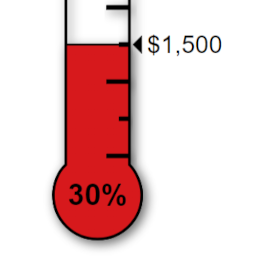
Create as many campaigns as you need, each with its own goal, description, suggested amounts, and an optional end date after which its form stops taking gifts. A campaign’s form shows progress toward the goal, and the [donor_merchant_progress campaign="N"] shortcode places the same thermometer anywhere else on your site.
Donor records and reports
Every donor and gift is saved in your WordPress database, with each donor’s lifetime total and last donation date.
A dashboard shows total raised, this month’s total, number of donations and donors, recurring gifts, and the average gift.
Search and filter the donations list by status, and export donations or donors to CSV.
Record offline gifts (check, cash, bank transfer, or other) so your totals stay complete, or let donors choose “check or bank transfer” on the form: they get your instructions, and you mark the gift received when it arrives.
Add a donor by hand, and correct a gift’s status to completed, refunded, or failed without deleting it. Corrections never email the donor.
An optional monthly fundraising summary is emailed to you on the first of each month.
Receipts, statements, and the donor portal
Email customization like WooCommerce’s: every email the plugin sends (donation receipt, recurring gift receipt, offline gift instructions, failed recurring payment, new-donation alert, donor portal link and monthly summary) can be switched on or off, given its own subject, heading and message with placeholders such as {first_name}, {amount} and {designation}, and sent as HTML or plain text. Add your logo, colors, font and footer, set the From name and address, preview each email live on desktop or mobile, and send yourself a test.
A printable receipt for every gift, showing your organization’s address, tax ID, and your own receipt wording. Donors save it as a PDF from their browser, so no PDF library is bundled.
Annual giving statements for the current and previous year.
A donor portal with passwordless sign-in by one-time email link, where donors see their giving history, open receipts and statements, cancel any recurring gift and update the card on a Stripe one, with no setup needed in Stripe. Receipts for recurring gifts link to the portal, and you can also cancel a donor’s recurring gift from the Donations list.
Donation importer
The built-in donation importer reads a CSV export and recognizes the exports from GiveWP, Charitable, Donorbox, PayPal, Stripe, WooCommerce, Gravity Forms, and WPForms. Any other spreadsheet works too.
You confirm which column is which before anything is written, and a preview shows the result first. Re-running is safe: gifts already on file are matched by transaction ID, or by donor, amount, and date. Imported gifts never send receipts or fire integrations, and rows marked as test mode can be skipped. Each file can hold up to 10,000 rows.
Integrations
Mailchimp. Add donors to an audience, with a “keep me updated” checkbox on the form and optional double opt-in.
Outgoing webhooks. Send completed donations to Zapier, Make, a CRM, or your own code. Each request is signed with HMAC-SHA256 so the receiver can confirm it came from your site.
Design and placement
A Donation Form block, plus the shortcodes [donor_merchant], [donor_merchant campaign="N"], [donor_merchant_progress campaign="N"], and [donor_merchant_portal]. A Shortcodes tab in Settings lists each one with your campaign IDs filled in, ready to copy.
Six accent colors or a custom color, and three button shapes (pill, rounded, sharp), with a live preview in Settings.
Your own wording: switch “donation” and “donate” to “gift” and “give”, or to your own words, everywhere donors see them, and reword any other text with a simple replacement table.
Records that match your processor
Renewals, refunds, and bank payments that settle days later are recorded from Stripe’s and PayPal’s signed webhooks, so the donations list lines up with your gateway account. A partial refund leaves the gift in your totals, and only a full refund marks it refunded.
How it stays secure
Payment details are collected by Stripe and PayPal directly in the donor’s browser. No card number, expiration date, or CVC is ever transmitted to or stored on your server. Donation totals are recomputed on the server, payment status is confirmed server-to-gateway, and webhook signatures are verified.
Card testing and spam are handled without a CAPTCHA by default: a hidden honeypot field, a signed check that rejects forms submitted impossibly fast, per-IP rate limiting, and a server-side minimum amount. If your payment processor asks you to add a CAPTCHA, the donor_merchant_pre_donation filter lets you plug one in without editing the plugin.
What it does not do
Donor Merchant has no peer-to-peer fundraising, text-to-give, matching-gift company lookup, or drag-and-drop form builder. Forms are set up from the Settings screens.
External services
To process donations this plugin connects to third-party payment and (optionally) marketing services. Nothing is sent until you enable and configure a given service.
Stripe (only when Stripe is enabled). The Stripe.js library is loaded from https://js.stripe.com on pages that display the donation form, so payment details can be collected securely in the donor’s browser. Your server also calls the Stripe API at https://api.stripe.com to create payment intents, customers, and subscriptions, and to verify payments. Data sent: donation amount and currency, the donor’s name, email and phone number if given, an internal reference for the donation, and the payment details the donor enters (handled by Stripe – they do not touch your server). Stripe terms: https://stripe.com/legal – privacy: https://stripe.com/privacy
PayPal (only when PayPal is enabled). The PayPal JS SDK is loaded from https://www.paypal.com on pages with the donation form. Your server calls the PayPal API (https://api-m.paypal.com, or https://api-m.sandbox.paypal.com in sandbox mode) to create and capture orders and subscriptions. Data sent: donation amount, currency, and an internal reference. PayPal terms: https://www.paypal.com/legalhub – privacy: https://www.paypal.com/privacy
Mailchimp (optional – only when you enable it). By default the form shows a “keep me updated” checkbox and only opted-in donors are sent. If you switch that checkbox off in the settings, every donor is added to the audience, so leave it on unless you have another basis for contacting them. Your server calls the Mailchimp API (https://
Outgoing webhooks (optional). If you enter one or more webhook URLs, completed-donation data is POSTed to those URLs – which you control and choose (e.g. your Zapier or Make endpoint). No third party receives data unless you configure it.
Getting started
Install and activate the plugin.
Go to Donor Merchant → Settings → Payments and paste your Stripe and/or PayPal API keys.
Add the Donation Form block (or [donor_merchant]) to any page.
If you accept recurring gifts, add the webhook URL shown on the Payments tab to your Stripe or PayPal account.
Test with Stripe test mode or the PayPal sandbox, then switch to live.