內容簡介
總結:Document Download Manager 是一款強大而簡單的外掛,可幫助您管理可下載的文件(Excel 和 PDF 文件),並在允許下載之前收集用戶信息。
問題與答案:
1. Document Download Manager 如何協助管理可下載文件的過程?
-答:Document Download Manager 是一款強大而簡單的外掛,可幫助管理下載的文件,包括Excel和PDF文件,並在允許下載之前收集用戶信息。
2. Pro 版本的 Document Download Manager 有哪些特色?
-答:Pro 版本的特色包括 Email Marketing Integration、改變按鈕顏色、刪除記錄、導出CSV文件以及專業支持優先服務。
3. Document Download Manager 如何運作?
-答:將Excel或PDF文件上傳,添加捷徑代碼到頁面或文章,當用戶點擊下載按鈕後,他們將看到彈出式表單,提交信息後即可訪問文件,所有下載信息都儲存在您的WordPress數據庫中。
4. 如何使用 Document Download Manager 的捷徑?
-答:使用 [docdownman_document_download] 代碼來顯示文件下載按鈕,您可以進行基本使用,也可以自定義按鈕文本。
5. Document Download Manager 是否會將用戶數據發送到外部伺服器?
-答:Document Download Manager 可能連接到外部許可證驗證服務來驗證許可證金鑰,但從文件下載中不會向外部伺服器發送用戶數據,所有下載記錄僅存儲在您的WordPress數據庫中。
外掛標籤
開發者團隊
原文外掛簡介
Document Download Manager is a powerful yet simple plugin that helps you manage your downloadable documents (Excel and PDF files) while collecting user information before allowing downloads.
Key Features
Multiple Document Types – Support for Excel (.xlsx, .xls, .csv) and PDF (.pdf) files
Lead Generation – Collect user information before allowing downloads
Shortcode Support – Easy integration with shortcodes
Responsive Design – Works on all devices
GDPR Compliant – Clear consent for data collection
Pro Version Features
Mailchimp Integration – Seamlessly connect with Mailchimp email marketing service
Automatic List Building – Automatically add document downloaders to your email lists
One-Click Sync – Sync existing download records to your Mailchimp list with one click
Button Color Customization – Change download button colors to match your brand
Custom Button Text – Personalize button text for different documents
Modal Title Customization – Customize the popup form title text
Delete Records – Ability to delete individual download records for GDPR compliance
Export CSV – Export all download records to CSV file for analysis
Premium Support – Priority support from our team
Upgrade to Pro | Buy Me a Coffee
How It Works
Upload your Excel or PDF documents
Add the shortcode to any page or post
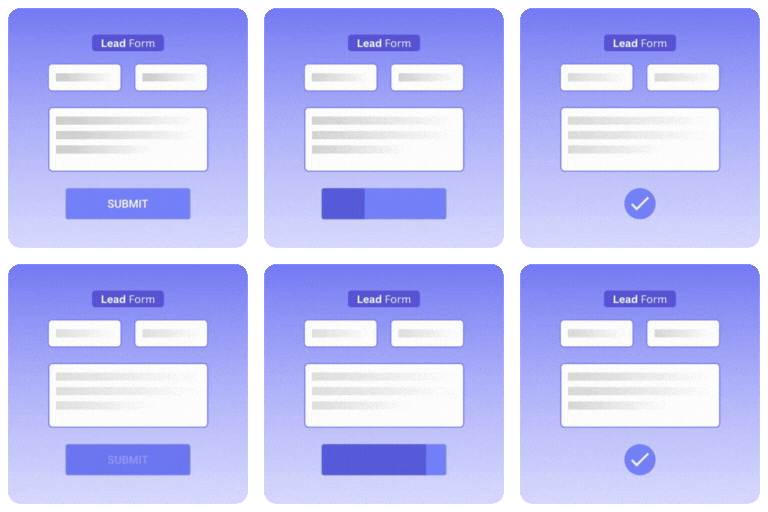
When users click the download button, they’ll see a popup form
After submitting their information, they’ll get access to the document
All download information is stored in your WordPress database
Shortcode Usage
Use the shortcode [docdownman_document_download] to display a download button for your documents.
Basic Usage:
[docdownman_document_download id=”document-1″]
Custom Button Text:
[docdownman_document_download id=”your-document-id” text=”Get Your Free Copy”]
Privacy Policy
This plugin collects user information (name, email, phone) when they request to download a document. This information is stored in your WordPress database and is not shared with any third parties. The plugin includes a consent checkbox to ensure GDPR compliance.