
內容簡介
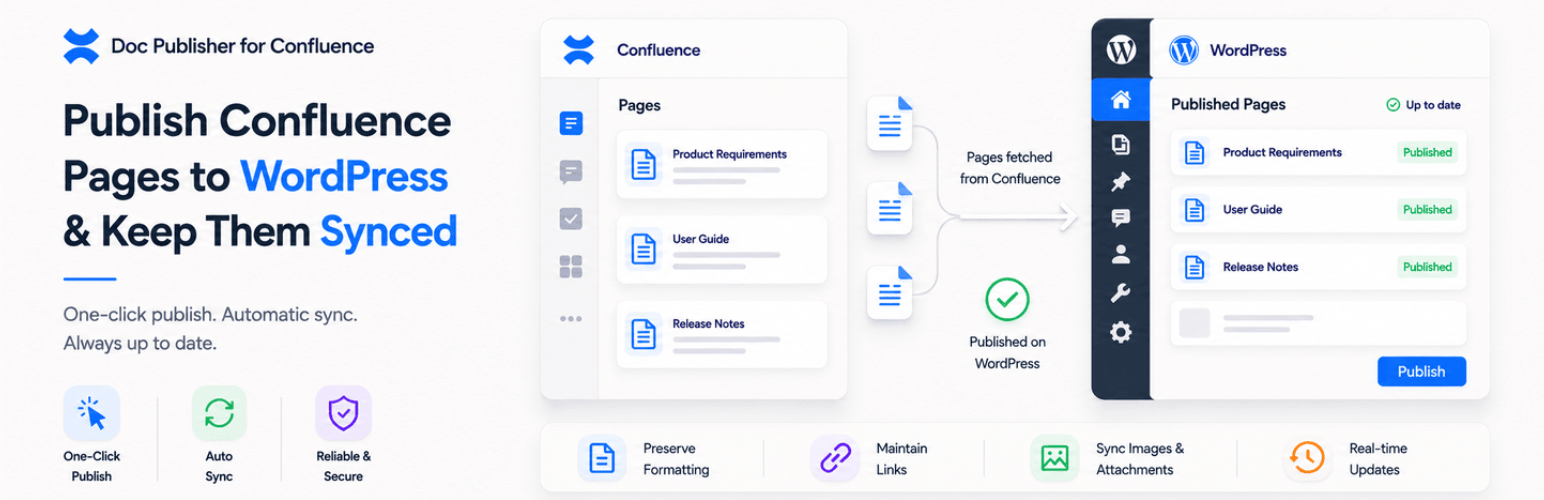
Content Publisher for Confluence 是一款強大的 WordPress 外掛,能夠自動將 Atlassian Confluence 的內容發佈到 WordPress,讓使用者在保持 Confluence 為真實來源的同時,利用 WordPress 作為公開的知識庫,簡化文檔管理流程。
【主要功能】
• 自動將 Confluence 頁面發佈至 WordPress
• 嵌入 Confluence 內容於 WordPress 文章中
• 同步整個 Confluence 空間至 WordPress
• 只需更新一次,兩平台即同步變更
• 支援多種團隊需求,如 SaaS、產品及支援組織
外掛標籤
開發者團隊
② 後台搜尋「Content Publisher for Confluence – Sync & Embed pages」→ 直接安裝(推薦)
原文外掛簡介
Confluence Connect for WordPress bridges the gap between your Atlassian Confluence workspace and WordPress website. This powerful WordPress Confluence plugin allows documentation teams, SaaS companies, and product organizations to publish Confluence content to WordPress automatically—keeping Confluence as your source of truth while leveraging WordPress as your public-facing knowledge base.
Why Use Confluence with WordPress?
Many organizations use Confluence for internal documentation but need a public-facing help center, documentation site, or knowledge base. Manually exporting Confluence to WordPress is time-consuming and error-prone. This Confluence WordPress integration solves that problem by automating the entire workflow.
Instead of copying content between platforms, you can now:
Publish Confluence pages to WordPress automatically
Embed Confluence page content in WordPress posts without manual copy-paste
Sync entire Confluence spaces with your WordPress site
Maintain one source of truth in Confluence while serving content through WordPress
Update documentation once and see changes reflected across both platforms
Confluence WordPress integration →
Perfect for Modern Documentation Teams
This WordPress Confluence integration plugin is designed for:
SaaS Companies – Turn your internal Confluence documentation into a beautiful public help center — product documentation site with WordPress & Confluence
Product Teams – Publish release notes, feature docs, and changelogs from Confluence to WordPress
Support Organizations – Build searchable knowledge bases powered by Confluence content
Development Teams – Share API documentation and technical guides maintained in Confluence
Marketing Teams – Repurpose product documentation as SEO-friendly WordPress content
Agencies – Manage multiple client documentation sites using the Atlassian stack with WordPress
Key Features
One-Click Confluence Publishing – Publish Confluence pages to WordPress as posts or pages with a single click
Smart Content Sync – Automatically sync changes from Confluence to WordPress on a schedule
Embed Confluence in WordPress – Use shortcodes or blocks to embed Confluence pages directly into WordPress content
Space-Level Import – Import entire Confluence spaces into WordPress to quickly build your knowledge base
Confluence Export to WordPress – Export individual pages or entire spaces with preserved formatting
Preserved Formatting – Maintain tables, images, code blocks, and rich text formatting during transfer
SEO Optimization – Automatically generate WordPress-friendly meta titles, descriptions, and structured content
Flexible Sync Options – Choose one-way sync (Confluence to WordPress) or manual publishing
Role-Based Access – Control who can publish, sync, and manage Confluence WordPress integration
How the Confluence WordPress Plugin Works
Step 1: Connect Your Confluence Instance
Enter your Confluence Cloud or Data Center credentials. The plugin securely authenticates using Atlassian API tokens.
Step 2: Select Content to Publish
Browse your Confluence spaces and pages directly from the WordPress admin dashboard. Choose individual pages or entire spaces to publish.
Step 3: Configure Publishing Settings
Map Confluence spaces to WordPress categories, set sync schedules, and customize how content appears on your WordPress site.
Step 4: Publish or Embed
Publish Confluence pages as native WordPress posts/pages, or embed Confluence content using simple shortcodes like [confluence_embed page_id=”123″ space_key=”ABC”].
Step 5: Automatic Sync
Set up automatic sync schedules so changes made in Confluence automatically update your WordPress content—no manual intervention required.
Why Choose This WordPress Confluence Integration?
Vs. Manual Export – Stop copying and pasting. Eliminate formatting issues, broken links, and outdated documentation.
Vs. iFrames – Unlike simple iframe embeds, this plugin creates native WordPress content with proper SEO, indexing, and site search integration.
Vs. Custom Development – Save months of development time. This plugin handles authentication, API complexity, media management, and sync logic out of the box.
Use Cases
Public Documentation Portal – Use Confluence for internal docs and version control, while serving clean, branded documentation to customers through WordPress.
SaaS Help Center – Build a comprehensive knowledge base where support teams write in Confluence and content automatically appears on your WordPress help center.
API Documentation Site – Maintain technical documentation in Confluence using its powerful editor, then publish to WordPress for public developer access.
Multi-Brand Documentation – Manage documentation for multiple products or brands in separate Confluence spaces, publishing each to different WordPress sites or sections.
Internal Wiki with Public Frontend – Keep sensitive information in Confluence with restricted access, while selectively publishing approved content to WordPress.
Integrating Jira and Confluence with WordPress
For teams using the full Atlassian stack, this plugin supports advanced workflows:
Link Jira issues mentioned in Confluence documentation
Display issue status and metadata alongside documentation
Create dynamic product roadmaps combining Jira data with Confluence context
Build release documentation that auto-updates from Jira version information
