內容簡介
DMC Promo Banner 是一款簡單易用的外掛,能夠在您的網站上添加促銷橫幅、公告和通知,幫助提升銷售和宣傳活動。支援多種顯示方式,並提供多樣化的自訂選項,讓您的促銷活動更加吸引人。
【主要功能】
• 顯示多達 5 個獨立橫幅
• 支援 WooCommerce 頁面顯示
• 可自訂顯示選項(桌面、行動裝置)
• 提供倒數計時器以增加緊迫感
• 可透過小工具或短碼插入橫幅
• 多種現成設計可供選擇
外掛標籤
開發者團隊
② 後台搜尋「DMC Promo Banner – Sale Notifications & Announcement Bar」→ 直接安裝(推薦)
原文外掛簡介
Plugin page | Live demo | Documentation | Support
DMC Promo Banner is the easiest way to add promotional banners, announcements, messages, informational notices, notifications, advertising promotions, and special offers to your site.
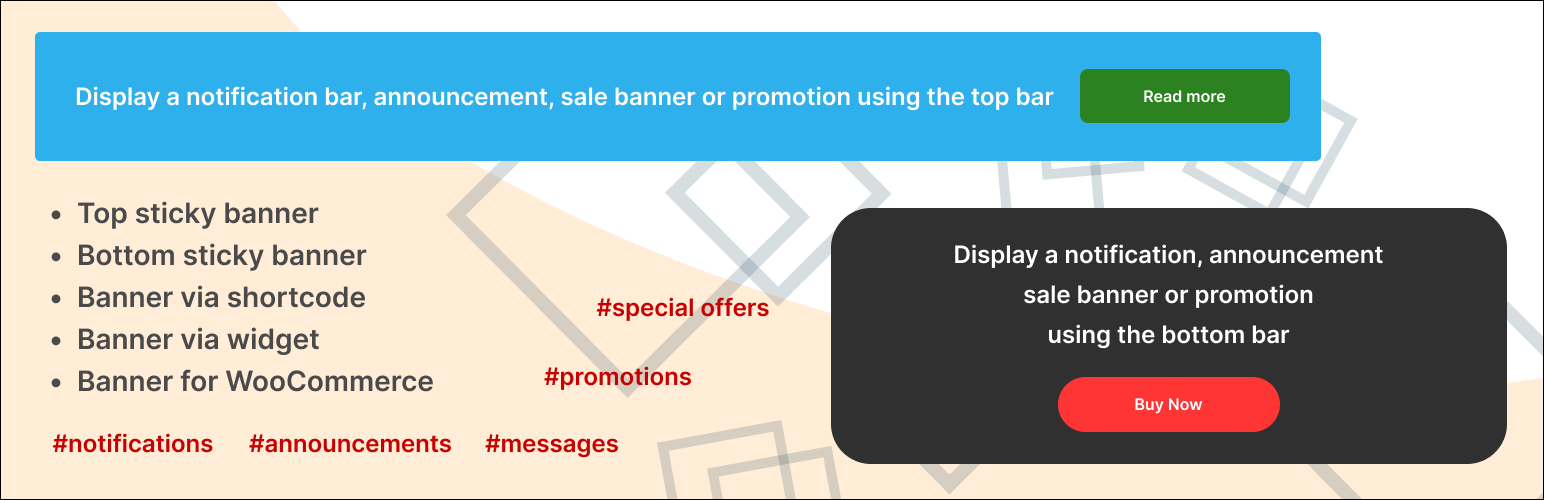
DMC Promo Banner displays eye-catching banners with text and a button. You can place the universal banner in the header or footer, on WooCommerce pages, or insert it via a widget or shortcode. Choose a ready-made banner design, add your text, and customize the action button.
The premium version includes a countdown timer to create a sense of urgency (FOMO). You can also schedule the banner to appear or disappear automatically based on a timer.
DMC Promo Banner is great for boosting sales through discount promotions, special offers, and FOMO marketing.
You can set up 5 separate banners
Top sticky banner (Top Bar)
Bottom sticky banner (Bottom Bar)
Banner via shortcode
Banner via widget
Banner for WooCommerce
Top bar is displayed on all pages of the site and can be set as sticky when scrolling.
Bottom bar is also displayed on all pages. It is always sticky and its position can be customized (left, right, center, or full width).
Widget allows you to display a sales or notification banner in your sidebars.
Shortcode lets you insert a sale banner into any text editor — for example, in posts, pages, category descriptions, products, and more.
Special WooCommerce module allows you to choose the placement of the advertising banner on the product page. You can also set its placement on the product list page, cart page, order page, and user account page.
What else can be customized?
Display options (desktop, mobile, or both)
Choice of ready-made designs
Background image
Rounding banner corners
Limiting banner width
Adding margins and padding
Vertical or horizontal orientation
Text editor for text (color and size changes included)
Adding an action button
Adding a close button (for the top and bottom bar)
The premium version includes
Visual countdown timer
Turn on and off by timer
20 additional designs
Changing the order of elements (text, timer, button)
Selecting fonts (40 handpicked google fonts)
Changing the banner background color
Selecting color for timer and button
Selecting size for timer and button
Button action on product page
Flexible selection of pages for banner display
Flexible selection of WooCommerce pages for banner
Peculiarities
Easy to use, no coding required
Translated into 20+ languages
Flexible and functional settings
Fully responsive on all mobile devices
SEO-optimized with proper headings and markup
Clean code, no frameworks, minimal scripts
High level of compatibility with any plugins and themes
Extended compatibility with WooCommerce
Tested with Elementor, Yoast SEO, Rank Math SEO, All in One SEO Pack, Jetpack, BuddyPress, bbPress, Events Calendar, and more
Examples of use
Using the top bar, publish a notification for store visitors – Our store will open soon
Using the bottom bar, write a message for customers – Big sale starting soon
Using WooCommerce pages, display a promotion – Get 20% off when purchasing this product
Using a shortcode, leave a information for users – This section is temporarily closed for moderation
Using a widget, place an announcement for website visitors – Content manager required for the news section
Support
If you have any difficulties, please contact our technical support for the DMC Promo Banner plugin, and we will definitely help you.