內容簡介
Quick Callback Button 是一款現代化的浮動聯絡按鈕外掛,幫助訪客透過回撥請求、電話和熱門即時通訊軟體更快速地聯絡您的業務。此外掛設計用於潛在客戶生成和提升用戶互動,適合各類商業網站和服務。
【主要功能】
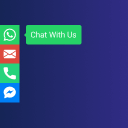
• 浮動回撥按鈕,隨時可見但不會打擾
• 現代化彈出聯絡表單,簡單有效捕捉潛在客戶
• 即時通訊整合,快速連結至 WhatsApp、Telegram 和 Viber
• 點擊撥打,為行動用戶提供直接電話連結
• 電子郵件通知,回撥請求即時提醒
• 互動分析,追蹤按鈕和請求的點擊數據
外掛標籤
開發者團隊
原文外掛簡介
Quick Callback Button is a modern floating contact button plugin for WordPress that helps visitors contact your business faster through callback requests, phone calls, and popular messengers.
The plugin adds a customizable floating button with a popup contact form and support for:
* WhatsApp
* Telegram
* Viber
* Direct phone links
Designed for lead generation and better user engagement, Quick Callback Button works perfectly for business websites, agencies, services, WooCommerce stores, landing pages, and local companies.
The latest version includes a built-in Preview Mode that allows administrators to preview modal window designs directly from the WordPress admin panel before applying changes. The plugin also comes with 10 professionally designed modal styles, making it easy to match the contact widget to any website design.
Demo
Test the plugin before using it on a production website.
Demo site: Open the live demo
Demo admin: Open the demo admin
Username: demo
Password: demo
Pro Features
Unlock advanced callback workflow and analytics features with Quick Callback Button Pro.
External API integrations for callback requests.
Multiple API endpoints with POST, GET, or PUT methods.
Custom request headers and body templates with the %phone% placeholder.
Detailed logs for email and API requests.
Log search, date filters, and CSV export.
Privacy-safe GTM and GA4 events for widget opens, form submissions, phone calls, WhatsApp, Telegram, and Viber clicks.
Get Quick Callback Button Pro.
Features
Floating callback button – Always visible but non-intrusive.
Modern popup/modal contact form – Simple and effective for lead capture.
Messenger integration – Quick links to WhatsApp, Telegram, and Viber.
Click-to-call – Direct phone links for mobile users.
Email notifications – Instant alerts for callback requests.
Multiple recipients – Send notifications to several email addresses.
Phone validation – Built-in phone number masking and validation.
Custom error message – Let administrators edit the frontend error message from General Settings.
Interaction analytics – Track anonymous aggregated button, request, and messenger clicks in a dedicated Analytics tab.
Optional cleanup on uninstall – Administrators can choose whether plugin settings and analytics data are removed when the plugin is deleted.
Admin assistance notice – Administrators can contact the DITS team from WordPress admin and dismiss the notice for their own account.
Full Customization – Control colors, styles, and animation effects.
Themes – Support for light and dark modal themes.
Optimized – Lightweight, responsive, and mobile-friendly.
Compatible – Works with Elementor, Gutenberg, and all modern themes.
Third-party Resources
Resource Name: Phone, Telegram, Viber, WhatsApp Icons (SVG)
License: GPLv2 or later
License URI: https://www.gnu.org/licenses/gpl-2.0.html
Resource Name: IMask.js
License: MIT
License URI: https://github.com/uNmAnNeR/imaskjs
Source: https://imask.js.org/
Resource Name: MicroModal (micromodal.min.js)
License: MIT
License URI: https://opensource.org/licenses/MIT
Source: https://github.com/ghosh/Micromodal
Resource Name: Space Grotesk (font)
License: OFL-1.1
License URI: https://opensource.org/licenses/OFL-1.1
Source: https://github.com/floriankarsten/space-grotesk
External Services
This plugin provides an option to contact via WhatsApp. When enabled, it generates a link to the WhatsApp API (https://api.whatsapp.com/send). Data (phone number) is sent only when a visitor clicks the button.
WhatsApp Privacy Policy: https://www.whatsapp.com/legal/privacy-policy
AJAX callback requests: This plugin handles callback requests via an AJAX POST request to the WordPress backend. Data (phone number) is used only to send an email to the site administrator.